Chapter 14: Working with Display Groups ● 135
Adding a System to a Display Group
As your storage space grows and changes, you can add new systems to
your display groups.
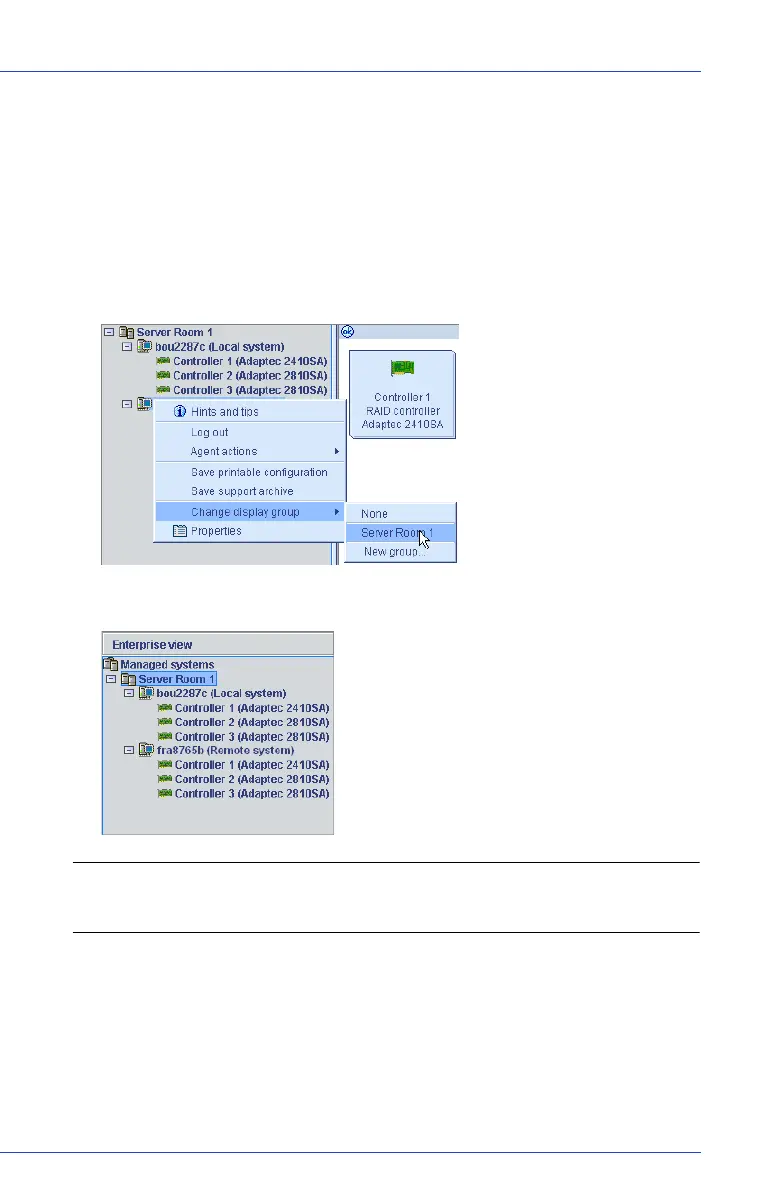
To add a system to a display group:
1 Right-click on the system in the Enterprise View.
2 Select Change display group, then click the display group name.
The system is added to the display group.
Note: A system can belong to only one display group at a time; you
can’t include the same system in multiple display groups.



 To Next Page