Chapter 11: Monitoring Your Storage Space ● 112
Opening the Email Notification Manager
This section describes how to set up email notifications for one system in
your storage space. You must complete the tasks in this section for
each
individual system that you’ll be monitoring with email notifications.
To set up email notifications:
1 Note this information:
● The address of your Simple Mail Transfer Protocol (SMTP)
server (host name and domain, or TCP/IP address)
● The name and email address of each person who will receive
email notifications
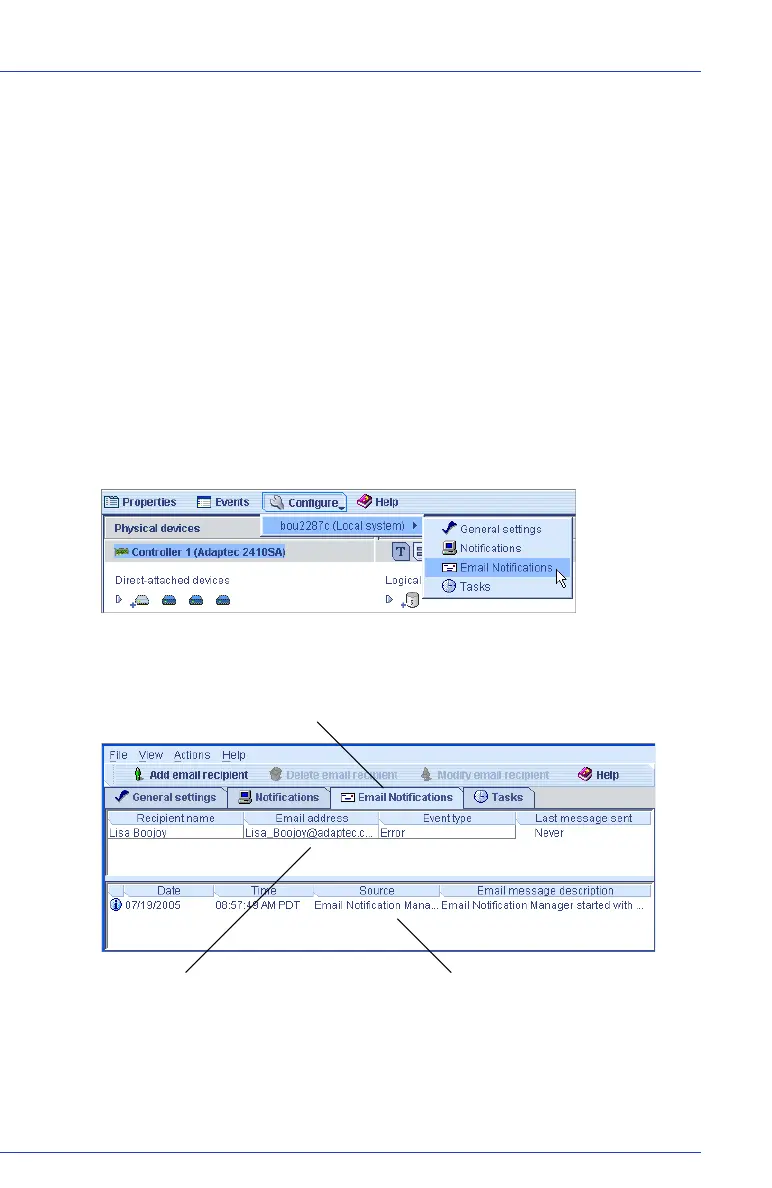
2 In the tool bar, click Configure, select the system you want, then
click Email Notifications.
The Email Notification Manager opens on the Email Notifications
tab of a new window.
3
If this is the first time you are opening the Email Notification Manager,
continue with
Entering the SMTP Server Settings
on page 113
.
To set up email notifications, continue with Adding an Email
Recipient on page 113.
Email LogEmail List
Email Notifications Tab



 To Next Page