Chapter 15: Managing Controllers and Disk Drives ● 143
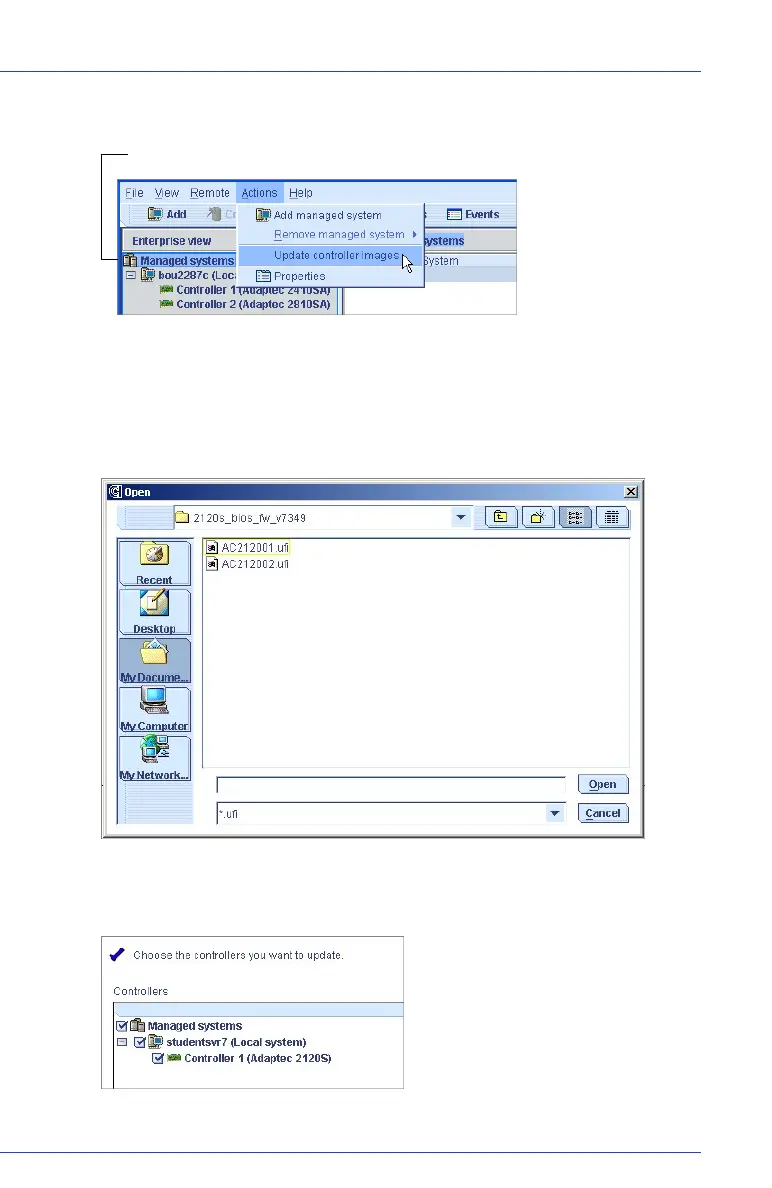
2 In the menu bar, select Actions, then click Update controller images.
The ROM Update wizard opens.
3 Click Next.
4 Click Add to browse to the firmware image files you downloaded,
then click Open.
5 In the wizard, click the image files you want, then click Next.
6 Select the controllers you want to update, then click Next.
Managed systems



 To Next Page