Step 5: Customizing Adaptec Storage Manager ● 68
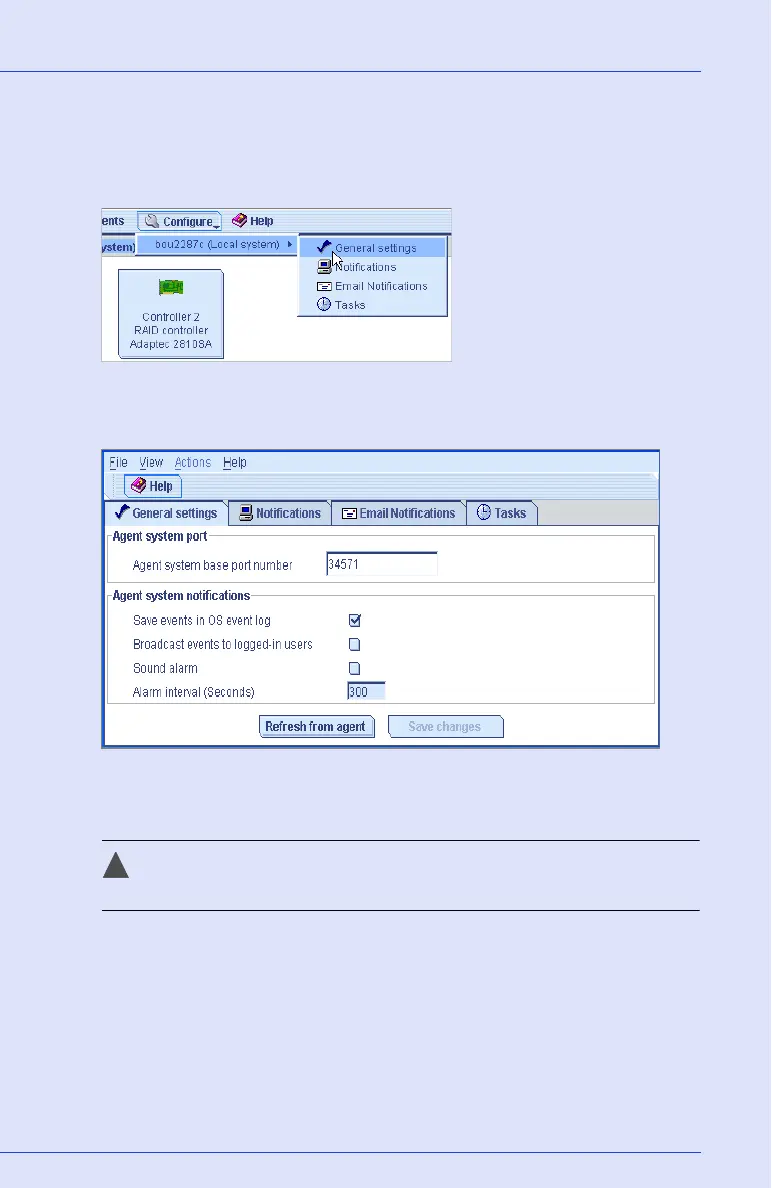
To change alarm settings on a system:
1 Click the Configure button, select the system you want, then click
General Settings.
The Adaptec Storage Manager Agent General Settings window opens
for that system.
2 Edit the alarm settings as required. (Select or deselect Sound alarm;
change the alarm interval time.)
Caution: If you disable the alarm, no audible signal will sound
on that system when a Warning- or Error-level event occurs.
3 Click Save changes.
4 Restart Adaptec Storage Manager to apply the new settings.



 To Next Page