57
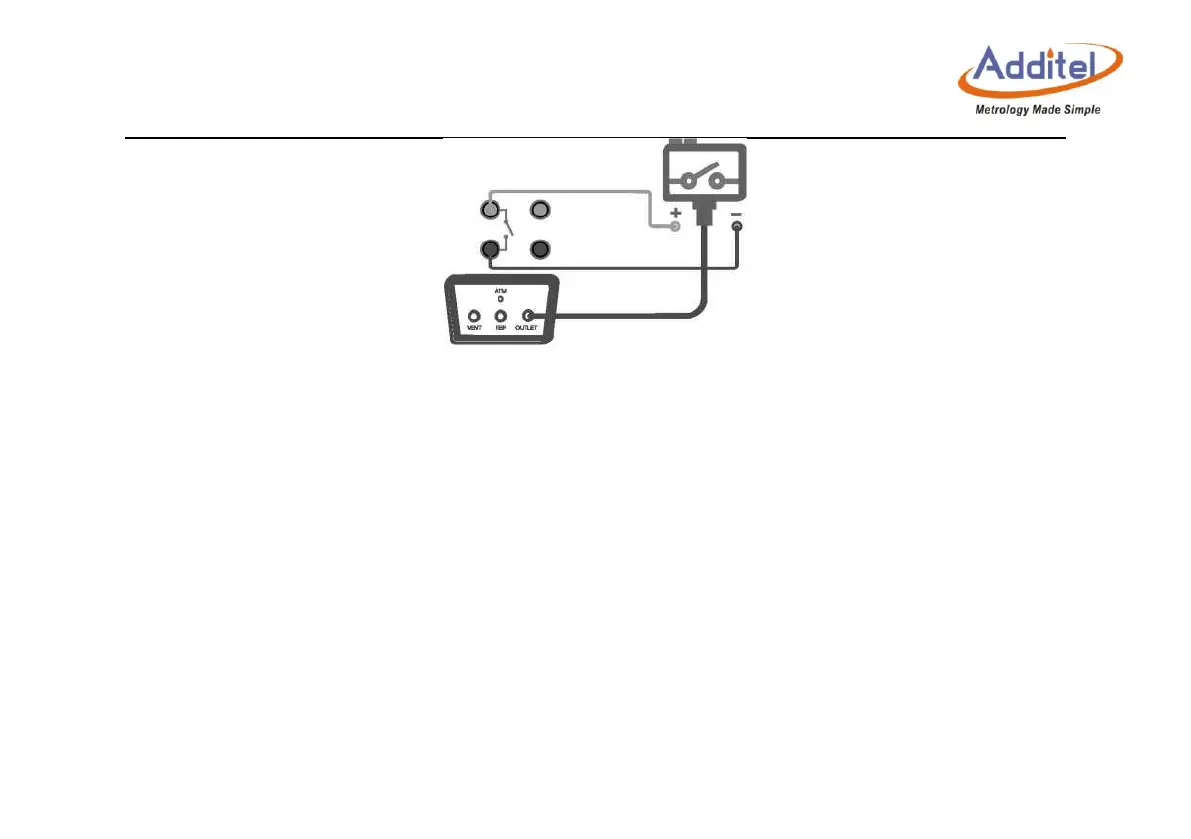
Figure 3- 16 Calibration of a pressure switch
4. Record the captured action value, or use snapshot storage (it can store a pair of action values at
the same time).
3.6.5 I/P converter
1. Prepare
Switch the electrical output item of main operation interface to: Current output.
Open the pressure output area of main interface and switch to the measurement status:
High-pressure or low-pressure range (depends on the range of the I/P converter).
The output pressure of I/P converter can be measured by using an external pressure module.
2. Connection
Connect as shown in Figure 3-17.
Never apply pressure out of the present range of the calibrator.



 To Next Page