105
Note that it does not require manual input of the indicated value in this test.
Enable or disable loop power as required for the input.
For Enable or disable loop power as required for the output.
5. Task end
For the contents, refer to Section 5.2.1 Task end for calibration of the analog pressure gauge.
5.2.8 Contact pressure gauge
1. Connection
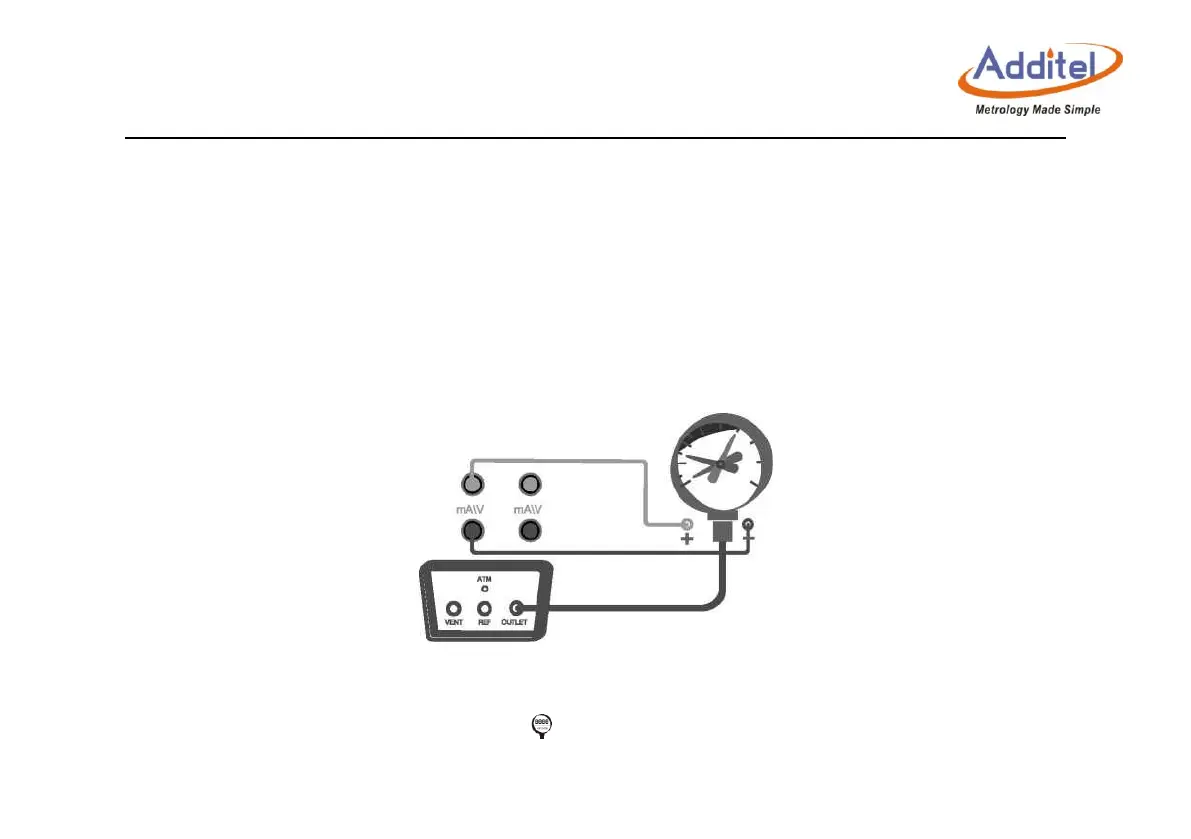
Connect the calibrator and the contact pressure gauge as shown in Figure 5-4:
Figure 5- 4 Calibration of the contact pressure gauge
2. New task
Select the “contact pressure gauge” icon in the test type list, and input the information of the
calibrated contact pressure gauge.



 To Next Page