25
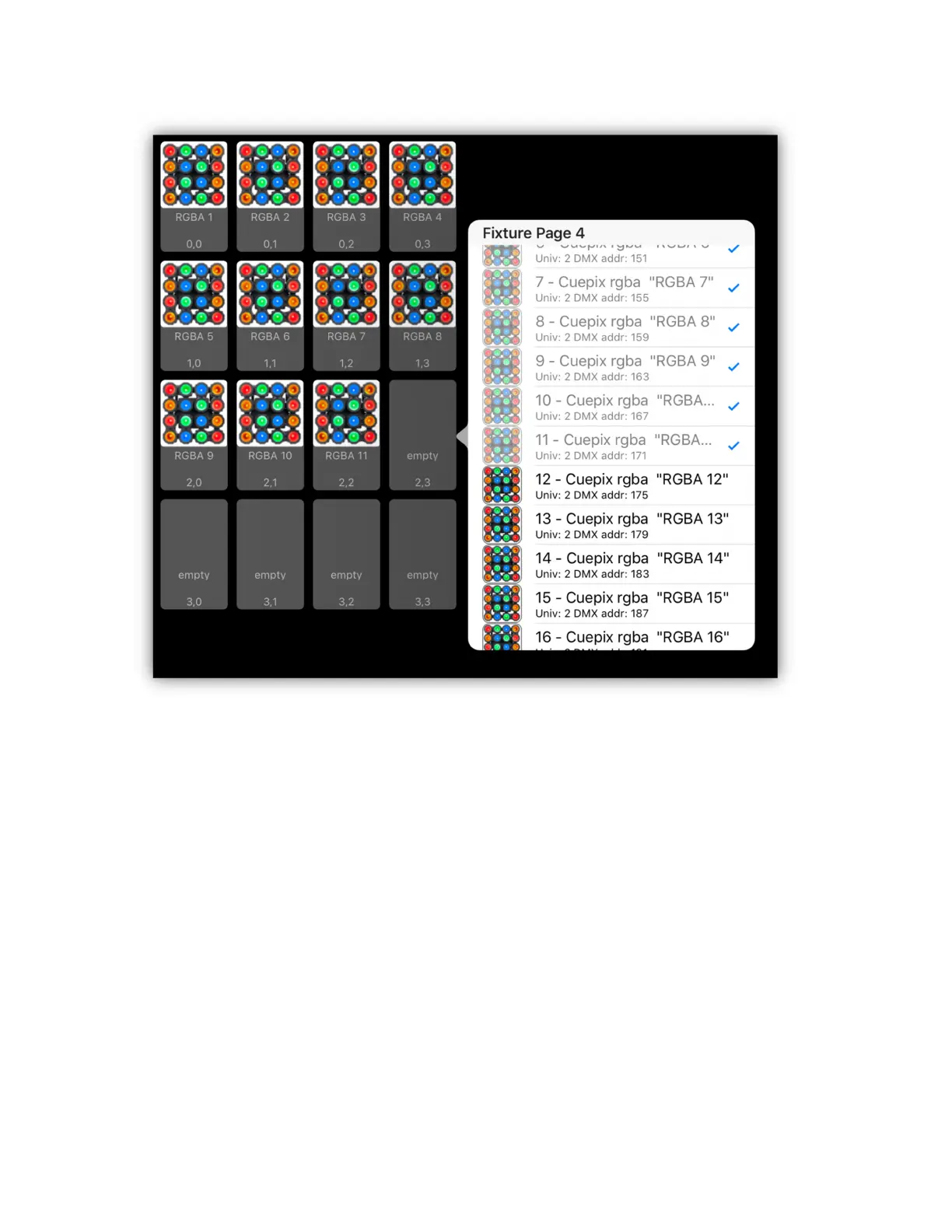
In the example above a 4 X 4 matrix has been created using individual RGBA
LEDs from an Elation Cuepix blinder. In this example the fixture was patched as
16 separate RGBA LEDs rather than one large fixture simply for convenience. If it
had been patched as one large fixture you would only need to assign it to the first
box and the rest of the pixels would have been filled in automatically. Each box
shows the fixture’s button name and image as well as the row and column
number.
You can edit the size of the grid at any time by adding or subtracting dimensions.
You can also drag and drop boxes to rearrange the order. To drag a pixel, tap a
box and hold until it expands, then drag it to a new location. To remove a pixel
assignment, tap the clear button at the top. A large X will appear in the corner of
each pixel box. Select any box to remove its assignment. Tap “done” at the top
when finished. Before saving the matrix, enter a name. Finally tap “save” when
you are finished editing. There is a “load” button for selecting saved matrices to
load into the editor.


 To Next Page