44
Effects View
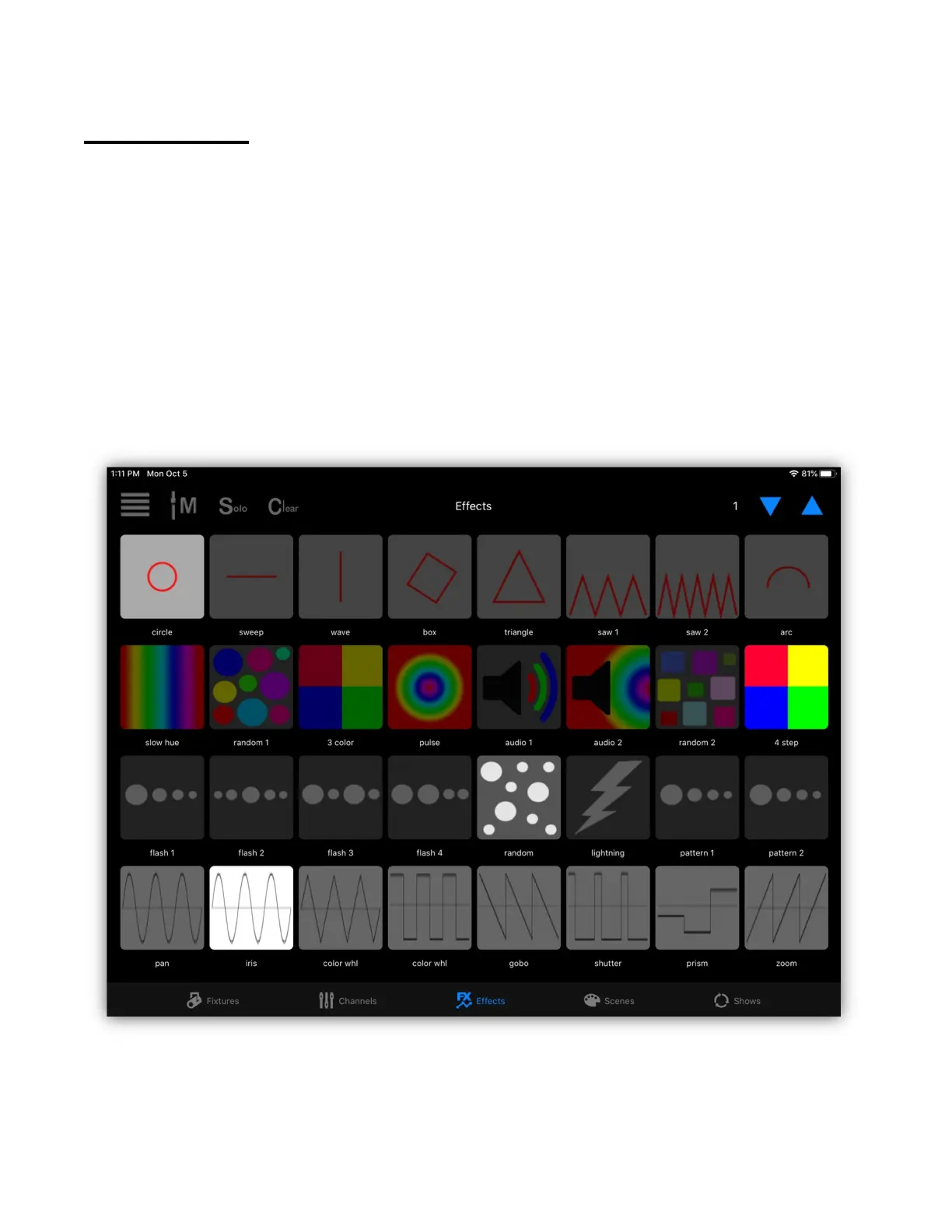
The effects view shows a button field of the effects that you have saved. As with
the scenes view you have 99 pages of 32 buttons. The example below shows four
rows of effects with each row containing different types of effects. In this example
the top row contains pan and tilt movement effects, the second row contains color
effects, the third row contains flash effects and the bottom row contains basic
wave form effects. Buttons 1, 16, 21 and 26 are lit indicating that those four
effects are currently running.
When you view the effects buttons for the first time, all buttons will be empty
until you create some effects and save them. There are effects editors for making
and saving several types of effects.
Once you have some effects saved, tap an effect button to toggle an effect on or
off. If an effect replaces all channels of one that is running, it will automatically
turn off the old effect. Tap “Clear” to turn off all running effects.



 To Next Page