6
Connecting to the Link Controller
The Link controller connects to your IPad using either its private Wi-Fi network or
the USB connector on the back. When the Link controller is turned on, it will
create a local Wi-Fi network that you can join using the Wi-Fi settings on your
IPad. The network will show up on the list of available networks in the Wi-Fi
section in your IPad’s settings. The default network name is “ADJLink”. The
default password is “link1234”. Select and join the network as you would join any
other Wi-Fi network from your IPad. It is highly recommended that you change
the password before using it in public. The network can appear on any Wi-Fi
device in the vicinity of your lighting system. As an added security feature only
one device can connect to the network.
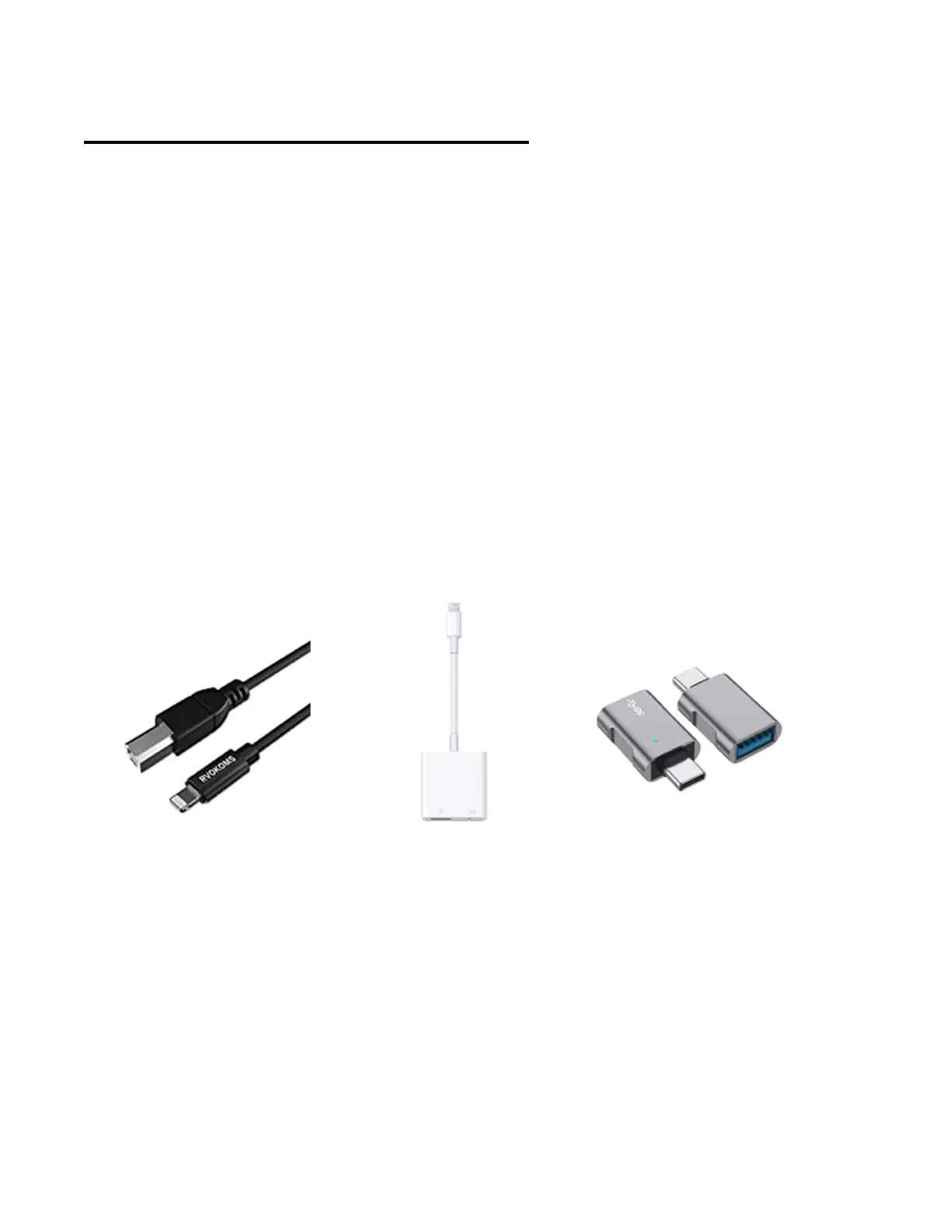
If you prefer to use a hardwired connection between the IPad and Link you will
need a USB cable adapter. There are several types that will work depending on
the IPad model. For an IPad with lightning connector, figures A and B will work.
Figure B, which is sometimes referred to as the Apple camera adapter also allows
the IPad to connect to a charger at the same time. If you have an IPad Pro with
USB C connector, you will need something like Figure C along with a standard
USB printer style cable.
Fig. A Fig. B Fig. C
There are several advantages to using the wireless connection. Mobility is
probably the most helpful as you will be able to carry the IPad to different parts of
the room as needed when doing setups or when you want to control the lighting
from somewhere other than where the console is located, as long as the IPad is
within range of the console’s network.
The Wi-Fi range between your IPad and the Link will vary depending on the
environment but you should expect no more than 75 feet for a fast reliable
connection indoors. Walls can shorten the range. The Link Wi-Fi is dual band and
its network can run at 5GHz or at 2.4GHz. The band is selected manually from the



 To Next Page