63
Basic Effect Editor
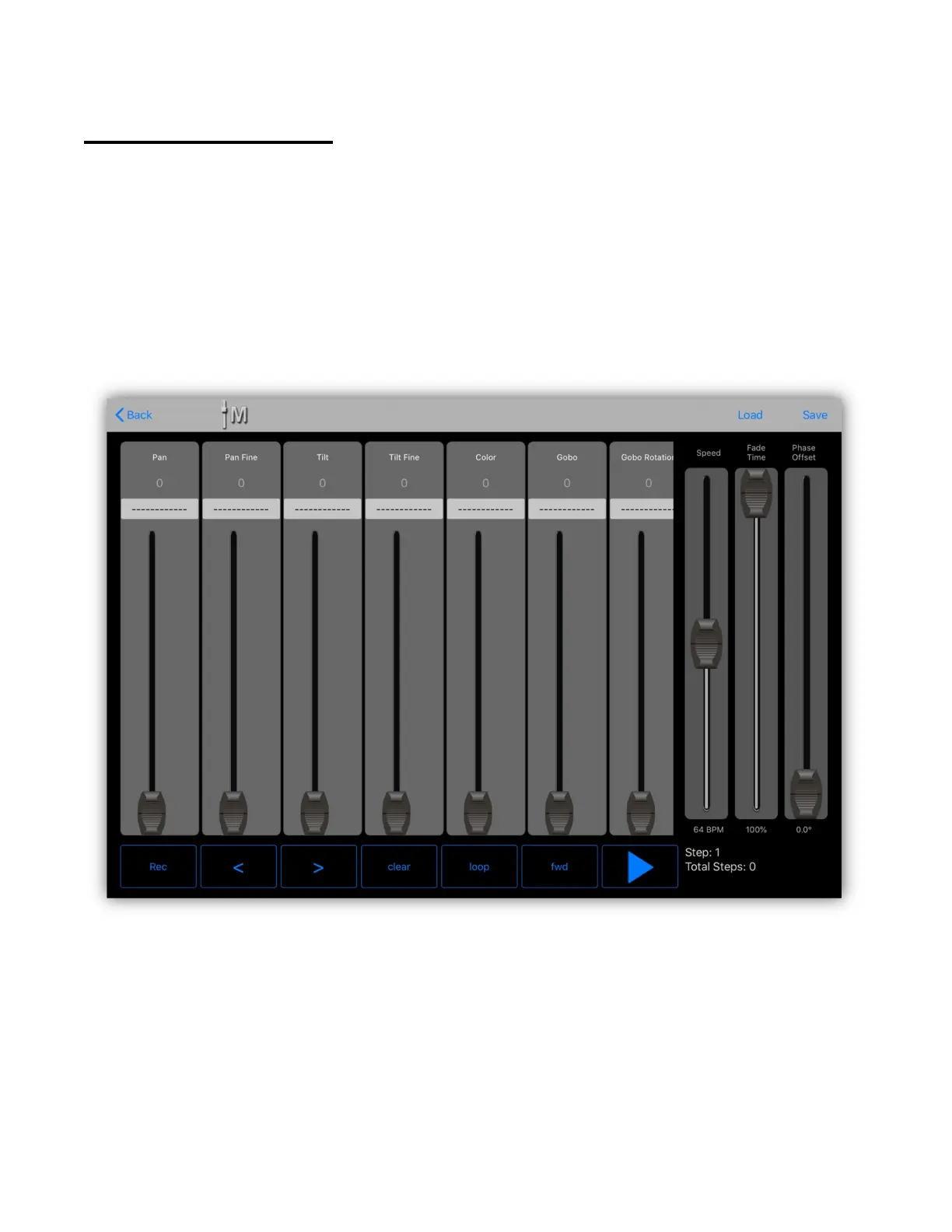
The basic effect editor provides a versatile way to build effects using any channel.
It’s essentially two types of effects in one. You can assign standard waveforms to
individual channels and you can also record a stepped chase using any
combination of channels. As with all the effects editors, before starting you must
first select some fixtures. The order that you select the fixtures is important as
this will affect how the phase offset will appear in the effect. Typically if you are
viewing the fixtures on the stage you should select them from left to right. The
basic effect editor should appear similar to the example below.
Depending on the fixture(s) you have selected, you will see channel faders in a
view similar to the channels view that can be scrolled left and right. To the right
of the channels are three faders for controlling the speed, fade rate and phasing
of the effect and at the bottom are some buttons used for recording and
playback.
The speed is shown in beats per minute and can be controlled using the speed
fader or the tap/audio sync feature. Fade time is used for the chase effect and the



 To Next Page