8
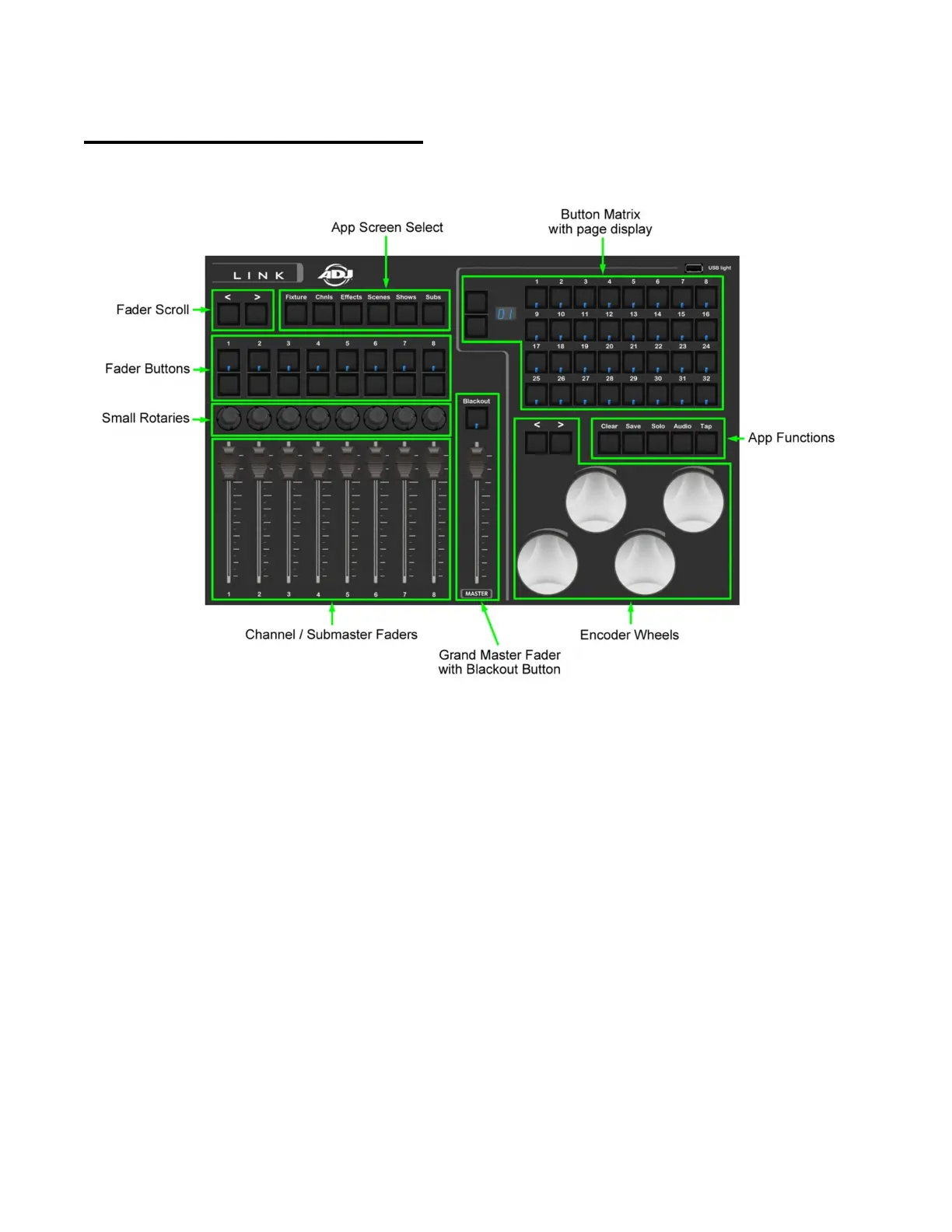
Link Controller Top Panel
This illustration shows all of the control sections on the top panel of the Link
controller. When connected to the Link app each section can control various
functions running in the app depending on the current view that is displayed in
the app. Some controls are universal across the app and will always work the
same no matter which view is currently displayed. This includes the screen select
buttons, the grand master, blackout and app function buttons.
Typically controls like the button matrix, faders and wheels will be matched to the
current view that is displayed in the app. Any app view that shows a button
matrix, for example the fixture select view, will use the button matrix along with
the page controls and the LEDs inside each matrix button. The fader section along
with the controls directly above will work along with the channel and sub master
views in the app.



 To Next Page