75
Master Pop-up
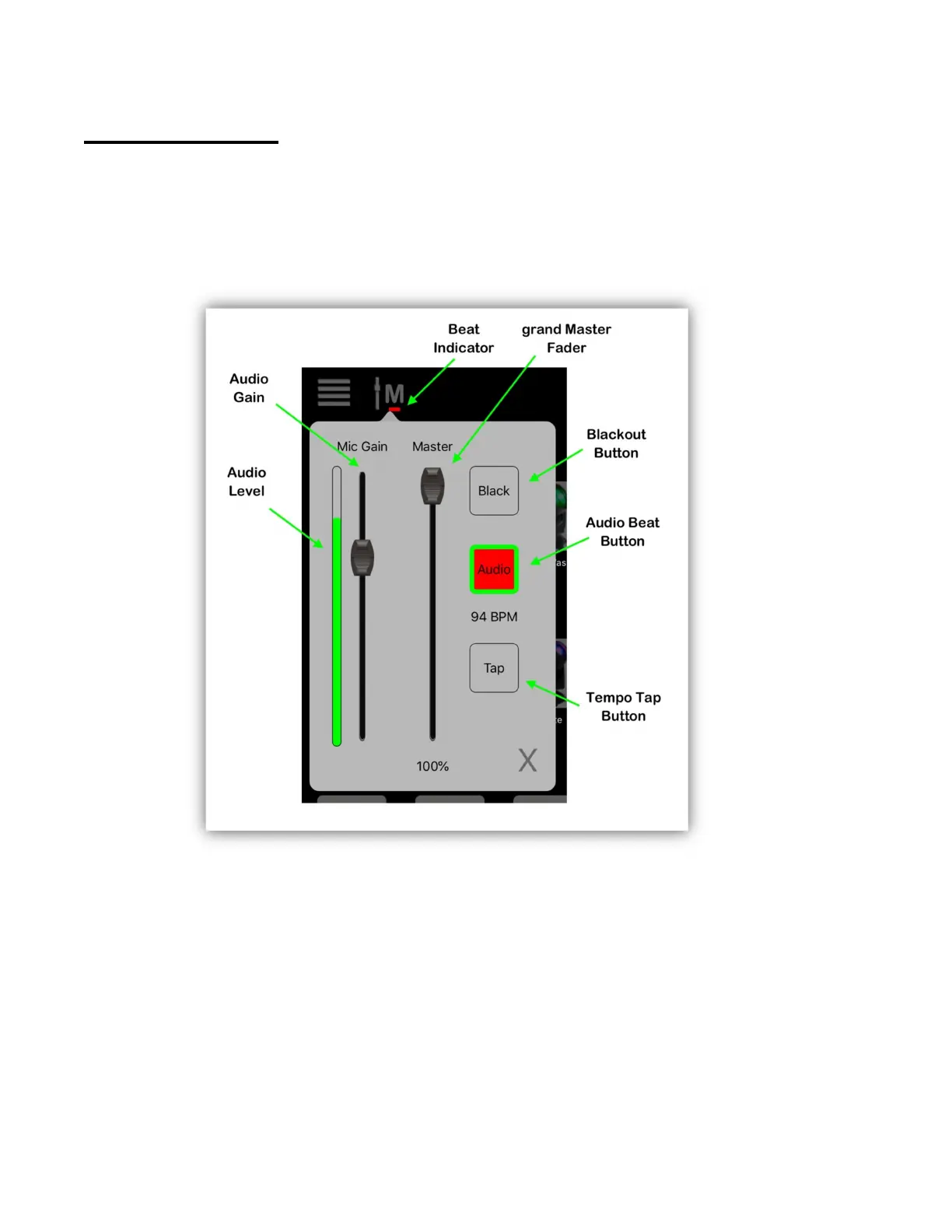
The example below shows the Master pop-up. Most views will have access to this
by tapping the master button at the top left of the screen. This pop-up contains a
number of global controls, each explained in the following paragraphs. You can
also call pop-up this by pressing on wheel 4 on the Link controller.
Master Fader
The master fader controls the overall brightness of your stage. It is a manual
control and will follow the position of the master fader on the Link controller. It
will affect all fixtures whether they are selected or not as long as the fixture has a
way to control its brightness, either through a dimmer channel or channels that
are dimmable, e.g. RGB. All of the fixtures in the built-in library are set up for
master control by having certain channels flagged as “controllable by master”. For
your custom fixture profiles, you need to flag these channels yourself using the
channel editor. See the “Custom Fixture Profiles” chapter for details.



 To Next Page