84
Standalone Mode
The Link controller is capable of running in a simple standalone mode where it
doesn’t need to be connected to an IPad. Eight static scenes can be assigned to
matrix buttons 1-8 where they will be stored in the Link’s memory for recall when
running in standalone mode. This can be useful for emergency situations when
you don’t have an IPad.
Saving a Snapshot
To save a scene to one of the eight standalone buttons, first create or call a static
scene using the IPad. A static scene contains no moving effects. Make sure all
four DMX outs are set to the desired levels as these will be recorded as a
snapshot. This includes setting the master fader to the desired level.
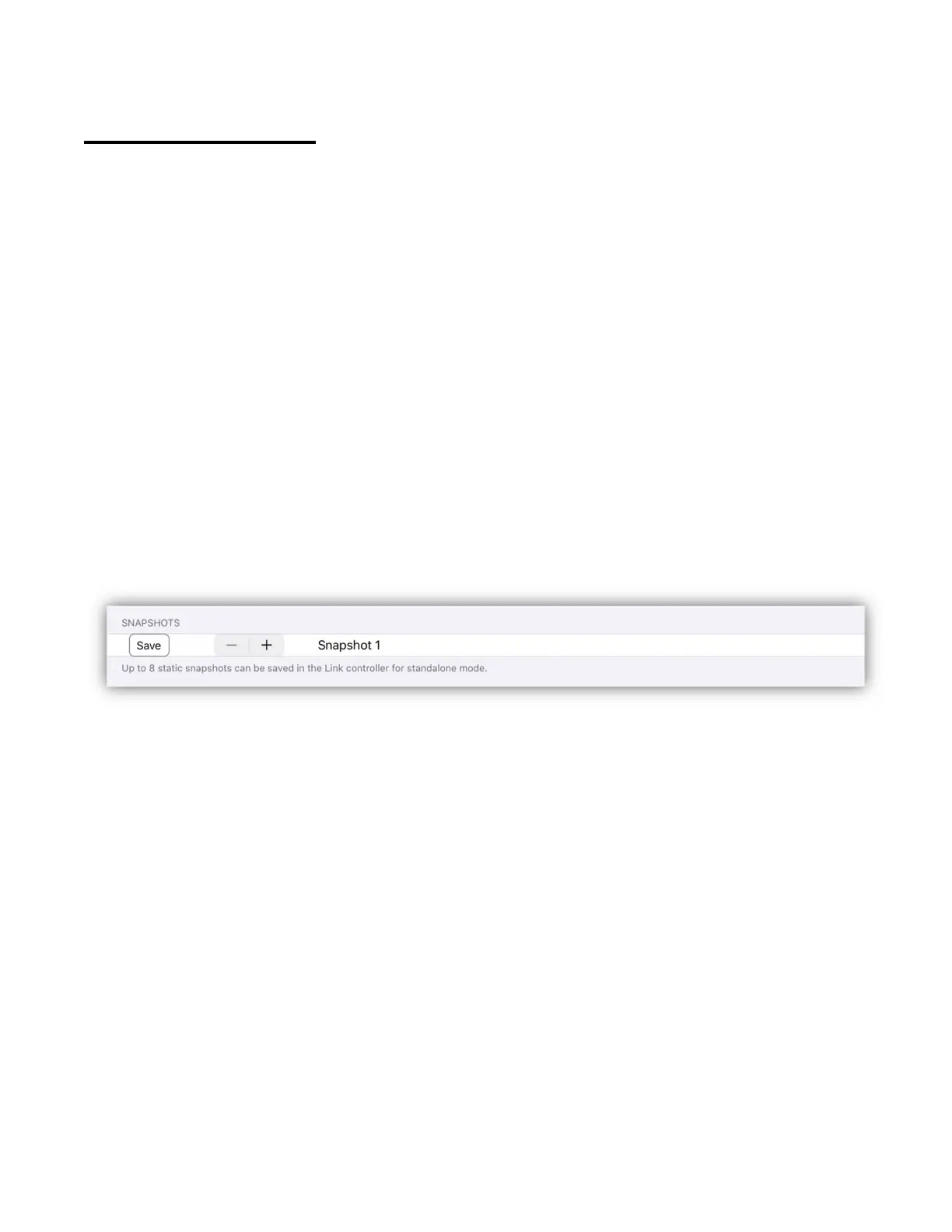
From the settings (accessed from the fixtures view menu) go to the snapshots
row and select the button number to save, then tap the save button. The Link
controller will record the outputs of all four DMX universes into its internal
memory.
Using Standalone Mode
To enter standalone mode, press and hold matrix button 1 while powering on the
Link controller. “SA” will be displayed on the matrix page. The Link will not
establish a Wi-Fi network and only matrix buttons 1-8 will function. All other
controls like the master fader are ignored. If there is a snapshot assigned to
button 1 it will be called.
Press any of the eight buttons that have snapshots assigned to fade the lights on
or off. The Link will perform a soft one second fade-in or fade-out. Only one
snapshot can be active at a time and a button’s LED will light when active. If no
snapshot is assigned to a button, the button press will be ignored.



 To Next Page