55
Color Effect Presets
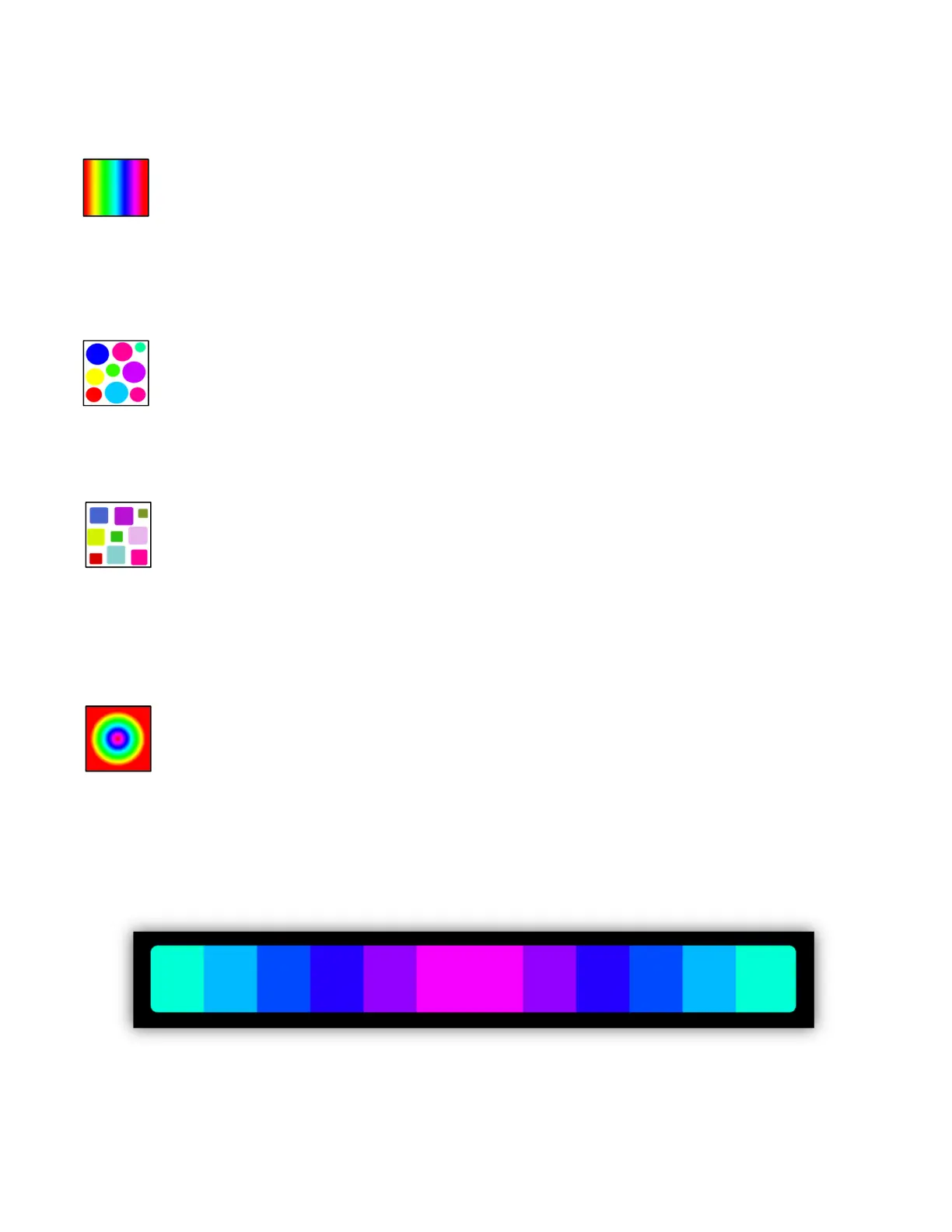
Hue Gamut Effect: The color will gradually change hue across the entire
gamut unless you confine the hues by using the control tabs in the color
picker. Speed is displayed in hrs:min:sec. This is the time it takes to run
the entire gamut. The range is 2 seconds (fast) to 2 hours (super slow). The fade
control has no effect. Adding phase will offset the color between fixtures and also
between pixels in a LED bar or matrix. When using a narrow hue range the effect
will look smoother if you set it to “bounce” instead of “loop”.
Random Hue Effect: The color changes randomly but is confined to the
hues in the picker. The hues will be at full saturation. The speed is set in
beats per minute and can be synced to the tempo tap or audio beats.
Fade is a percentage based on the time between beats. Phasing will change the
number of pixels per random color with higher phasing causing more pixels to
change randomly.
Random RGB Effect: The color changes randomly but unlike the
random hue effect, red, green and blue channels are picked at random.
This will give a much wider range of colors. The speed is set in beats per
minute and can be synced to the tempo tap or audio beats. Fade is a
percentage based on the time between beats. Phasing will change the number of
pixels per random color with higher phasing causing more pixels to change
randomly.
Hue Pulse Effect: This effect is similar to the hue gamut effect except
that by adding phase the colors will appear to move from the center
outwards. This works best with a LED bar or matrix. It will also work
when you select a row of individual LED fixtures. Speed will control the length of
the pulse in seconds. Set the “wide/inside” button to “inside” to confine the pulse
effect inside an LED bar. Setting the direction button to “rev” will make the pulse
appear to move from the outside inwards. The example below shows how it might
appear in the editor using a twelve pixel LED bar.


 To Next Page