64
random ramp wave and will set the fade as a percentage of the time between
steps. Phase offset is the phase lag between fixtures shown in degrees from 0° to
180°. For example, setting phase to 10° will make each fixture lag the previously
selected one by that amount. Note that a full wave cycle is 360°.
Waveforms
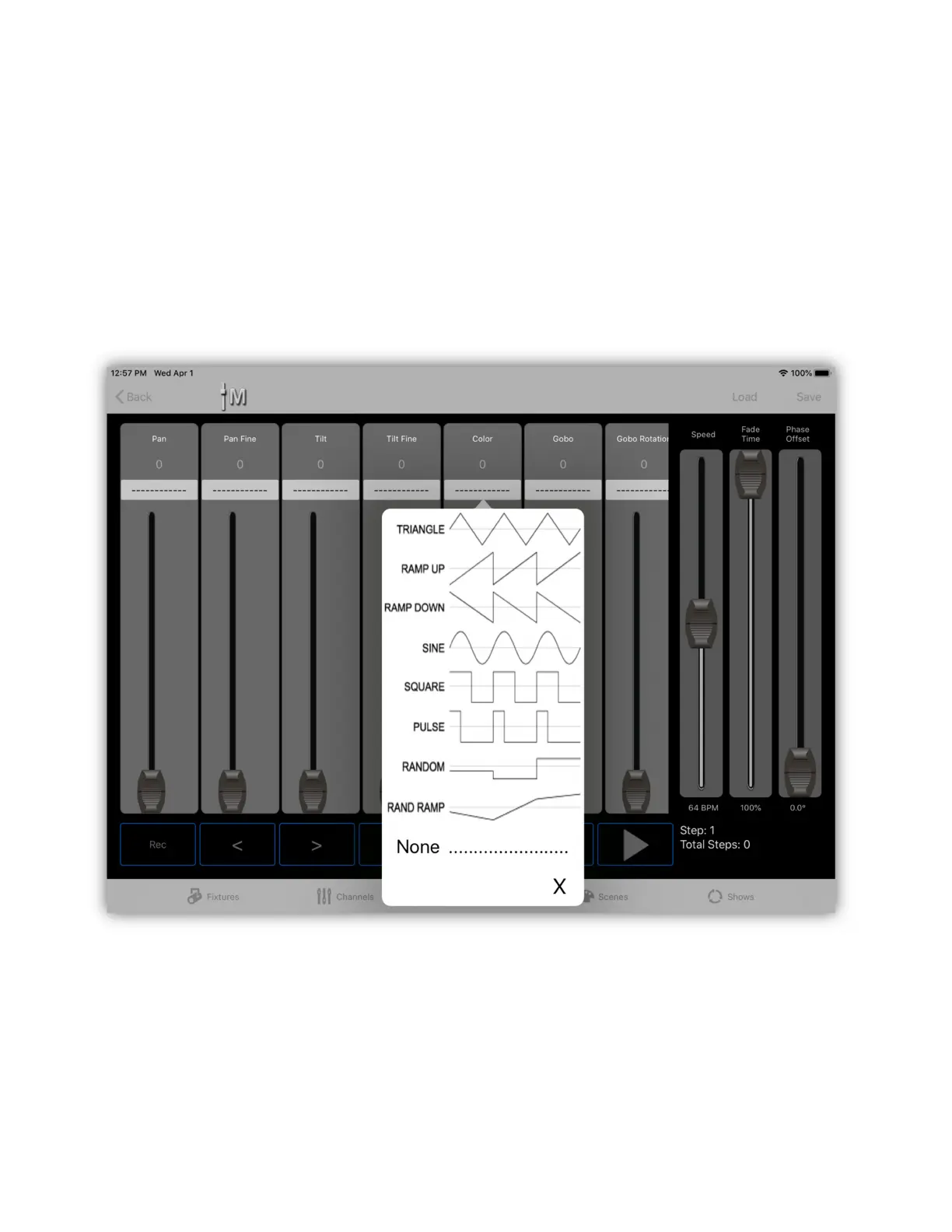
To assign a waveform to a channel, tap the box just above the fader as shown in
the example below.
You will be presented with a dropdown list of common waveforms that can be
assigned to that channel. To remove a waveform from a channel, select “None”.
After a wave has been assigned, a blue stripe will appear along the right side of
the fader as shown in the next example. This can be used to set the limits of the
channel value while running the waveform. You can adjust the upper and lower
endpoints of the limits by touching and dragging the ends of the blue stripe.



 To Next Page