68
Save Basic Effect
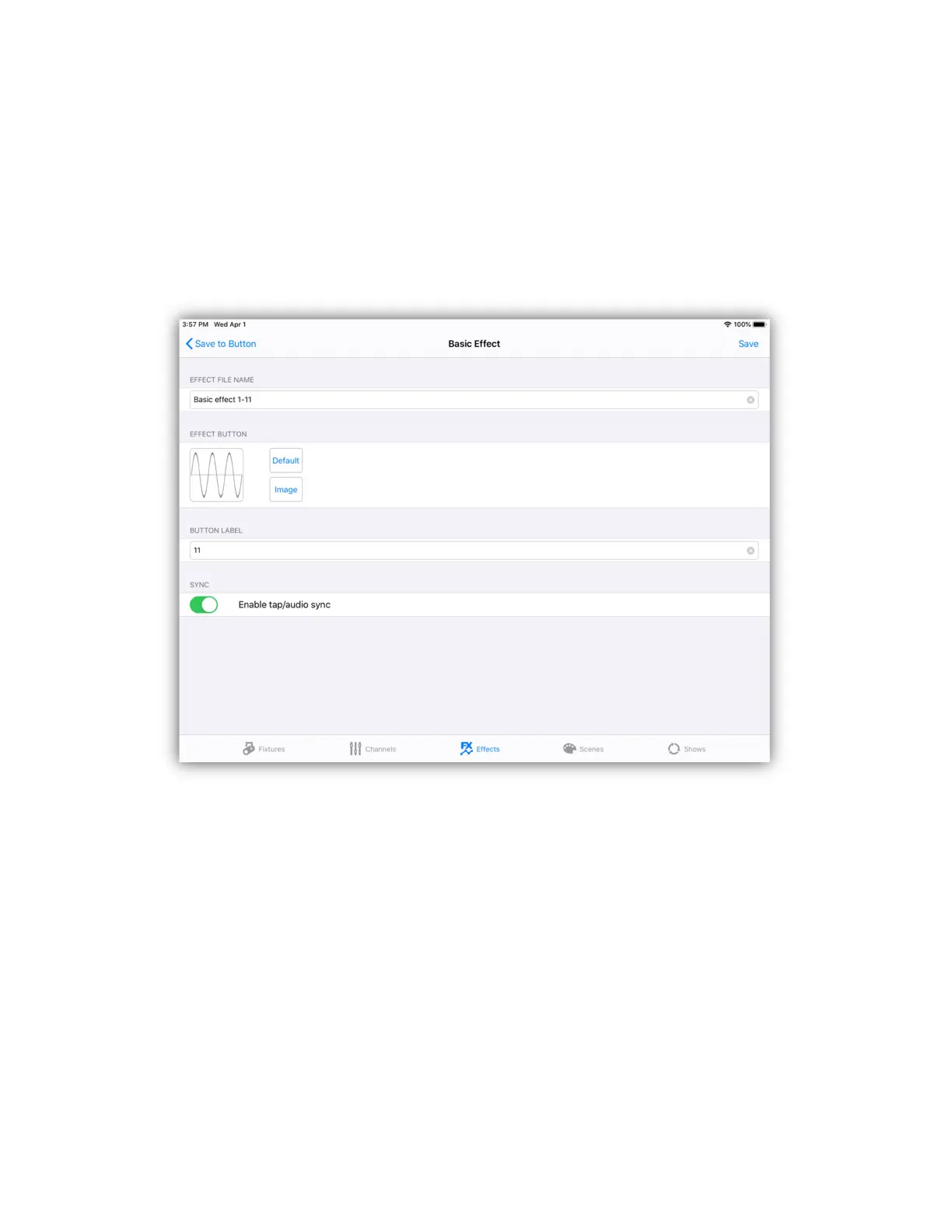
To save the effect, use the same method as described in the previous sections for
the other effects editors. Tap the “Save” button at the top of the editor screen or
on the Link. This will present the buttons list. Select a button location to save the
effect by tapping the button row on the screen or button on the Link. The button
editor will appear similar to the example below.
Enter a new file name or use the default name provided. You can use the default
button image or select a new one from your photo library. Enter a short label that
will appear under the button. Enable tap/audio sync if you want to be able to
control the speed of the effect that way. Tap “Save” to complete the process.
Load Basic Effect
You can load a saved basic effect into the editor. Tap the “Load” button at the top
of the editor screen then select from the list of effects buttons. Only basic effects
can be loaded into the basic effects editor. Once loaded you can then modify the
effect then save to the same location or copy to a new button location using a
different name.


 To Next Page