74
Edit a Saved Show
From the show editor, tap the “Load” button at the top of the screen. This will
present the list of saved shows. You can select a show to edit from this list.
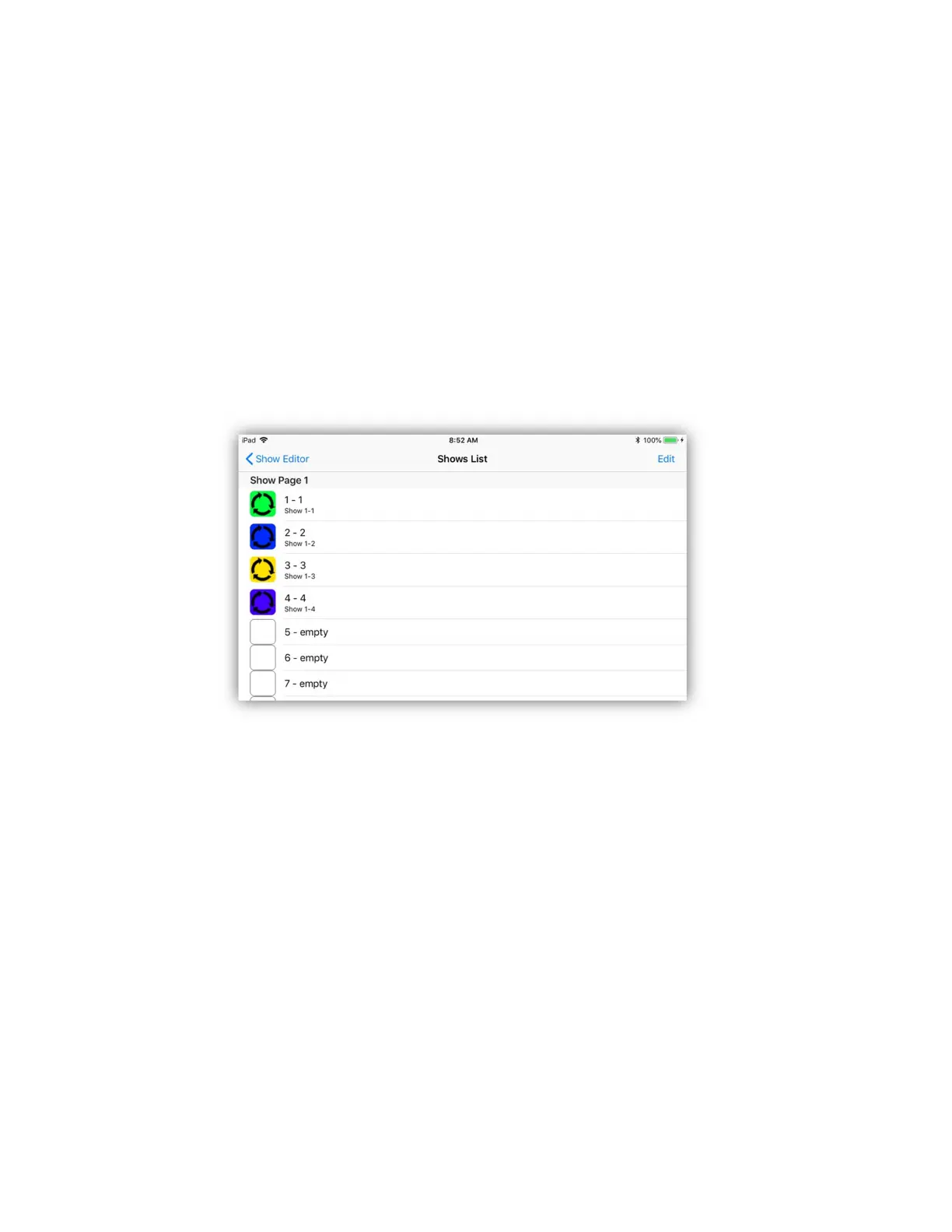
Shows List
The shows list is a table of show button assignments. The list can be edited to re-
arrange the button order or to delete buttons. Tap the “Edit” button to use the
standard IOS list editor. If you tap any row you will be presented with the list of
show files in memory with a check next to the file of the selected row. You can
use this list to assign any show file to a show button.
Show Playback
When played, a show will normally loop continuously until you turn it off unless
you set the loop counter to a number. Scenes play back the same as if you were
tapping scene buttons manually. You can have several shows running at the same
time. If scenes in the running shows overlap, the results can be chaotic,
especially if two shows are sharing the same scenes at the same time.
If the “Solo” button is on, only one show and one scene will run at a time. With
solo off, shows and scenes will be allowed to pile on and continue running. When
you turn a show button off, any active scenes from that show will also be turned
off.
Tap the “Clear” button to turn off all running shows.



 To Next Page