46
Pan/Tilt Effect Editor
This editor is used to create pan and tilt movement effects. Before starting you
must first select some fixtures from the fixtures view that have pan and tilt
channels. The order that you select the fixtures is important as this will affect how
the phase and fan parameters work. Typically if you are viewing the fixtures on
the stage you would select them from left to right.
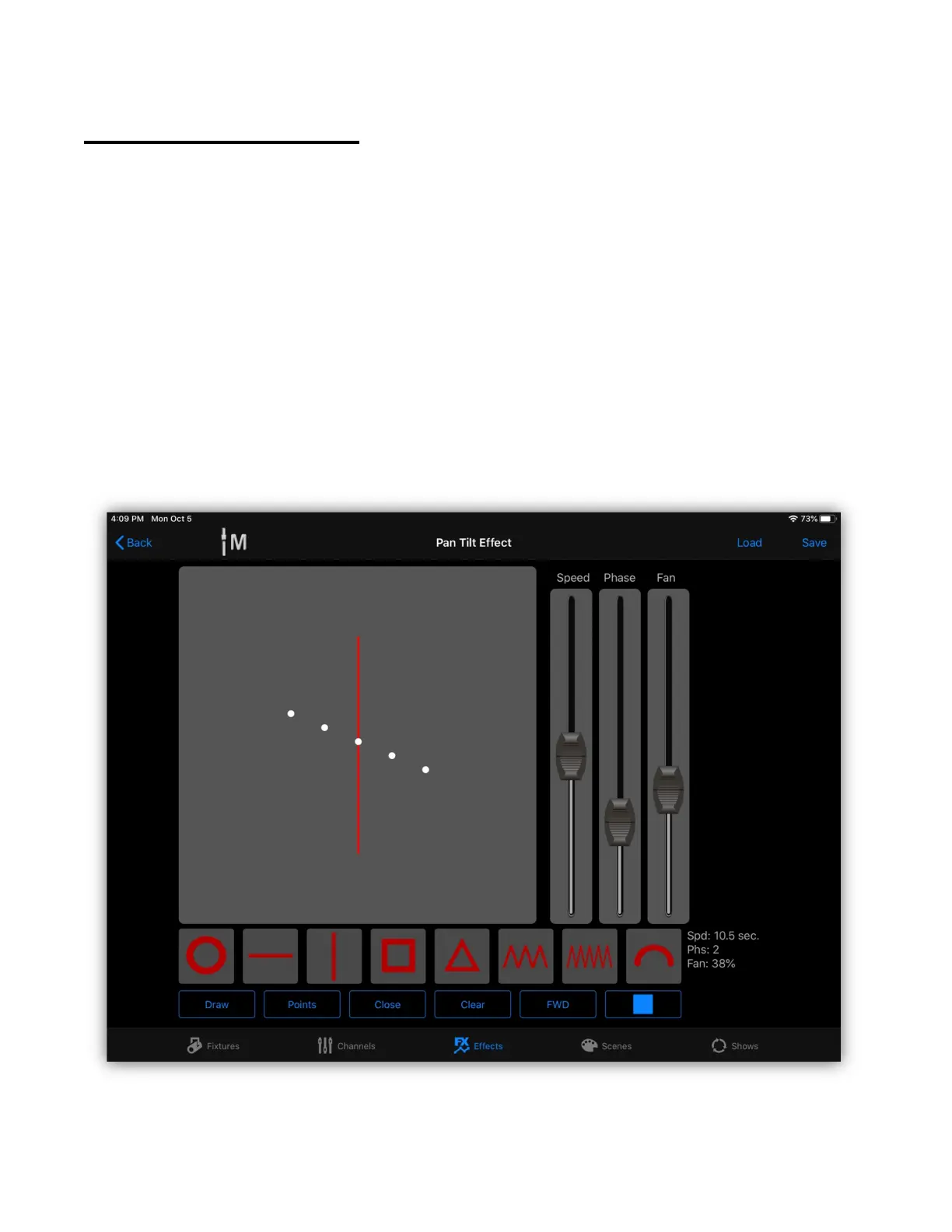
The editor will appear similar to the example below. Notice that the vertical line
preset is selected and displayed in the shape draw area. It’s running five fixtures
that are slightly out of phase and slightly spread out (fanned). The five white dots
represent the beam positions and the red line represents the path of the
movement. The shape draw area represents the full range of pan and tilt, with
pan 0 and tilt 0 in the lower left corner.



 To Next Page