53
Phase Control
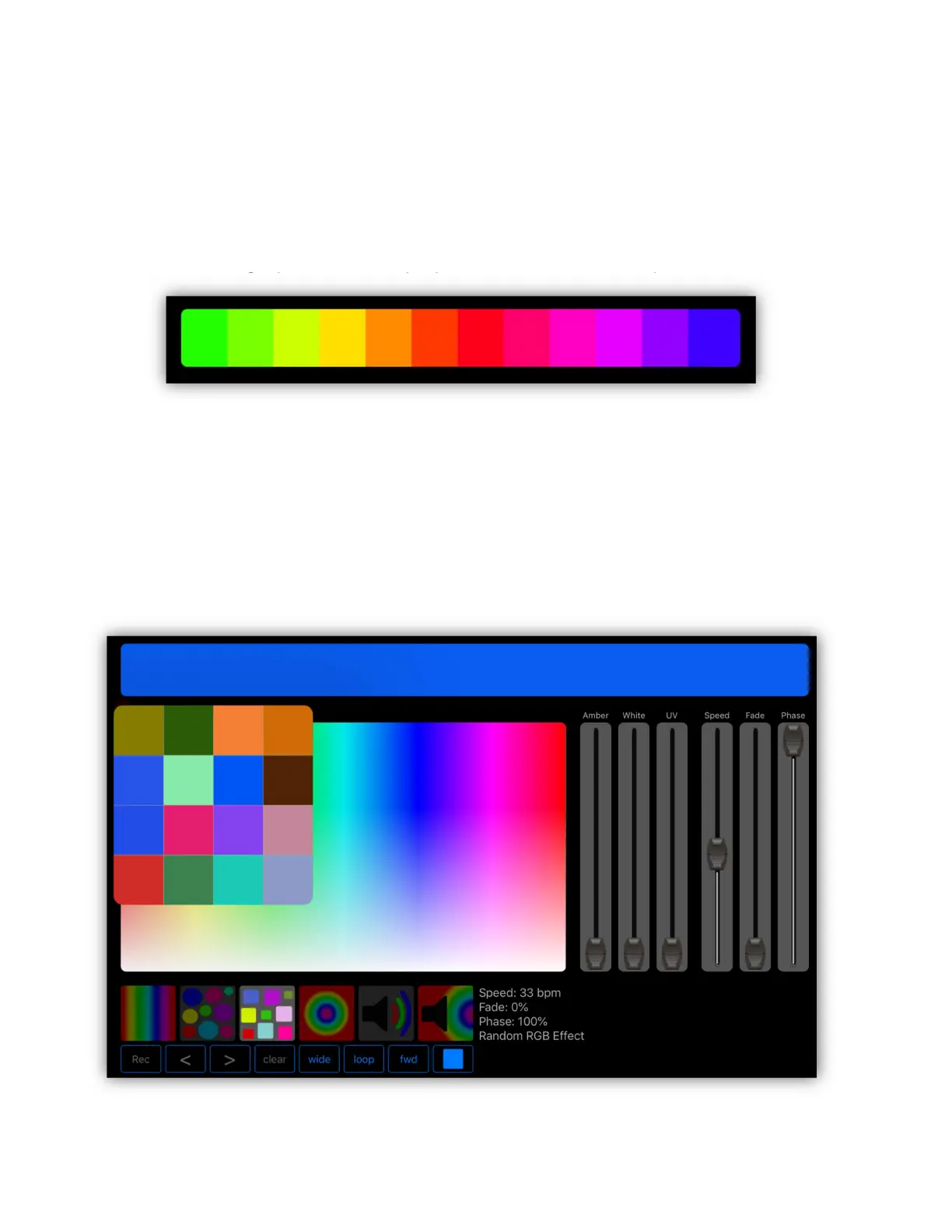
With phase added to an effect, the sample bar will display the phase offset for all
pixels within the selected fixtures. In the example below there are twelve pixels
active. The order of phase from left to right will be the order that the fixtures are
selected or the order of control channels within a fixture that has multiple pixels,
e.g. pixel 1 through pixel 12 is displayed below for a twelve pixel LED bar.
Pixel Matrix
When any matrices are selected for inclusion in the effect, the editor will display a
grid popover representing the pixel colors of the largest matrix selected. The
popover will appear when the effect is running as in the example below. In this
example, a 4 X 4 matrix is selected and the random RGB effect is running with
the phase set so that each pixel gets a random color.



 To Next Page