7
settings section in the app. 5GHz is the default band and is faster and usually less
congested but 2.4GHz usually has longer range and is better at going through
walls but is also typically more congested when other networks are in the area.
The Link will try to find the least congested Wi-Fi channel for either band when it
powers on. Consult the “Settings” chapter on how to select the Wi-Fi band.
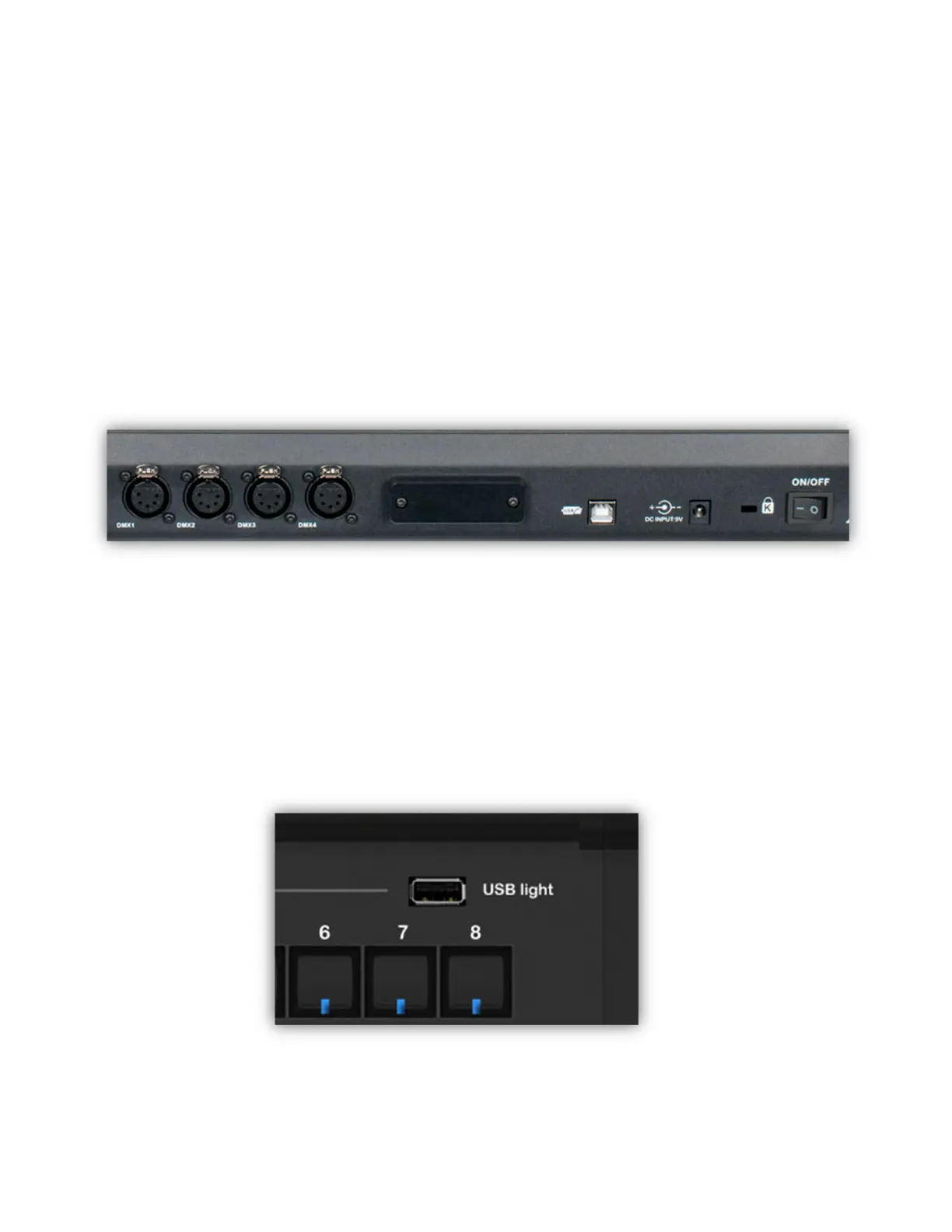
The picture below shows the connectors on the back of the Link controller. From
left to right are four 5-pin DMX512 outputs, one for each of four DMX512
universes. In the center is the dual band Wi-Fi antenna encased in the small
plastic enclosure. To the right of the antenna is the USB connector and the DC
power connector. On the far right is a Kensington slot and the power switch.
The Link comes with a regulated external power supply that is rated for 1A at
9VDC. Always use a power supply with the equivalent rating and connector size
and polarity.
A flexible LED work light is included with the Link controller. It is attached to the
top panel of the Link in the upper right where it’s labeled “USB Light” as shown in
the photo below. The light itself has a touch switch on the top with three
brightness settings.



 To Next Page