70
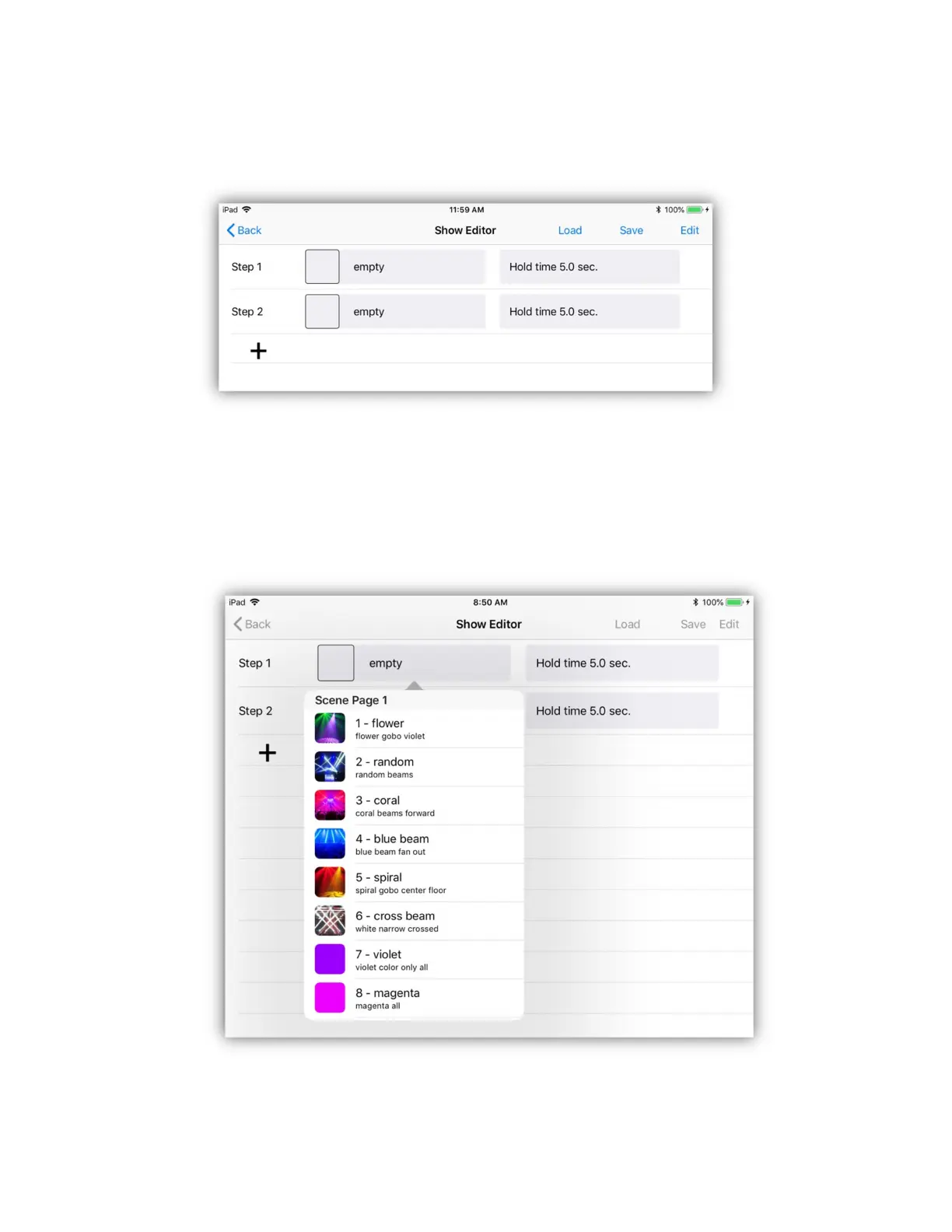
After you select “Edit” you will see the following screen with two empty show
steps set to default hold times. A show must contain at least two steps.
Each row in the table represents a step in the show. To add additional steps, tap
the last row “+” to add another empty step. Tap the scene button in any of the
occupied rows to view a pop-up list of available scenes to select from as in the
example below. You can select a scene by scrolling and tapping a row in the pop-
up or you can use the buttons on the Link controller to select a scene.


 To Next Page