ADPRO iFT Series Hardware Installation Manual
27817_08 25
ThetablebelowliststhecorrectdevicesandSATAconnectors:
Device SATA connector
DOM SATA0
HDD1 SATA1
HDD2 SATA2
HDD3 SATA3
HDD4 SATA4
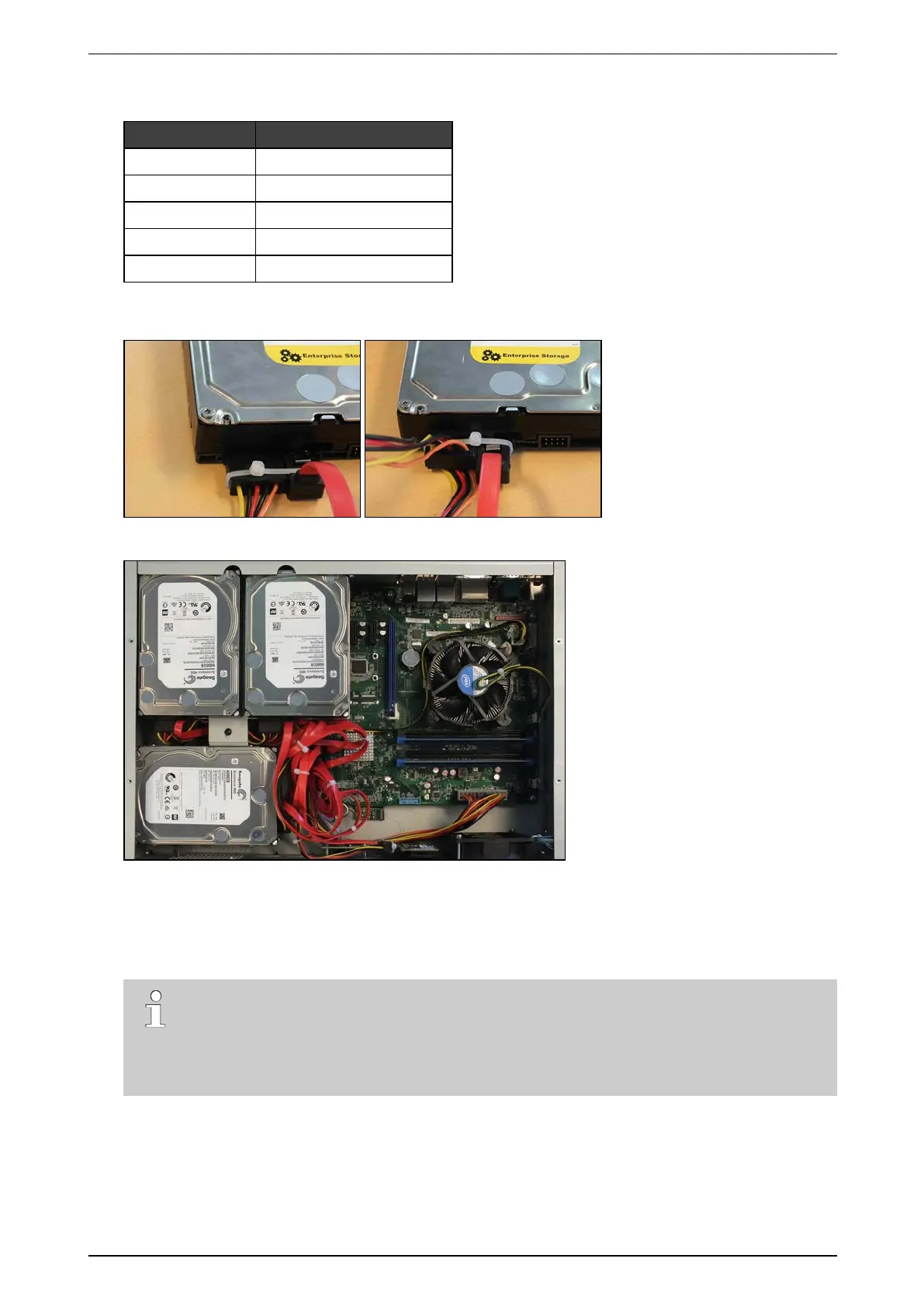
7. IftheSATAcablesdonothavealockingmechanism,usetie-wrapstosecurethecablesonthedisk(s)in
thefollowingway:
8. Ifthereareunusedcablesleft,bundlethemwithtie-wraps.
9. Placethetopcoverback:fixitwith2screwsatthefront,4atthetop,and3attheback.
10. Connectamonitor/screenandkeyboardtothedevice.Switchonthepowersupplyandwaitfortheboot
windowtoappear.
11. SelectXO Installer andpressEnter.
Note
Thebootwindowonlyappearsforafewseconds,thenthedevicecontinuesbooting.Tomake
surethatyoudonotmissit,pressthearrowkeysonthekeyboardrepeatedlywhilethedeviceis
booting.Thedevicewillthenstopatthebootwindow,andthisgivesyoutimetoselectandopen
theXO Installer menu.
12. ChooseUpdate current system >Manage recording disks.
13. Selectthenewlyinstalledharddisk(s)inthelistandpressEnter.
14. ChooseFormat and use selected disks (usingthetabkey).Thesystemformatstheselectedharddisks.
15. Whenformattingisfinished,chooseMain Menu,andthenchooseReboot.
Thedevicenowrestarts.Afterrestarting,theinstalledharddisksarereadyforuse.



 To Next Page