6TANTP501-1E
TOTAL ACCESS 3000/3010
NTP-501
Page 4 of 22
© 2002, ADTRAN, Inc.
Total Access
®
3000/3010 System Manual
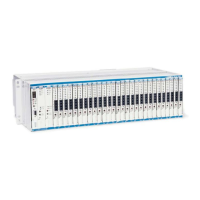
Attaching the mounting brackets to the shelf requires four screws on each side, and are
supplied with the unit.
1. Flush-mounting: For flush-mounting on the rack, use a #2 Phillips-head
screwdriver and attach the mounting brackets with the flanges facing rearward on
the rear mounting holes.
2. Mid-mounting: For mid-mounting, use a #2 Phillips-head screwdriver and attach
the mounting brackets with the flanges facing forward on the front mounting holes.
1.3.2 Install Shelves
After attaching the mounting brackets to the Total Access 3000/3010 shelf sides, use
the appropriate screws for your CO rack type and mount the shelf in the rack.
1. Flush-mount: For flush-mount systems, the Total Access 3000/3010 shelf must be
mounted from the rear of the rack, with mounting bracket flanges facing rearward.
2. Mid-mount: For mid-mount systems, the Total Access 3000/3010 shelf must be
mounted from the front of the rack, with the mounting bracket flanges facing
forward.
3. Other orientations: Other orientations will require either mounting from the front
or rear, and depend on the rack type installed in the CO or MTU and the standard
operating procedures established by your CO or MTU location.
4. Using four screws appropriate for your CO or MTU rack or RT cabinet and an
appropriate screwdriver, secure the Total Access 3000/3010 shelves in place on
the rack.
1.3.3 Install Heat Baffles and Fiber Trays
The Total Access Heat Baffle functions as both a heat baffle and fiber routing tray. As
a heat baffle, it channels heated air to the back and away from equipment operating
above a Total Access 3000/3010 system. As a fiber routing tray, it provides channels
and guides to properly route fiber optic cables delivered to multiplexer and access slots
of a system. The front panel is removable for routing fiber optic cables. To protect
installed fiber optic cables, the panel should remain installed when access is not
required. Fiber optic cable may be routed to the sides of the unit or to the rear of the
unit
The heat baffle has mounting brackets similar to those on the Total Access 3000/3010
shelf and should be mounted in the same orientation as the mounting brackets for the
Total Access 3000/3010 shelf. Using the two screws provided and a #2 Phillips-head
screwdriver, position and attach the mounting brackets on the Total Access 3000/3010
Heat Baffle matching the shelf, and flush or mid-mount to conform to the shelf
mounting. Use the same screwdriver and four more screws appropriate to the CO rack
to secure the Heat Baffle into place immediately above the Total Access 3000/3010
shelf it is intended to serve.





 To Next Page