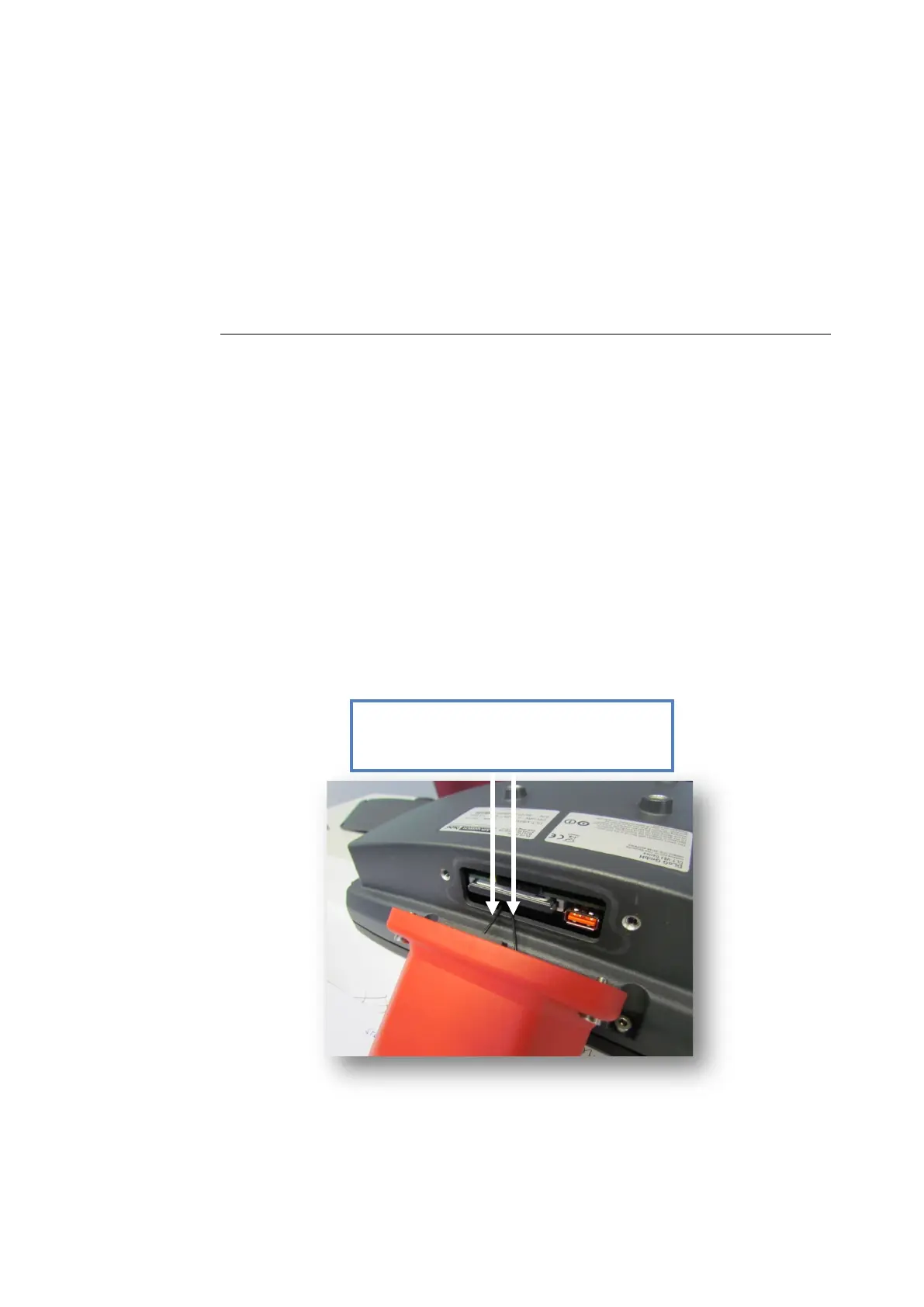
Service USB and SIM card slot
Page 100 of 178 DLT-V83 Series Manual V1.31 Advantech-DLoG
9.1. Opening/closing the service USB and SIM card slot
There is a service USB interface and a SIM card slotlocated under the antenna cap
(resp. the protective cap, if no antenna is present) of the DLT-V83.
To access this Service USB interface and SIM card slot, you need to remove the
antenna cap from the unit.
NOTICE: Physical damage
Incorrect or improper removal and fastening of the antenna cap can impair the
function of the entire DLT-V83 system and in particular the Wi-Fi and WWAN
functionality.
The antenna cap may only remain open for the duration of the service work.
No objects or liquids may enter the opened DLT-V83 during this.
Only when the antenna cap is properly closed again may operation be resumed;
the protection class is only ensured again after doing so.
Fig. 9.1: Opened antenna cap
Do not pull the antenna connection cables
too far out of the unit; do not pinch or cut!



 To Next Page