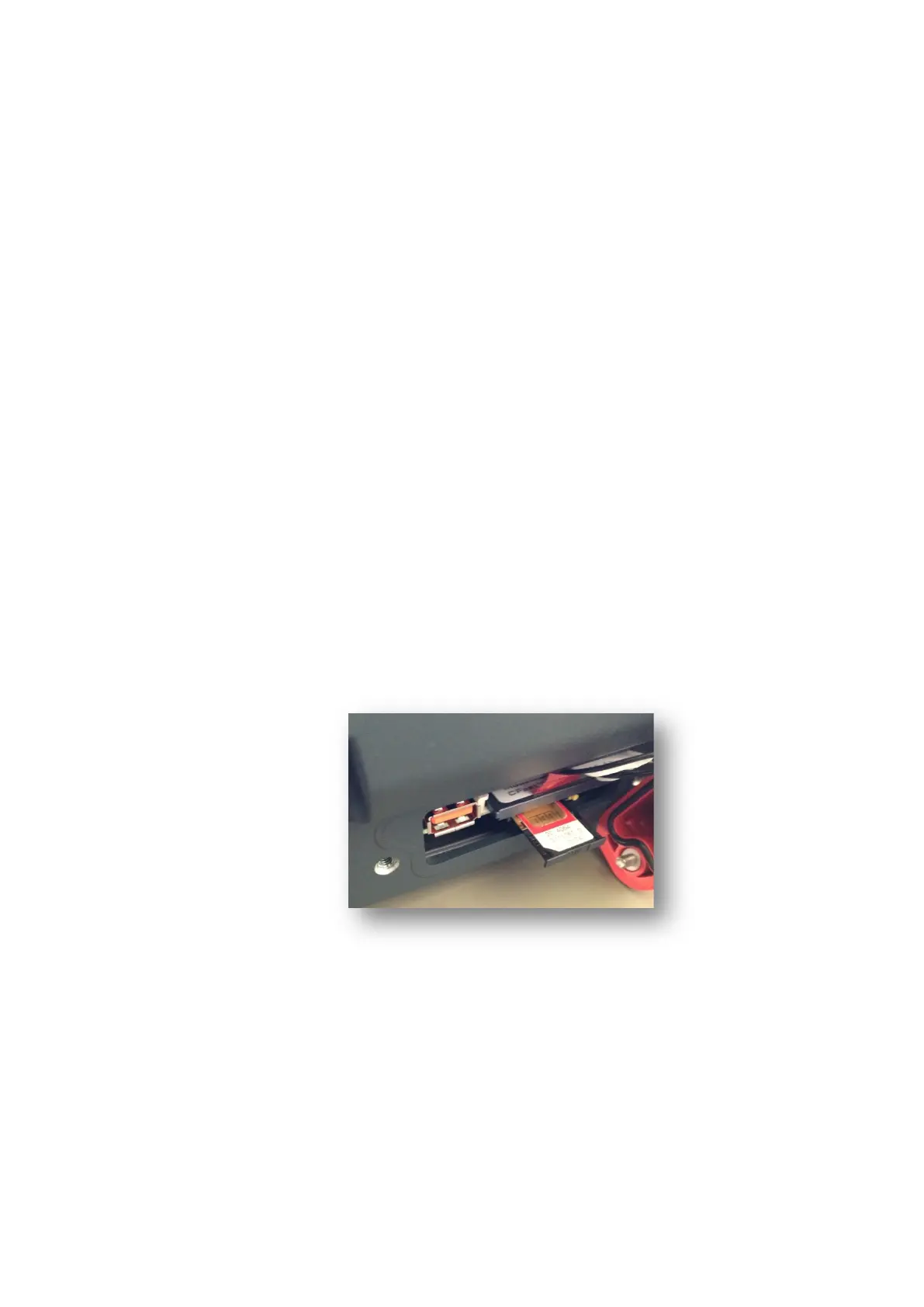
Service USB and SIM card slot
Advantech-DLoG DLT-V83 Series Manual V1.31 Page 103 of 178
9.5. SIM card slot
For the optional WWAN to function, the DLT-V83 must be equipped with a SIM card. A
SIM card slot is provided for this purpose under the antenna cap of the device.
The antenna cap:
− May be opened only for service purposes.
− And only remain opened for the duration of the service work.
− No objects or liquids may enter the opened DLT-V83 during this.
Inserting/removing the SIM card
Press the unlocking pin next to the SIM card slot.
The SIM card opens and extrudes slightly from the device.
Pull the SIM card tray completely out of the device.
The SIM card can now be inserted or removed.
Carefully push the SIM card tray in again.
ATTENTION: Push in the SIM card tray exactly at the location provided. Otherwise,
there is a risk of the tray and SIM card dropping into the device when pushing in the
tray.
Fig. 9.3: Opened SIM card slot under the antenna cap



 To Next Page