Configuration
Advantech-DLoG DLT-V83 Series Manual V1.31 Page 67 of 178
6.11. ErP settings for AC devices
The DLT-V83 with AC power supply unit fulfills the EU regulation number 617/2013 on
the implementation of the ecodesign/ErP directive 2009/125/EG. This regulates the
maximum standby energy consumption.
To achieve the maximum power savings, certain settings must be made to the BIOS
and in the Windows network configuration.
This power savings is first achieved if the DLT-V83 has run through the BIOS one time
and been shut down in a controlled way.
6.11.1. BIOS settings in order to deactivate WakeOnLAN
Menu setting
Advanced -> Chipset -> South Bridge Chipset
Configuration -> GbE Wake Up From S5
GbE LAN Wake Up From S5:
[Disabled]
Advanced -> Hardware Health Configuration ->
Power Saving
Power Saving: [Enabled]
If WakeOnLAN is deactivated, the DLT-V8315 cannot be started from standby mode
via Ethernet (remote).
6.11.2. Windows settings for deactivating WakeOnLAN
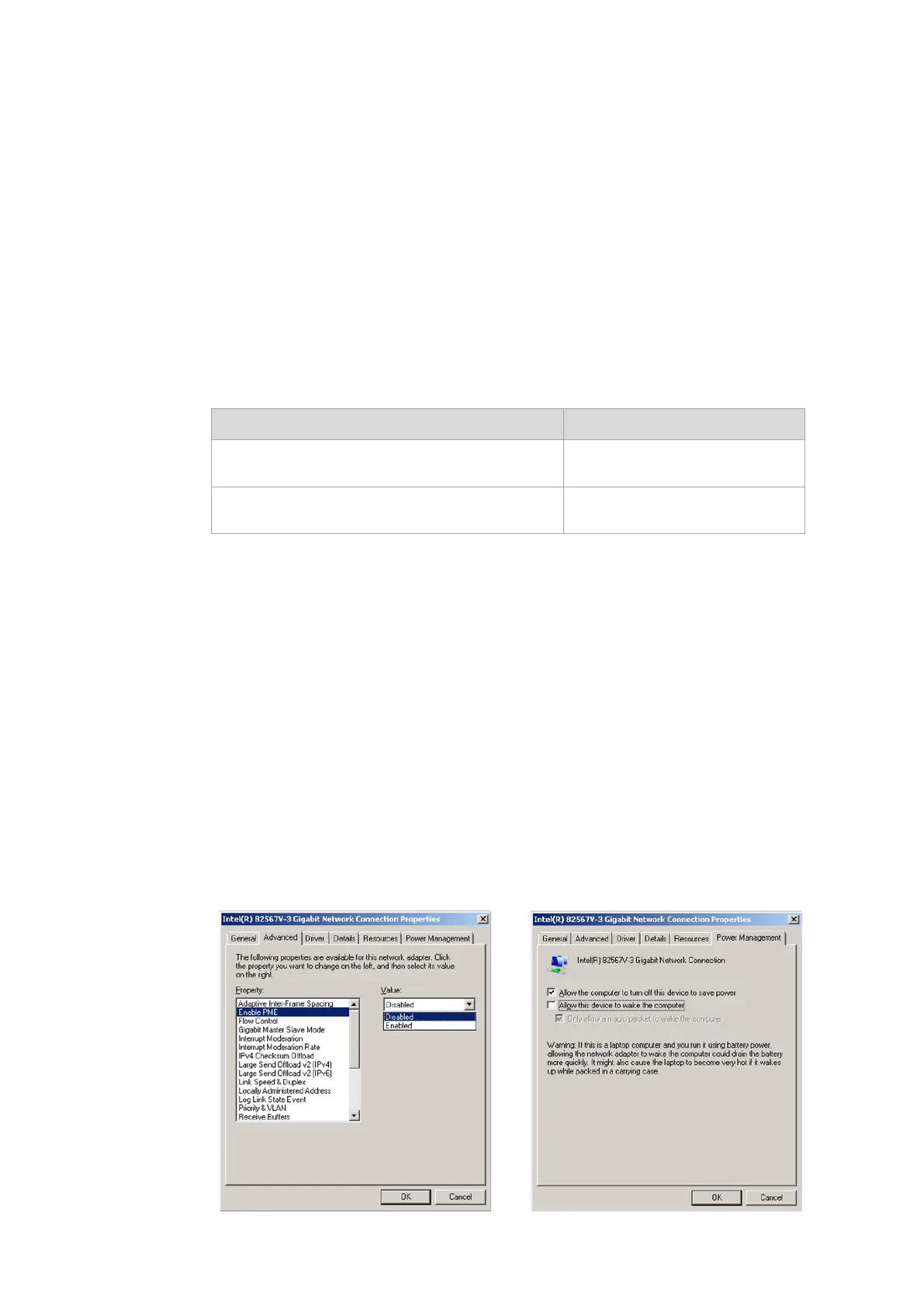
In the network properties (Network Connection Properties) of the DLT-V8315:
Configure Power Management and LAN Connection so that WakeOnLAN
is deactivated.
Example: Deactivate WakeOnLAN under WES 7:
Fig. 6.28: Network Connection Properties,
Advanced
Figure 6.29: iManager: Network Connection
Properties, Power Management



 To Next Page