Mounting (mechanical and electrical)
Page 86 of 178 DLT-V83 Series Manual V1.31 Advantech-DLoG
7.8.5. Attaching the cable cover (with integrated UPS)
WARNING
Hazardous voltage, electric shock from contact with live parts.
Before connecting and disconnecting the cable cover with UPS, the DLT-V83 must
be currentless.
Shut down the DLT-V83 properly.
Disconnect the main power supply cable from the power supply.
If the DLoG Config configuration was set to also start the DLT-V83 without the
<Power> button and ignition, this setting must first be changed. Otherwise, the
DLT-V83 will automatically restart after a short pause.
Carefully mount all cables, see Section7.8.3.
Attaching cable grommets and fixing strain
relief in place.
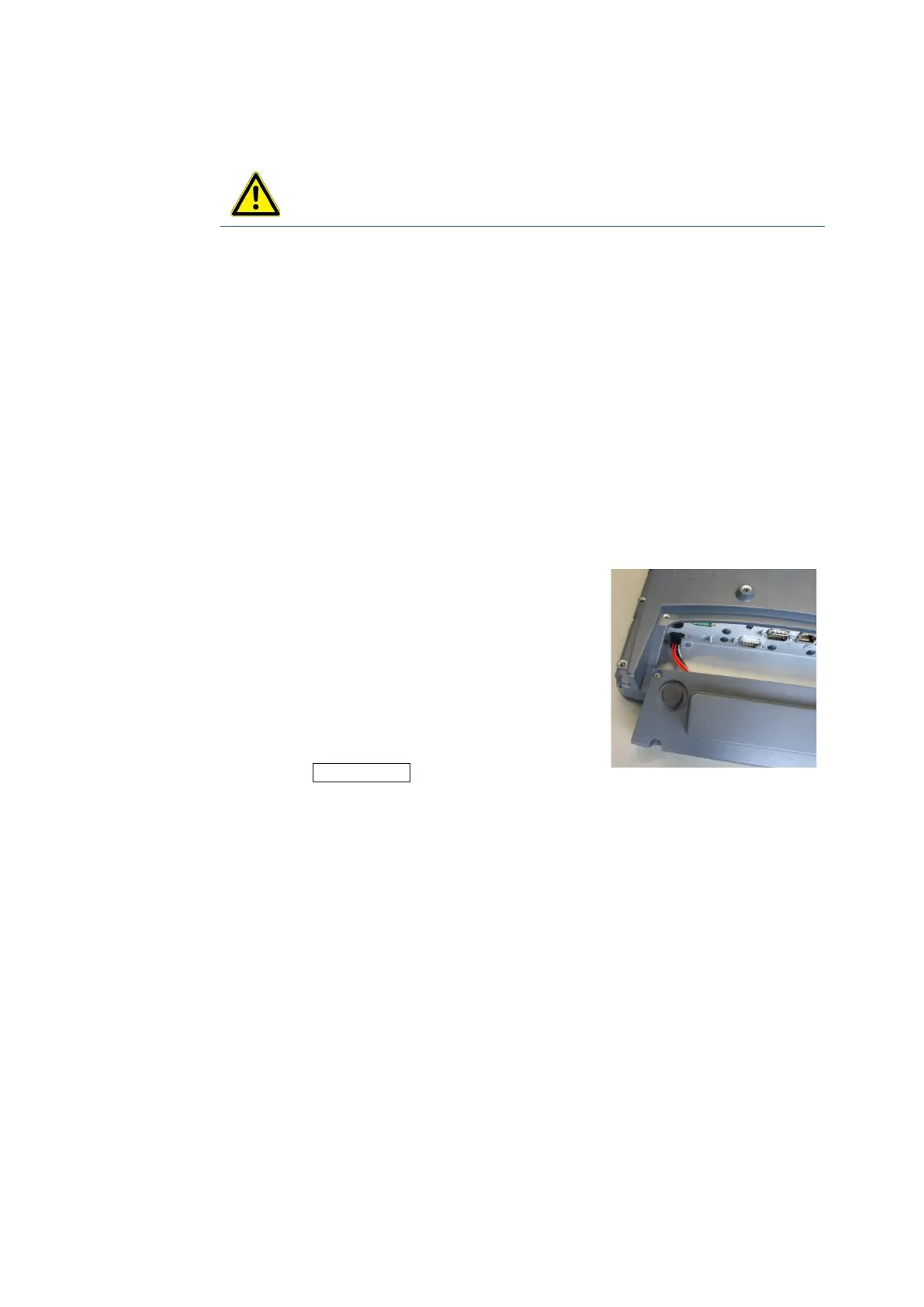
Hold the cable cover to the bottom edge of
the DLT-V83 as shown in the illustration.
The connecting cables of the UPS must
point in the direction of the connector panel.
Insert the plug with the detent lug, correctly
oriented, into the connector panel socket
marked UPS optional.
Fig. 7.14: Cable cover with
integrated UPS battery
Place the cable cover into the housing groove of the
DLT-V83.
Make sure that the battery cable is not jammed.
Place 4 cylinder head screws ISO 4762-M4x10-A2 in the holes of the cable
cover.
Loosely tighten the screws.
Then fully tighten the screws with 3 Nm torque crosswise.



 To Next Page