EasyManua.ls Logo

Agilent Technologies PlateLoc - User Manual

Agilent Technologies PlateLoc
144 pages
Print Icon
To Next Page IconTo Next Page
Loading...
Agilent Technologies
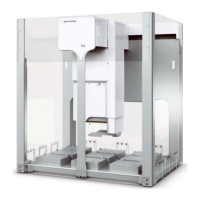
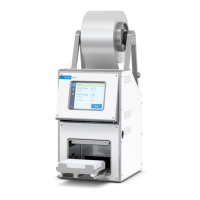
PlateLoc Thermal
Microplate Sealer
User Guide

Table of Contents

Other manuals for Agilent Technologies PlateLoc

Questions and Answers

  • A
    Ashley JonesSep 12, 2025
    What does 'Hot Plate Vacuum' mean on my Agilent Technologies Laboratory Equipment?
    • M
      Marcus VelasquezSep 12, 2025
      The 'Hot Plate Vacuum' error on your Agilent Technologies Laboratory Equipment PlateLoc indicates the hot plate vacuum couldn't hold the seal material, potentially due to small pieces of seal material at the bottom of the sealing chamber or excess seal material stuck to the hot plate. Turn off the PlateLoc and allow it to cool. Open the door and check for any seal material at the bottom of the chamber. Try sealing a spare plate. Additionally, clean the hot plate.
  • P
    peterroblesSep 13, 2025
    What does 'Cycle Stopped Manually' mean on Agilent Technologies PlateLoc?
    • R
      Ryan OrtizSep 13, 2025
      The 'Cycle Stopped Manually' message on your Agilent Technologies Laboratory Equipment indicates that the operator pressed the STOP button to end the seal cycle. Remove the plate, ensure the seal is loaded correctly, and seal a spare plate to verify the PlateLoc is functioning correctly. Then, continue sealing plates.
  • C
    christinakingSep 15, 2025
    What to do if the Agilent Technologies Laboratory Equipment seal doesn't apply well?
    • B
      Barry WilliamsSep 15, 2025
      If the seal isn't applying as well as it used to on your Agilent Technologies Laboratory Equipment, excess seal material might be stuck to the heated metal plate (hot plate) inside the sealing chamber. Clean the hot plate.

Summary

Chapter 1: PlateLoc Introduction

Hardware overview

Provides an overview of the PlateLoc's front and rear hardware features and components.

Plate requirements

Outlines the material, design, and format requirements for plates used with the PlateLoc.

Lab automation system software

Describes software used to control the PlateLoc in Velocity11 and third-party lab automation systems.

PlateLoc workflows

Presents basic steps for operating the PlateLoc as a standalone device or within a lab automation system.

Safety information

Provides essential safety precautions, standards, and labels for operating the PlateLoc.

Chapter 2: Unpacking and Installation

Meeting Lab requirements

Details essential lab space, electrical, and environmental requirements for installation.

Chapter 3: Getting Started

Chapter 4: Sealing Plates

Setting the sealing parameters

Explains how to configure seal time and temperature for optimal sealing results.

Starting the seal cycle

Describes the procedure to initiate the plate sealing process via the touch screen or software.

Chapter 5: Optimizing Seal Quality

Adjusting the sealing parameters

Details how to check seal quality and adjust parameters like temperature or duration.

Chapter 6: Routine Maintenance

Cleaning the hot plate

Provides instructions for cleaning the hot plate to remove residual material and maintain seal quality.

Chapter 7: Troubleshooting

Hardware problems

Lists common hardware issues, their causes, and suggested solutions for the PlateLoc.

Error messages

Details error messages displayed on the touch screen, their causes, and resolution steps.

Diagnostic tools

Explains how to use built-in tools like PlateLoc Diagnostics for diagnosing problems.

Agilent Technologies PlateLoc Specifications

General IconGeneral
Power Requirements100-240 VAC, 50/60 Hz
Sealing ForceAdjustable
Seal CompatibilityCompatible with a wide range of seals including films and foils
Weight25 kg (55 lbs)
InterfaceRS-232
Heating TimeNot applicable
Cooling TimeNot applicable
Temperature UniformityNot applicable
Temperature AccuracyNot applicable

Related product manuals