Contact: AIRSYS North America Phone: (855) 874-5380 Page 24 of 112
Email: ASNSupport@air-sys.com Web: http://airsysnorthamerica.com Rev 1.15
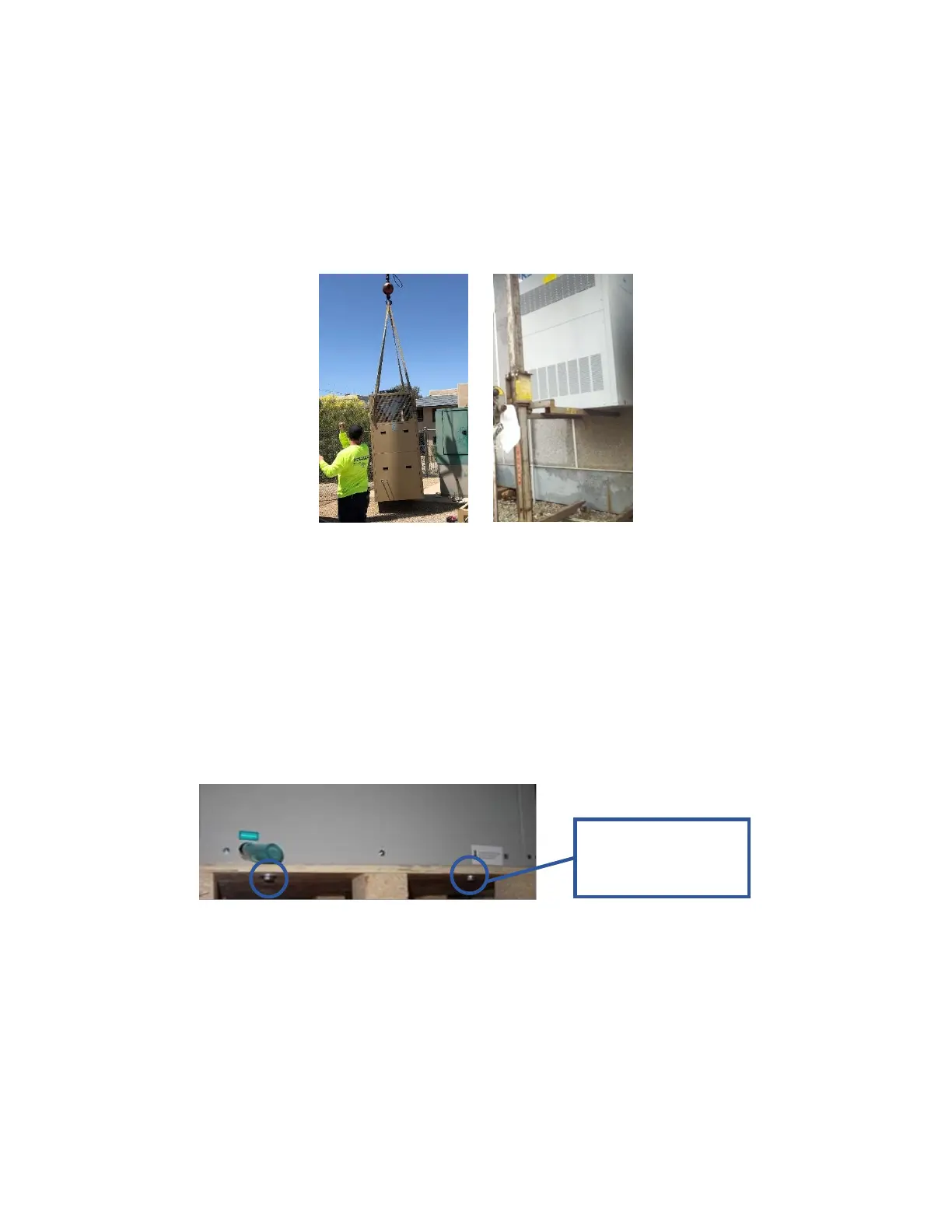
Lift the unit from below with lifting equipment or tools, and then move the unit to the wall. Use the screws
(installer supplied) to affix the unit on the wall. Generally, this is done by following these steps:
1. Position the unit next to the wall.
Note: Lift points are provided on the 28V1B5 for crane lifting. The 28V1B5 requires equipment
capable of lifting 1370 lbs (621 kg).
Figure 8: Position the Unit
2. Attach a single mounting screw and adjust to ensure the unit is level.
3. After the unit is level, attach the remaining mounting screws.
Remove Wooden Pallet from WPU
The WPU is bolted to a wooden pallet to facilitate safe lifting and transport of the unit. Four bolts attach
the pallet to the unit, as shown in Figure 9. The pallet frame is recessed under the WPU to allow for easy
installation while using a forklift. Before completing the mounting of the unit to the wall, remove the
pallet by removing the four bolts.
Figure 9: Remove Wooden Pallet
Install the Support Stand (28V1B5 Only)
Support stands should be installed on all 28V1B5 units due to the heavy weight. Place the support stand
on the concrete pad, flush against the wall, and extend the legs to the desired length.



 To Next Page