Contact: AIRSYS North America Phone: (855) 874-5380 Page 61 of 112
Email: ASNSupport@air-sys.com Web: http://airsysnorthamerica.com Rev 1.15
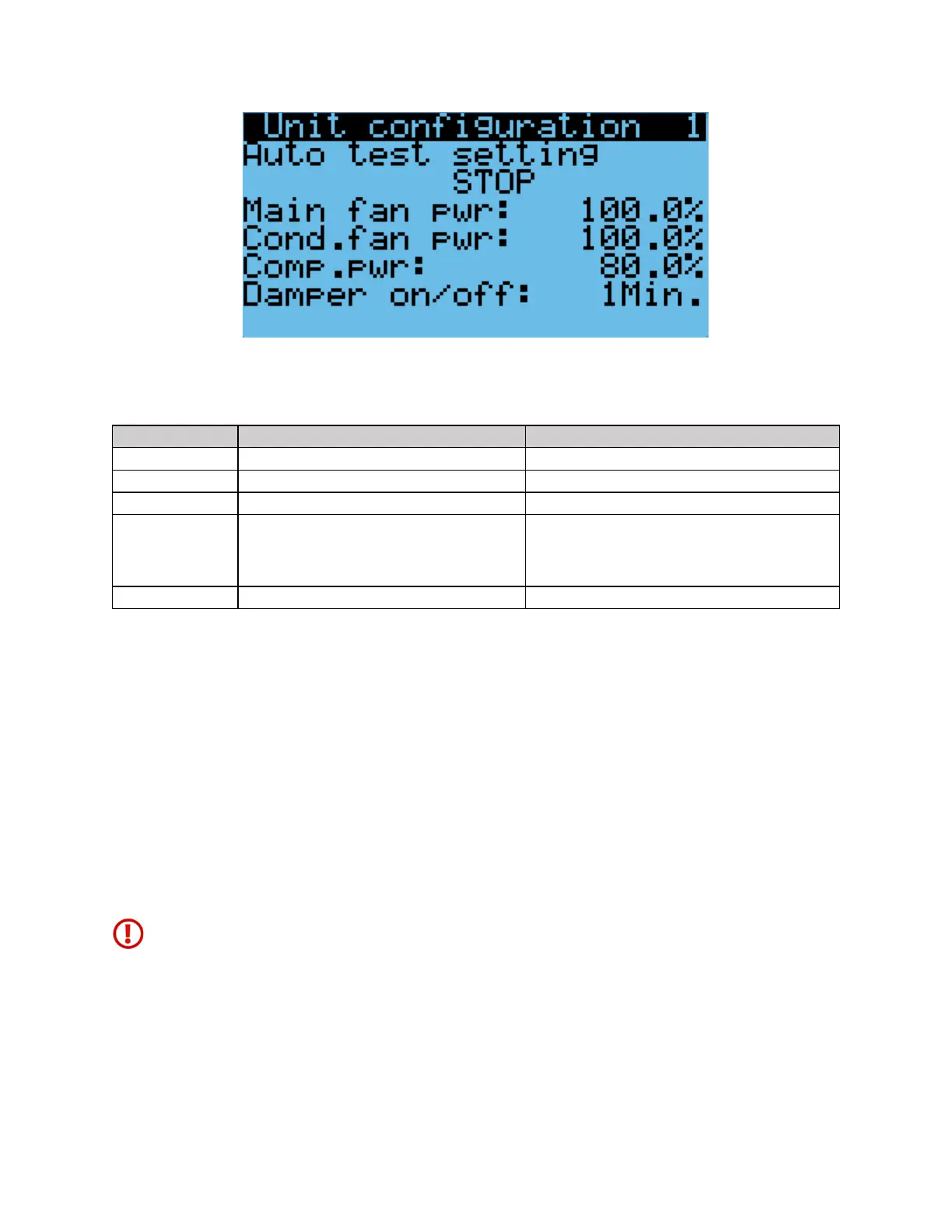
Figure 30: Step Test Selection Screen
Table 14: Step Test
Supply fan will run at full speed, condenser fan speed
will adjust according to the pressure. Compressor will
run at medium speed for 3 minutes before changing
to the desired speed
When running the supply fan, condenser fan, and compressor step tests, the speed of the component can
be changed to test variable speed operation.
1. Repeat steps 1-8 in the above section until the desired step test is selected.
2. Press Down, the screen should display “Test settings”.
3. Press Enter until the desired component is selected.
4. Press Up or Down to adjust the speed and press Enter.
Note: Changing the speed of a component will change its speed only when testing that component. For
example, changing the supply fan speed will not affect its run speed during the compressor step test.
Note: The unit will stay under manual control until step “STOP” is selected. Make sure that “STOP” is
selected and the unit is on before leaving the site to avoid potential high temperature alarms. To verify,
the system status on the main screen should be “ON”.
Warning. Once the compressor has been turned on, it must be allowed to run for at least three
minutes before the next step to prevent compressor damage.
Alarms
When a problem occurs during unit operation, the controller records the related information and the
Alarm button will be lit. Depending on the severity of the alarm, various components are automatically
shut down. The system will automatically restart most components after a defined delay period. However,


 To Next Page