Contact: AIRSYS North America Phone: (855) 874-5380 Page 64 of 112
Email: ASNSupport@air-sys.com Web: http://airsysnorthamerica.com Rev 1.15
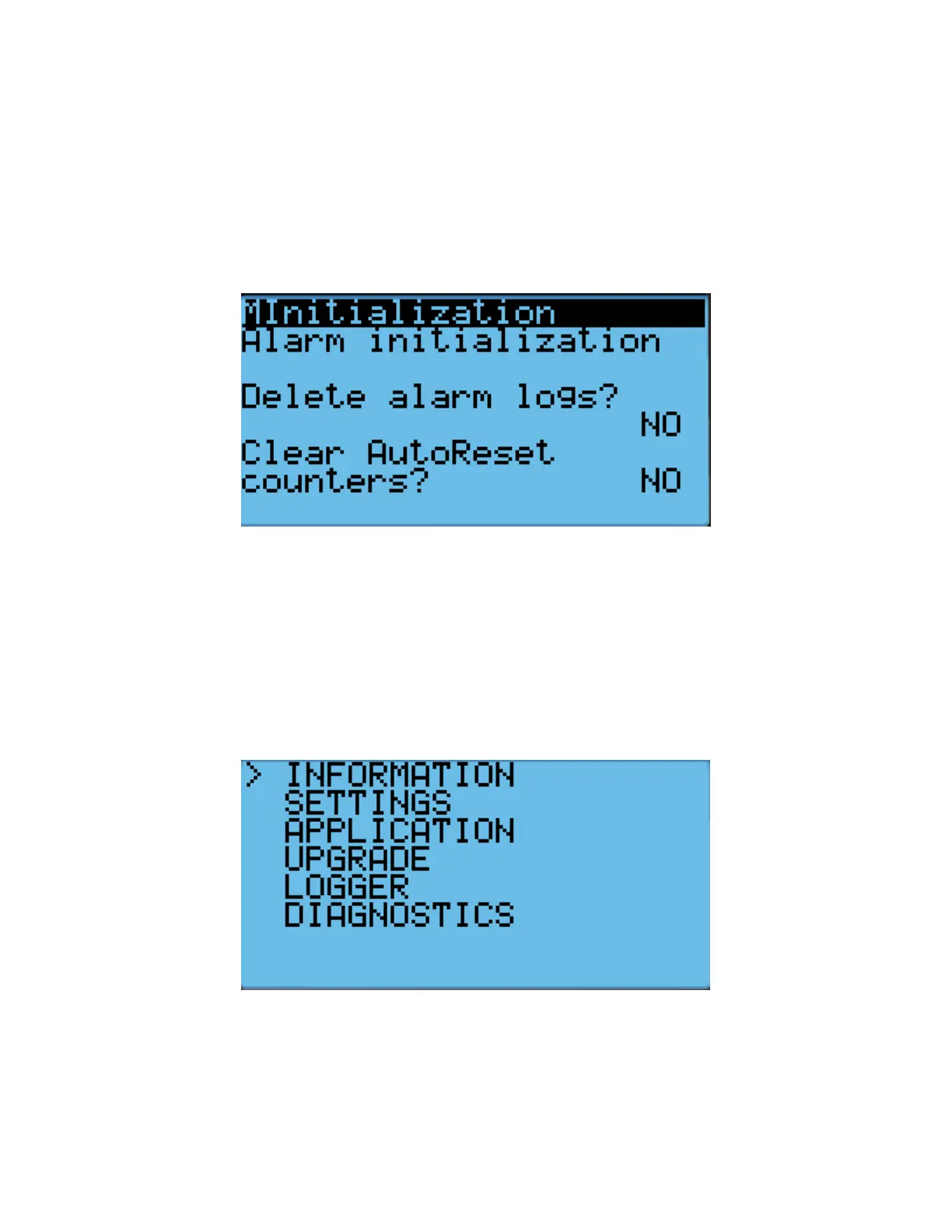
To clear the alarm history, perform the following steps:
1. Hold the Esc button until the main screen is displayed.
2. Press Prg and enter the password (0004). Press Enter.
3. Press Down until the cursor is over “System” and press Enter.
4. Press Down until the cursor is over “Initialization” and press Enter.
5. Press Enter until the cursor is over “Delete Alarm Logs”.
6. Press Up or Down until the “NO” becomes “YES” and press Enter.
Figure 32: Clear Alarm History
Exporting System History and Alarm Logs
The system logs and alarm history can be downloaded to a personal computer through a USB connection
from the controller to the computer.
Exporting System Logs
1. Hold the Alarm and Enter buttons until the hardware configuration menu is displayed.
Figure 33: Hardware Configuration Menu
2. Press Down until the arrow is next to “Diagnostics” and press Enter.
3. The screen should display “System Log”. Press Enter.



 To Next Page