Contact: AIRSYS North America Phone: (855) 874-5380 Page 38 of 112
Email: ASNSupport@air-sys.com Web: http://airsysnorthamerica.com Rev 1.15
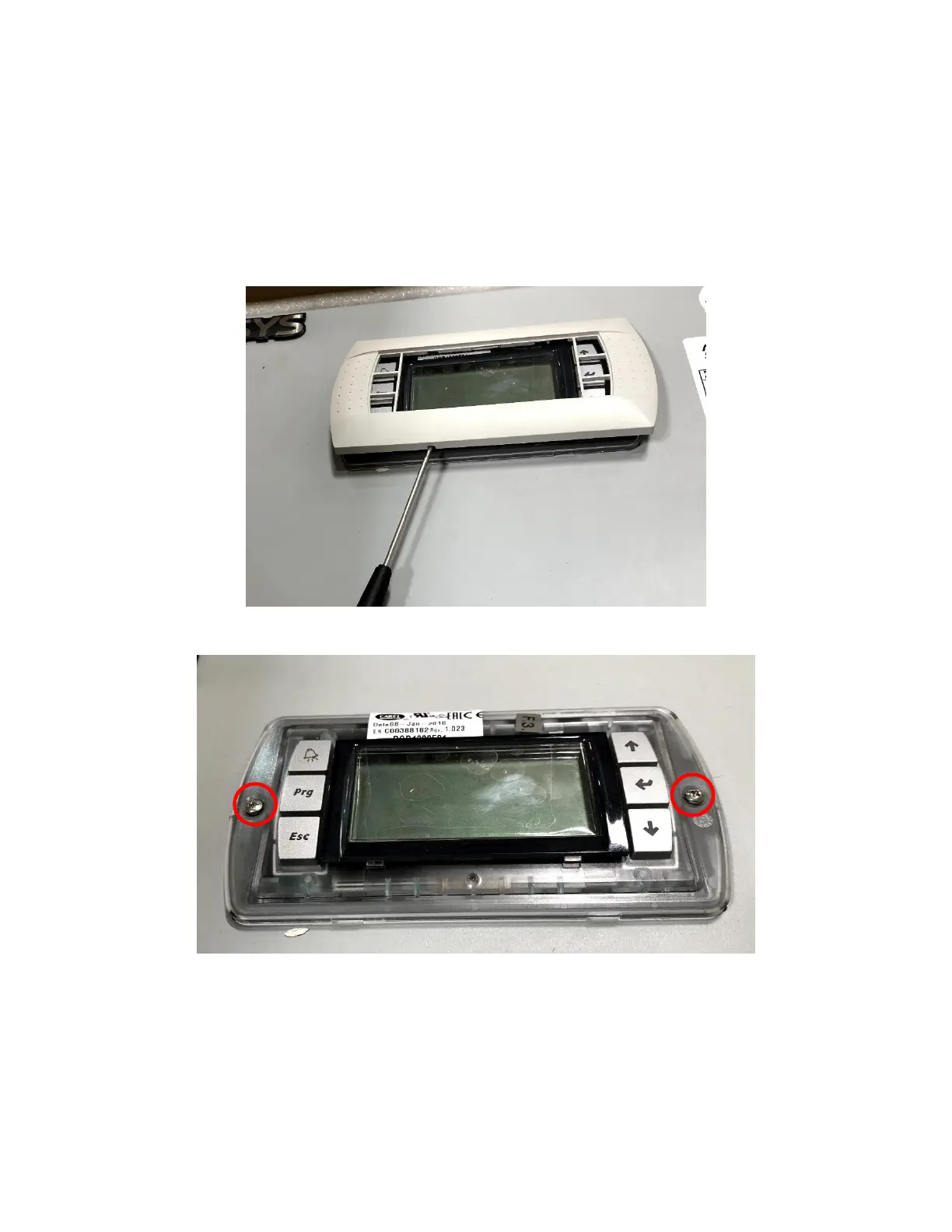
Remove the PGD from the Controller (If External Display Not
Available)
To set the IP addresses for each unit, a PGD display must be connected to each unit. If an external PGD is
not available, the one attached to the controller can be removed.
1. Open the controller box and disconnect the plug on the rear of the display.
2. Using a flathead screwdriver or similar tool, remove the PGD frame.
3. Remove the screws securing the PGD to the controller door.
Set the Unit IP Addresses
The IP address of each unit needs to be set prior to integration into the control network.
1. Connect a PGD to the control module inside the unit using the preinstalled connector.
2. Hold the Esc button until the main screen is displayed.
3. Hold Alarm and Enter for 3 seconds to enter the hardware configuration menu.



 To Next Page