Contact: AIRSYS North America Phone: (855) 874-5380 Page 53 of 112
Email: ASNSupport@air-sys.com Web: http://airsysnorthamerica.com Rev 1.15
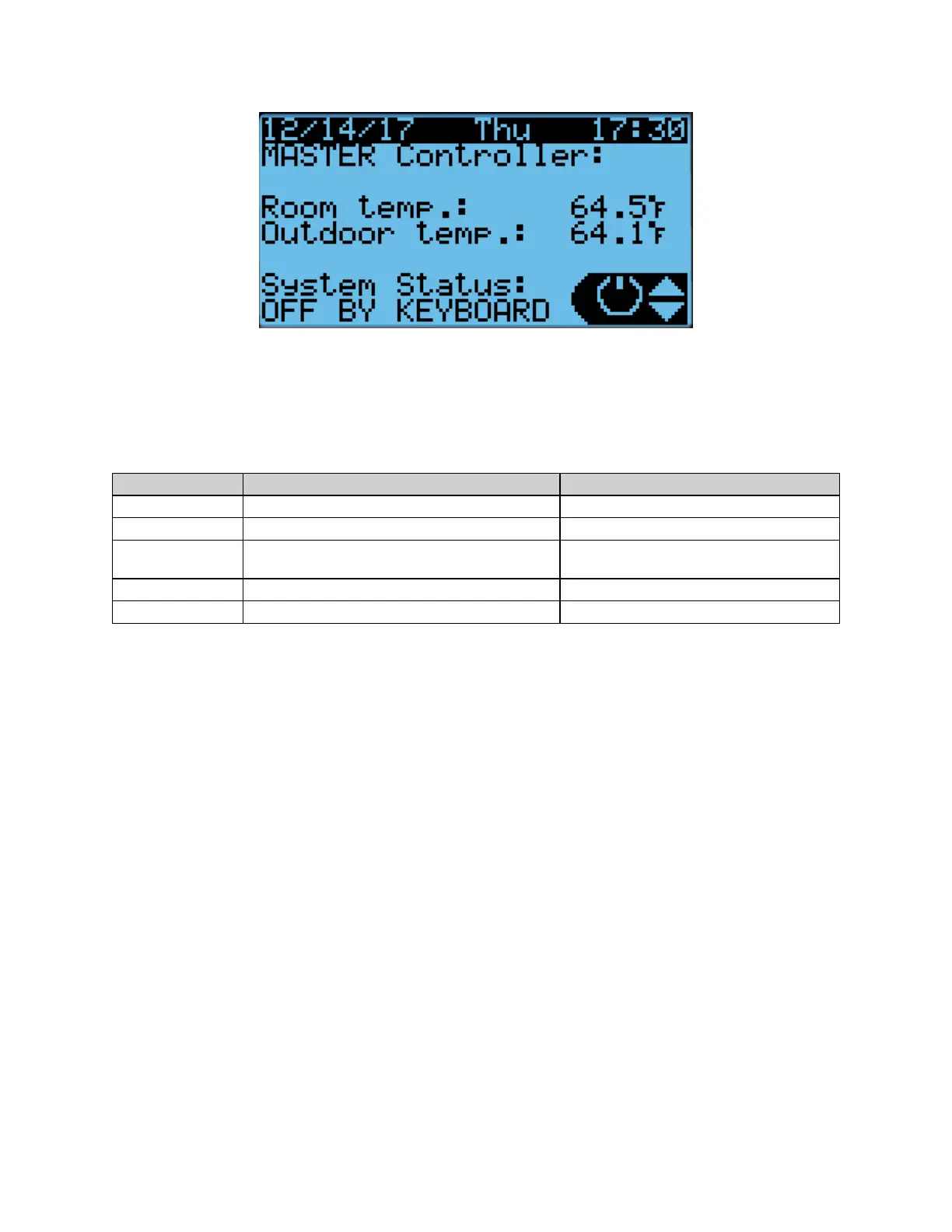
Figure 23: Main Screen
The system status is shown in the bottom left corner. There are 5 possible statuses, which are shown in
Table 11.
Table 11: System Statuses
The four main menus can be accessed from the main screen. The menus are selected by pressing the Up
or Down buttons. The icon in the bottom right corner will change accordingly. Press Enter to access the
menu.
• When the power icon is displayed, press Enter to access the power menu. The system can be
switched on and off from here.
• When the i icon is displayed, press Enter to access the information menu. This menu contains
information regarding the system status, sensor readings, equipment runtime, and system data. If
viewing from the controller, information for each connected unit can be viewed from this menu.
• When Set is displayed, press Enter to access the setpoint menu. The main temperature and
comfort mode setpoints for each zone can be assigned. In addition, the free cooling humidity
limit can also be set.
• When
Cft
is displayed, press Enter to access the comfort mode menu. The system can be toggled
between normal and comfort mode.
Turning the System On and Off
1. Hold the Esc button until the main screen is displayed.
2. Press Up or Down until the power icon is displayed in the bottom right of the screen and press
Enter.
3. Press Up or Down to switch between On and Off, press Enter to confirm.



 To Next Page