Contact: AIRSYS North America Phone: (855) 874-5380 Page 36 of 112
Email: ASNSupport@air-sys.com Web: http://airsysnorthamerica.com Rev 1.15
System Commissioning
A complete system operation verification is vital to ensure all components are operating correctly after
installation. A system commissioning checklist is available on Page 45. Follow the instructions in this
section to complete the checklist and leave a copy on site.
Note: See Table 10 on Page 52 for PGD button definitions.
Turn on Component Breakers and Primary Power
After completing the installation checklist, turn on all breakers in both the WPUs and controller box. Then
reattach all covers and panels before turning on the breakers in the prime power panel.
Verify Proper Phase Rotation (3 Phase Units Only)
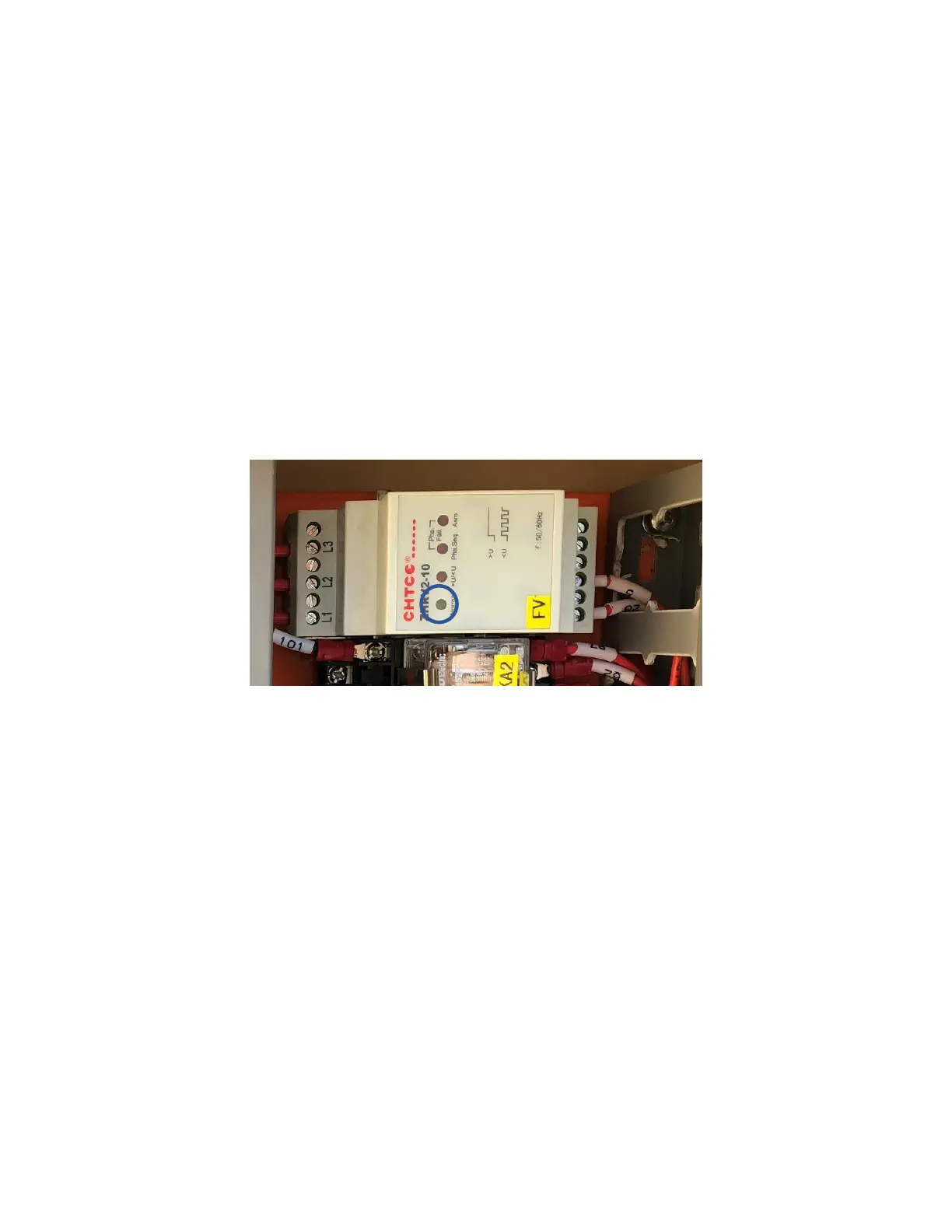
Verify that “Normal” LED on the phase monitor (FV) is lit. Correct phase rotation or wiring if necessary.
Figure 16: Phase Monitor
Upgrade System Software
See Chapter 7: System Update for instructions. This is only required if the HVAC units or controller were
obtained at different times or if a HVAC unit is being added to an existing install.
Change System Units (Optional)
By default, the system operates using units of °F and psi for temperature and pressure. These can be
changed to metric units if desired.
1. Hold the Esc button until the main screen is displayed.
2. Press Up and Down together to enter the debug menu.
3. Press Down, the screen should display “No Conversion”.
4. Press Enter until the cursor is on the row below “Current UoM”
5. Press Up or Down until the desired unit conversion is shown and press Enter.



 To Next Page