Contact: AIRSYS North America Phone: (855) 874-5380 Page 30 of 112
Email: ASNSupport@air-sys.com Web: http://airsysnorthamerica.com Rev 1.15
Position the Humidity Sensor
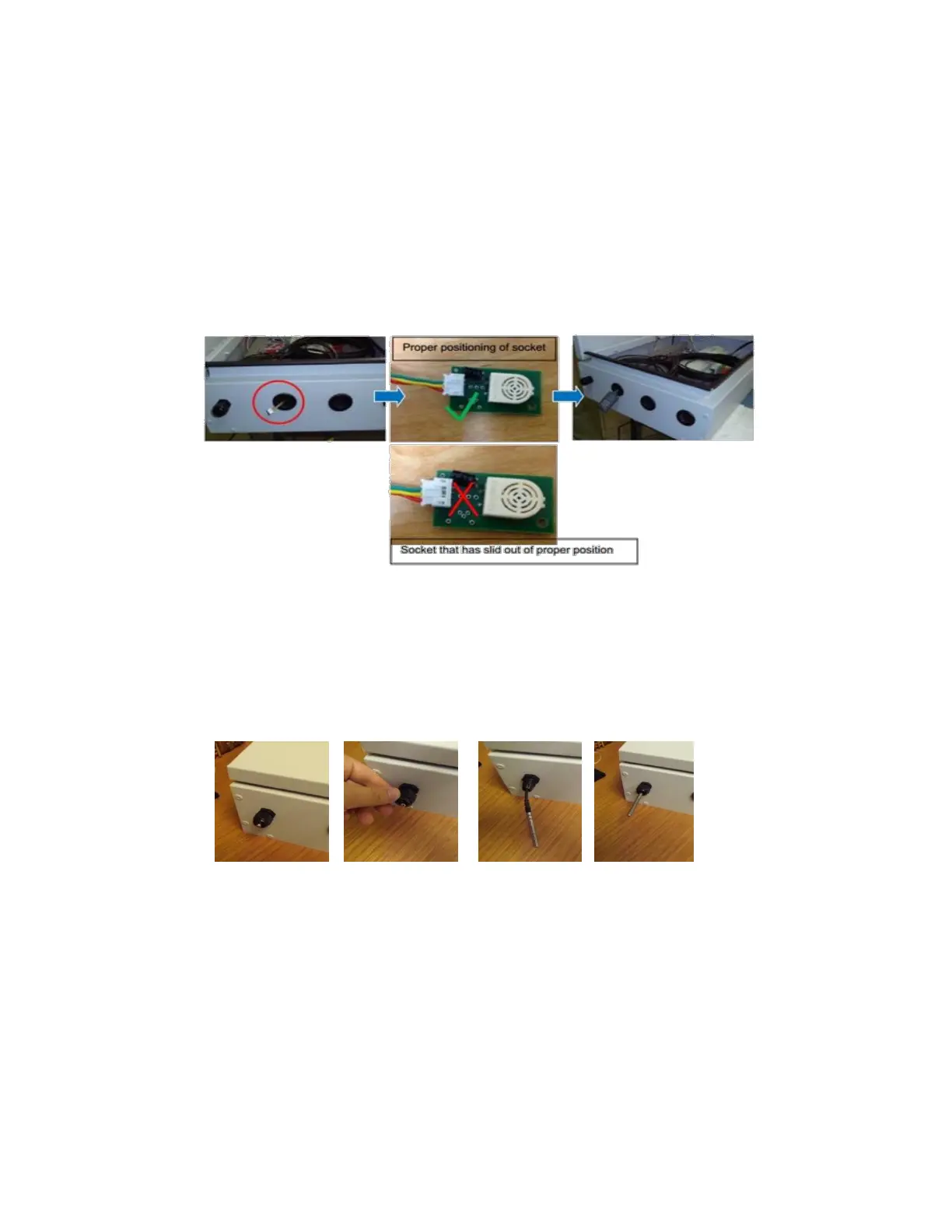
Follow these steps to install the humidity sensor that is connected to the controller box:
1. Open the controller box assembly and locate the humidity sensor (SH) assembly.
2. Remove the cover of the humidity sensor, and then unfasten the harness from the sensor.
3. Thread the harness through the hole at the bottom or top of the controller box and reattach the
sensor and then the cover.
Note: If building is not yet in its final, permanent location after mounting the controller, secure
the humidity sensor under the controller box with tape to protect the sensor from vibration.
Position the Indoor Temperature Sensor
The indoor temperature sensor (ST1) is located at the bottom of the controller box. The sensor monitors
the shelter temperature to control the WPU operation. Slide the sensor through the port on the bottom
left side of the controller box. Tighten the port cover to hold the sensor cable in place.



 To Next Page