Chapter 4 Web Access
OmniTouch Fax Server User Guide - 8AL_90216_USAA ed.01 35
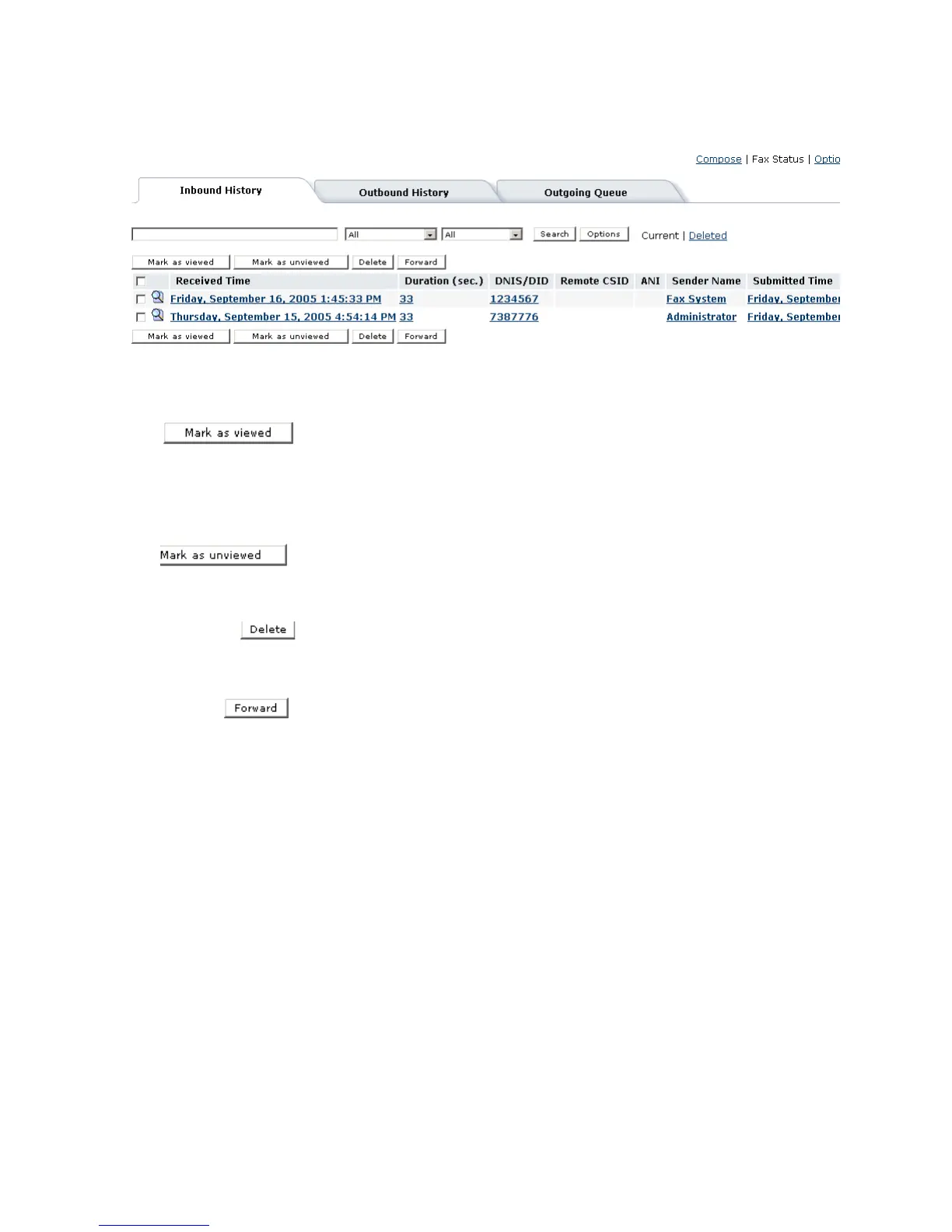
When a fax is received in the Inbound History status view, it is
flagged as bold text. This indicates that the inbound fax has not yet
been read. Once the fax has been viewed, it is flagged as unbold
text. The user can opt to reset this flag and set the status to mark as
viewed, without opening the fax(es) by simply clicking the Mark as
viewed button.
A user can opt to reset the status of a fax as unviewed, by clicking
on the Mark as unviewed button, the fax is once again bolded to
indicate unread status.
When a user selects a fax or multiple faxes and clicks on the Delete
button, the Inbound History display refreshes and removes the
selected fax(es). Deleted faxes can be viewed by clicking on the
Deleted button of the search bar.
When a user clicks the Forward button, the selected fax(es) are
rerouted to a new destination(s). The user is prompted with the
following display:
Note: Fax(es) must be selected from the Inbound History Current
or Deleted screens to activate the Forward function.



 To Next Page