ALL-TEST PRO 7™ User Manual
©2019 ALL-TEST Pro, LLC All Rights Reserved 29 Rev 06/20/2019
The Result screen has selectable submenus to display test result details, including Rotor and
Stator graphic “Test Signature” Pattern if a Dynamic test was done. If only a STATIC test was
done the Rotor and Stator fields will display “use REF” and subsequent sub-menu will show the
TVS =“Test Value Static” value.
1. Use UP & DOWN arrow keys to select item then press OK to enter the sub-menu and view
details.
2. Press OK or MENU to return when done.
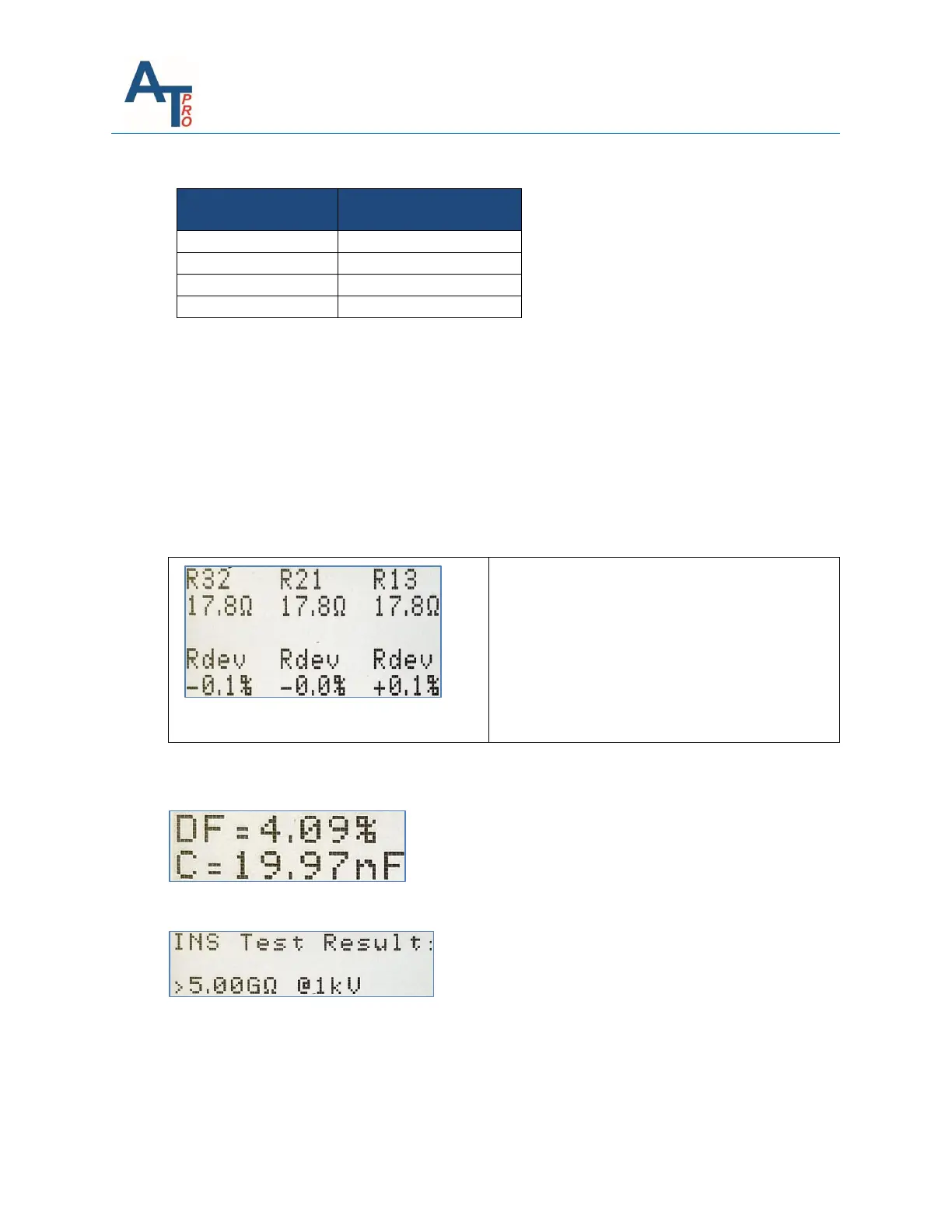
The following is an example of reviewing resistance test results submenu.
The Resistance Submenu will display actual R
values and % deviation. % deviation is
calculated by comparing each phase to the
average of the three-phases.
The Contamination Submenu will display DF in % and Capacitance in nF. If C is less than 1nF it
will display <1.
The Insulation submenu will display Insulation resistance in MΩ or >5GΩ or --- MΩ (if NoR)
The following is the example of the test results display when dynamic test is not performed. The
right screen below is the submenu after OK key is pressed to select “Stator” on the left screen.
The Stator submenu will display the “Test Signature Pattern” if a DYNAMIC test was done. If
only STATIC tests were done, then the TVS=“Test Value Static” (dimensionless) will be displayed.



 To Next Page