116
6
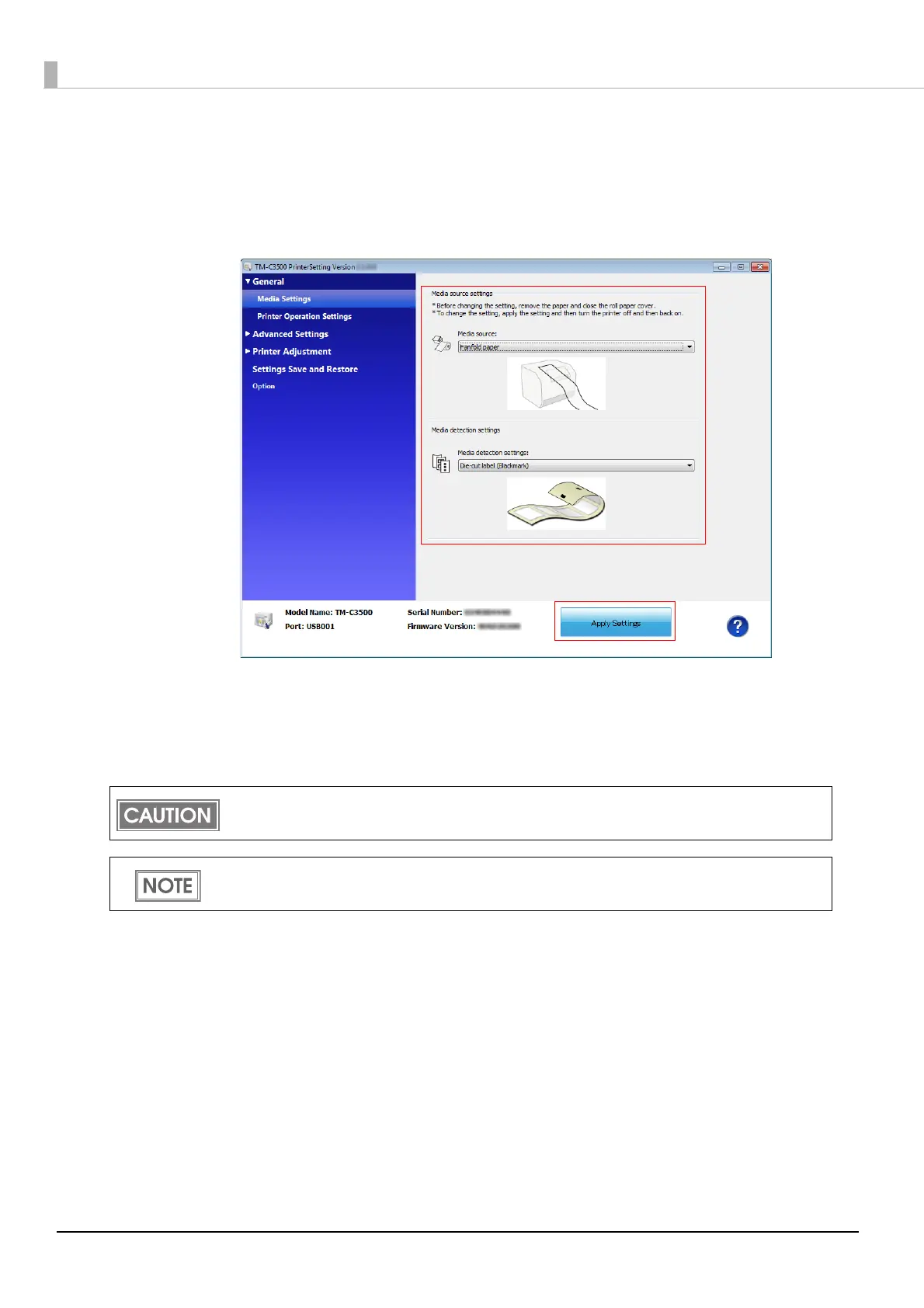
The "Media settings" screen is displayed. Set [Media detection settings].
Click [Apply Settings].
When fanfold paper is selected, the gap may not be detected depending on the paper you are
using. If this happens, perform [Adjust the Label Gap Detection Sensor]. For details, see "Sen-
sor Adjustment" on page 135
.
7
The confirmation window appears. Click [Yes] to send the settings to the
printer.
8
Turn the printer OFF.
Changes in the Media detection settings are saved in the memory in the printer when the printer
is turned off.
The gap may not be detected depending on the paper you are using. If this happens, perform
[Adjust the Label Gap Detection Sensor]. For details, see "Sensor Adjustment" on page 135.



 To Next Page