159
Chapter 3 Handling
3
Setting Check Modes
Besides the ordinary print mode, the printer has the self-test mode and allows you to print the status
sheet to check the various settings of the printer.
Self-test Mode
Printing errors such as dot missing can be checked on self-test mode. In addition, the firmware
version, Post-Printing Ver ification Settings, and Media detection settings can be checked.
Follow the steps below to run the self-test.
1
Set the die-cut label, receipt or continuous label which length is 90 mm or
more.
2
Turn the power on while pressing the paper feed button. (Keep pressing the
Power switch until the POWER LED is on.)
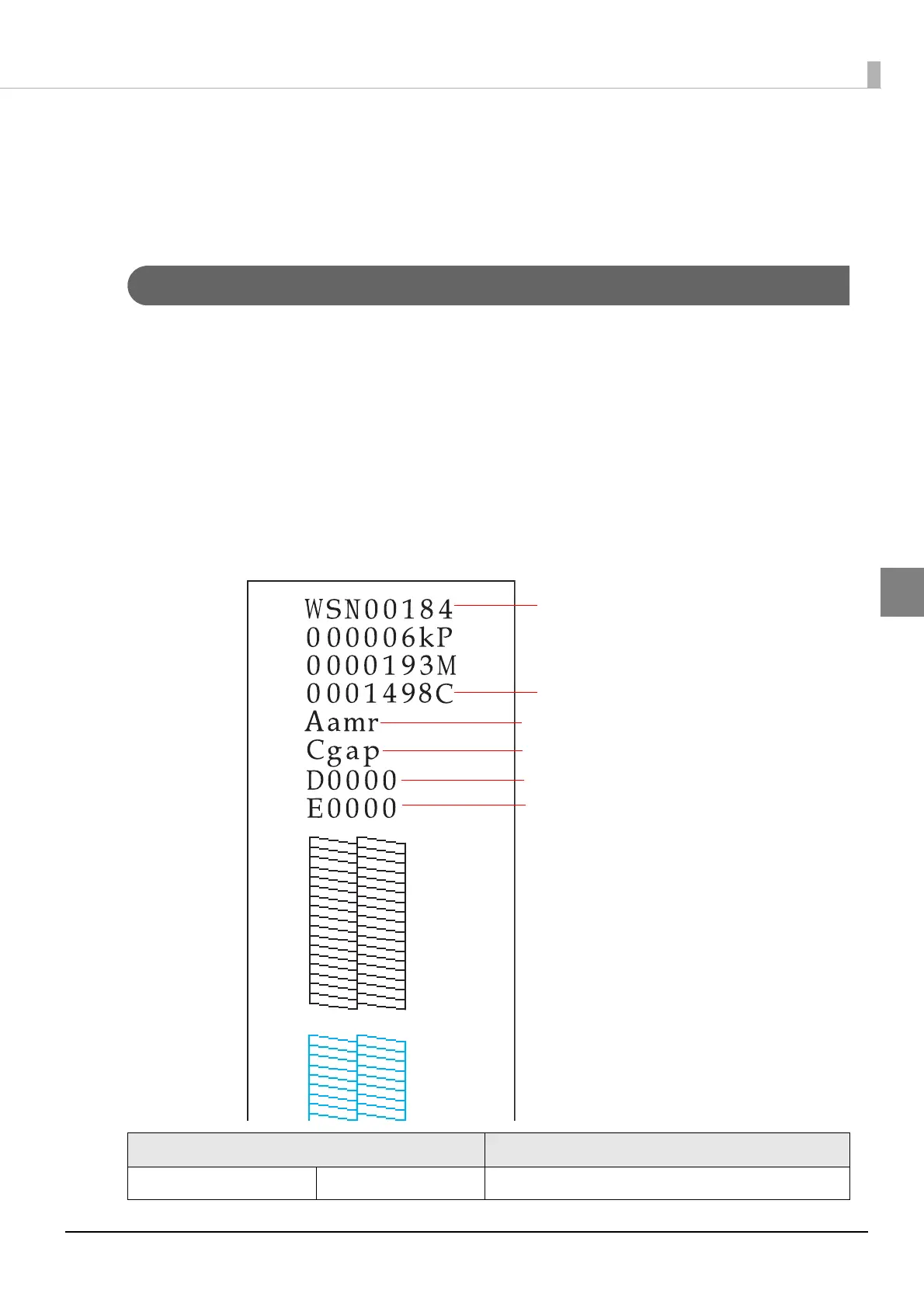
Following test pattern is printed.
Status Specification
Number of Cut 9999999C Firmware version "WAD*****" is not printed
Firmware Version
"Nozzle check mode"
"Media detection settings"
Printing position adjustment value
(Cut position and printing position)
Printing position adjustment value (Cut position)
Number of Cut



 To Next Page