174
Using Epson Inkjet Label Printer SDK
The necessary environments to print with a customer's application u sing an Epson's printer driver
are provided as SDK. The following items are included.
Operating environment
Where to download
Download it from Epson website.
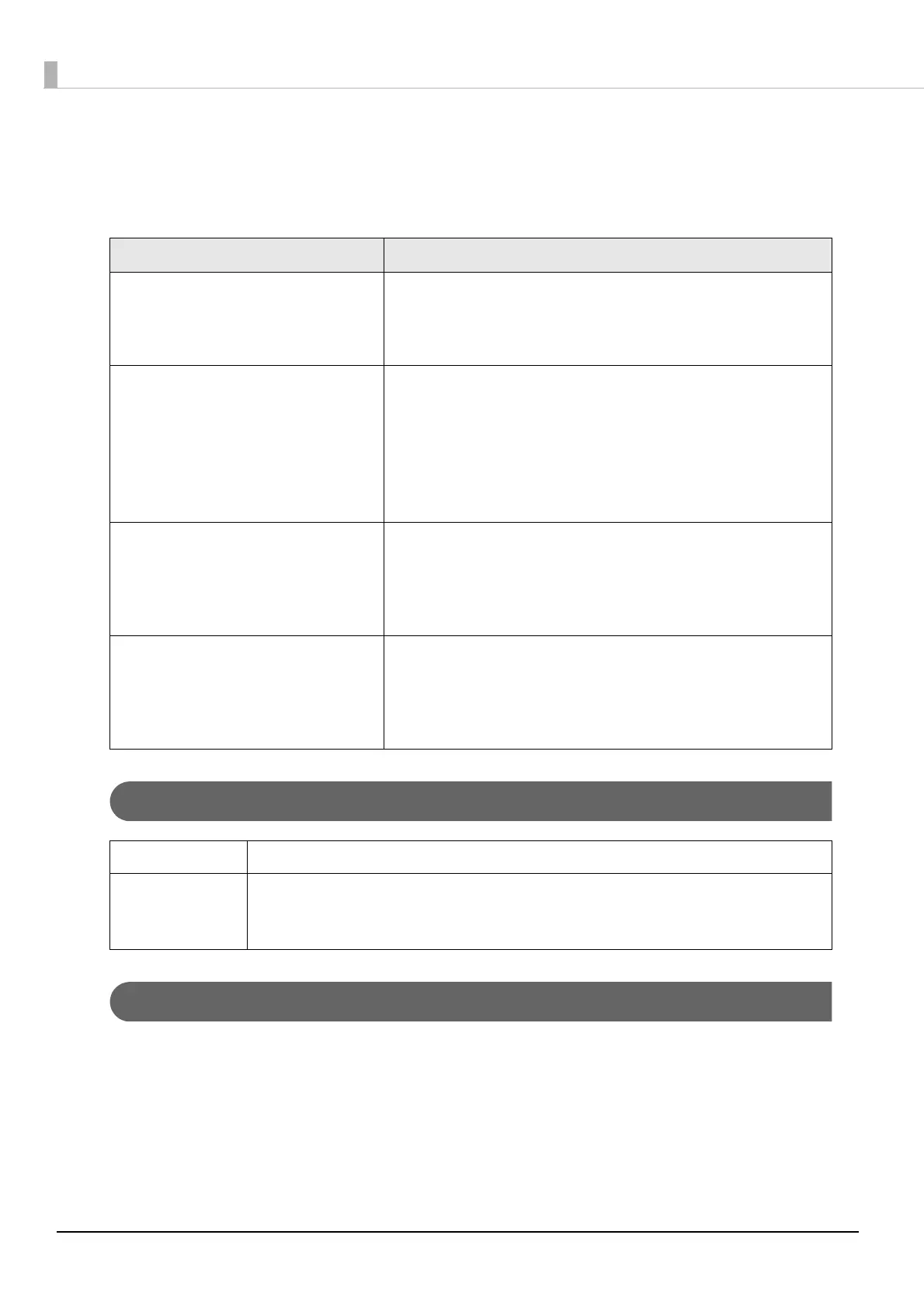
Items Description
EPSON Inkjet Label Printer SDK
User's Guide
This explains the configuration overview of the Inkjet Label
Printer SDK, necessary functions to control Epson Inkjet label
printers from an application, and settings that need to be per-
formed in a printer driver in advance.
EPDI (EPSON Printer Driver Interface) The EPDI (EPSON Printer Driver Interface) provides the applica-
tion-programming interface for the Epson's printer driver. By
using the EPDI, the Epson's printer driver settings can be per-
formed from application software the customer is developing.
For explanation of the EPDI and required technical information
to use in an application program, refer to the "EPDI for Inkjet
Label Printer Reference Manual" that comes with the SDK.
EpsonNet SDK The EpsonNet SDK provides an API to acquire the status of the
Epson inkjet label printer. For explanations of the API and
required technical information to use in an application pro-
gram, refer to "Reference for TM-C3500" that comes with the
SDK.
Label Print Sample Program Execution files of the application and source files of the pro-
gram are provided, in which printing is performed from Epson
inkjet label printers using the Inkjet Label Printer SDK. For how to
use the sample program, refer to "Inkjet Label Printer SDK User's
Guide".
OS Refer to Appendix
Software A printer driver (installed using the Install Navi).
.NET Framework Ver.3.5 (It is not provided by Epson, customers should prepare a
printer driver).



 To Next Page