64
Replacing Maintenance Box
Follow the steps below to replace the maintenance box.
1
Turn the printer OFF.
2
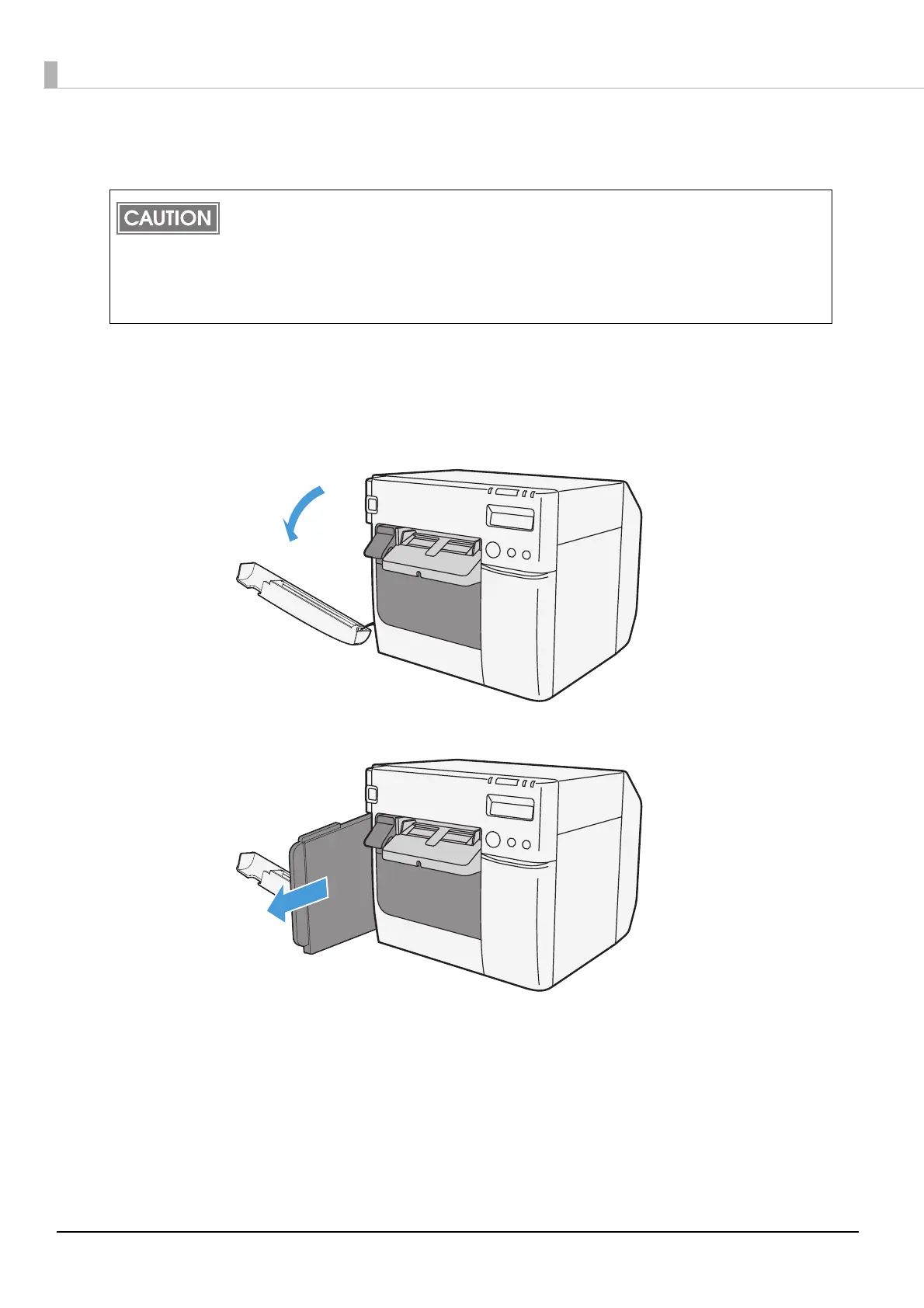
Open the maintenance box cover towards you.
3
Pull out the used maintenance box towards you.
Do not dismantle the Maintenance box.
Do not touch the IC chip on the cartridge.
Keep out of reach of children, and do not drink.
Do not reuse a maintenance box which was removed and detached for a long period.
When using the printer for the first time, the replacement interval for the maintenance box is
shorter than usual as ink charging consumes the ink.



 To Next Page