126
Operating Time Settings
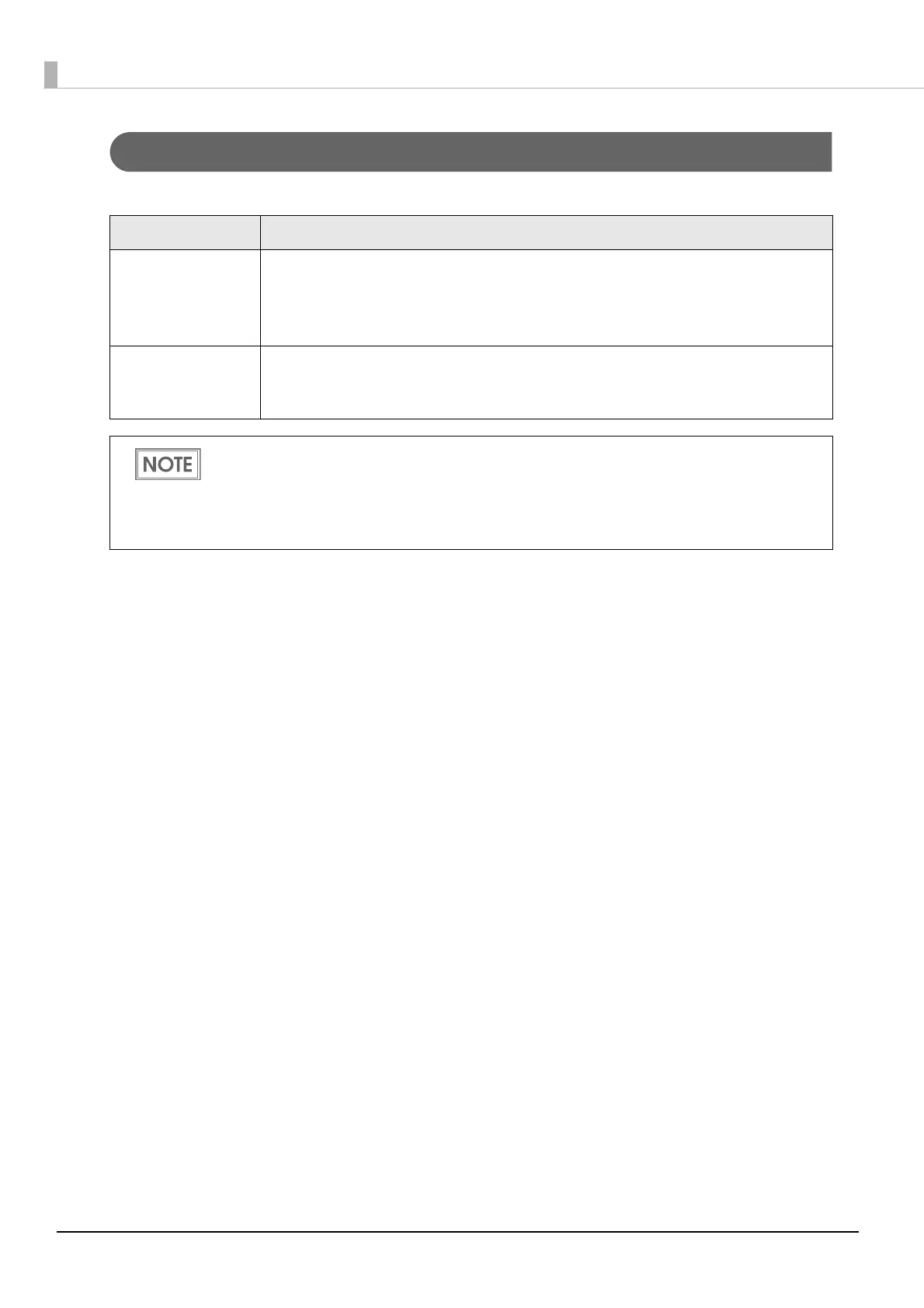
Allows you to specify the following:
Settings Description
Platen Vacuum
Operation Pause
Time Settings
Allows you to specify the time before stopping the platen vacuum fan after print-
ing completion.
The time may be extended up to 12 hours in accordance with the way the printer
is used. Furthermore, the printer may also be set not to go into sleep state.
Data Standby Time
Settings
Allows you to specify the time the printer will wait for the next data to arrive after
printing completion. The time may be extended up to 15 seconds in accordance
with the way the printer is used.
The printer stops the fan and goes into sleep state when printing completes. Then, when the
next printing starts, the printer starts the fan and comes out of the sleep state.
For this reason, work efficiency is low when the printer is used intermittently every few seconds.
In such a case, work efficiency may be improved by increasing the time settings in accordance
with the way the printer is used.



 To Next Page