87
Chapter 3 Handling
3
Exporting/Importing Printer Driver Settings
You can export the printing references, favorite setting, user-defined information (paper layout,
barcode) and printer driver operation settings into a BSF file (extension of ".BSF"). You can also
import the settings from a BSF file to set up the printer driver.
Export Settings
Follow the steps below to export the settings.
1
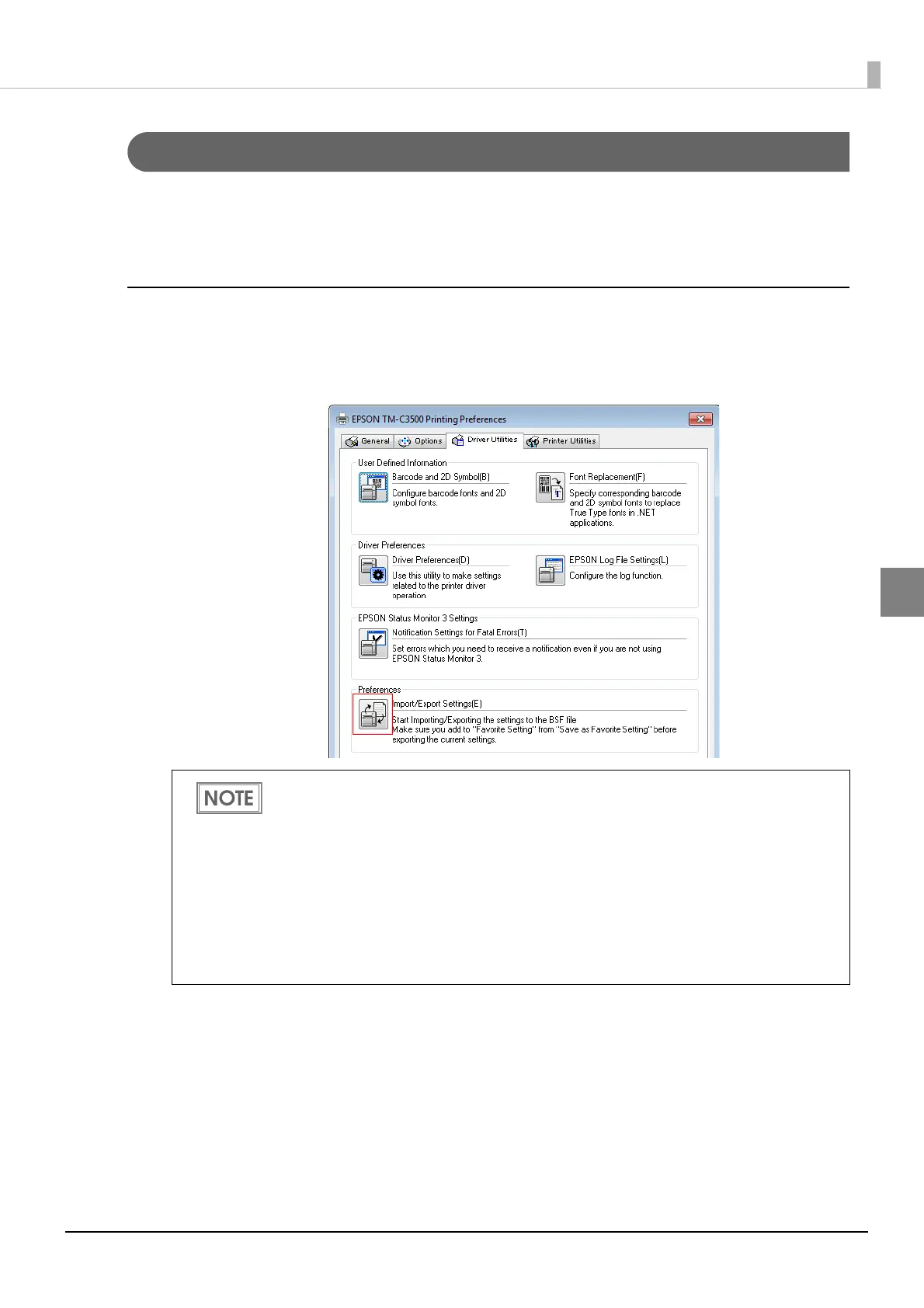
Select [Driver Utilities] tab. Click [Import/Export Settings].
Export in a BSF file from the current setting. If you export it from the general setting, a
different content will be exported.
Current setting:
Properties of the printer driver-[General]-[Printing References]-[Driver Utilities]-
[Import/Export Settings]
General setting:
Properties of the printer driver-[Advanced]-[Printing Defaults]-[Driver Utilities]-
[Import/Export Settings]
Be sure to register the settings on the [General] tab to "favorite setting".
If not registered, the initial settings of the printer driver are applied.



 To Next Page