50
Setting the Printer Driver
In addition to the printing preferences, the printer driver also provides the printer settings and
various utility functions.
•Banding Reduction
• TM-C3500 PrinterSetting
•Setting for EPSON Status Monitor 3
Banding Reduction
You can reduce banding (extraneous lines in printing) to obtain better print quality. T h is function,
however, lowers the print speed.
Follow the steps below to reduce banding.
1
Display the printer driver window.
(See How to Display the Printer Driver on page 43.)
2
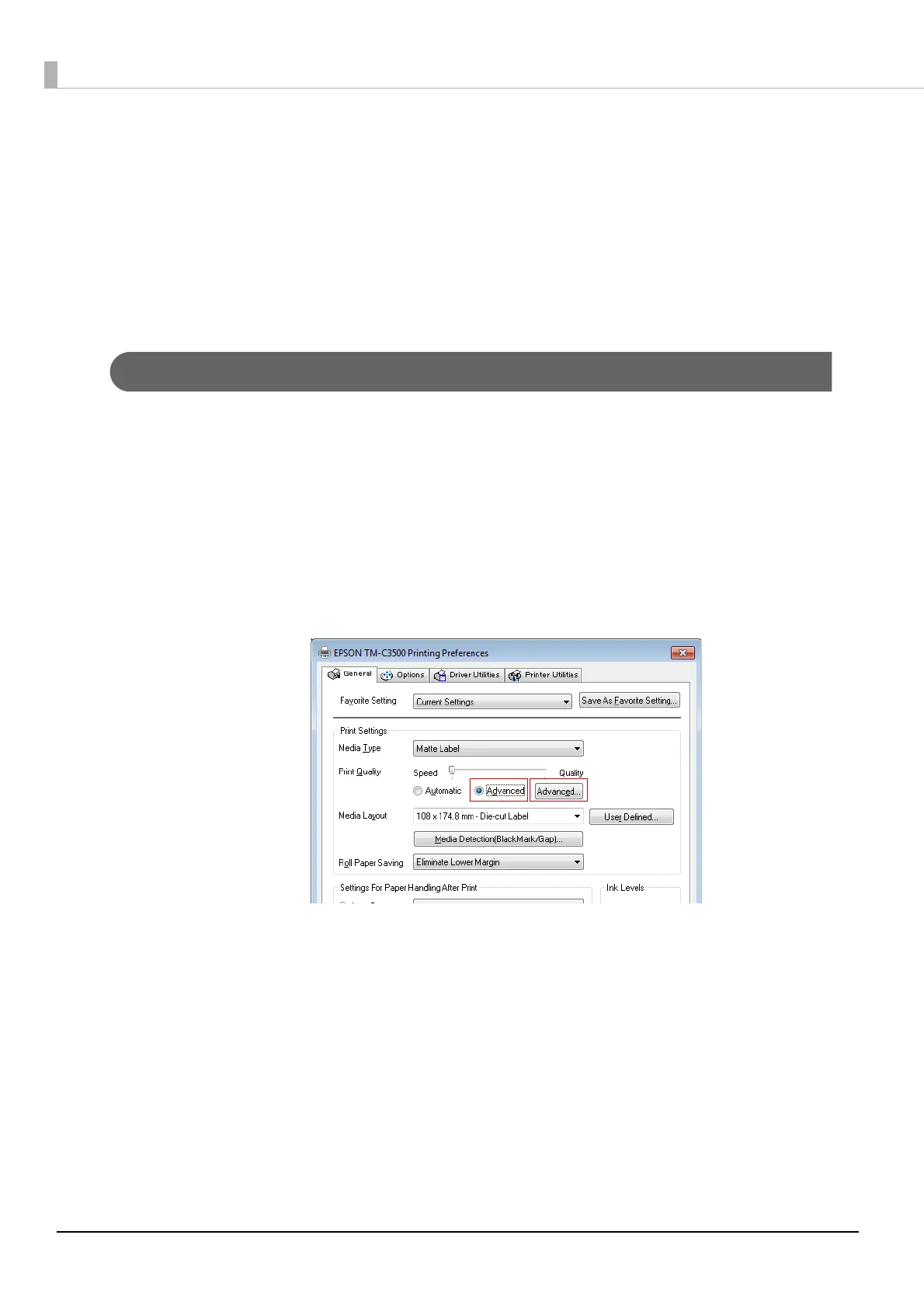
On "General" window, select [Advanced] under [Print Settings]. Then click
[Advanced...].



 To Next Page