169
Chapter 3 Handling
3
Fanfold paper
The following media is supported:
•Continuous paper (Blackmark)
•Die-cut label (Blackmark)
Premise
•Moving to the peel position as post-printing processing is not selected.
•For Continuous paper (Blackmark) and Die-cut label (Blackmark), Enable "Notification setting at
media size error".
Go to [Printer Utilities] - [Printer Preferences] - [Advanced Settings] - [Notification Settings], then
from the [Notification Setting at a Media Size Error] menu, select [Notify errors].
Method for arranging the media
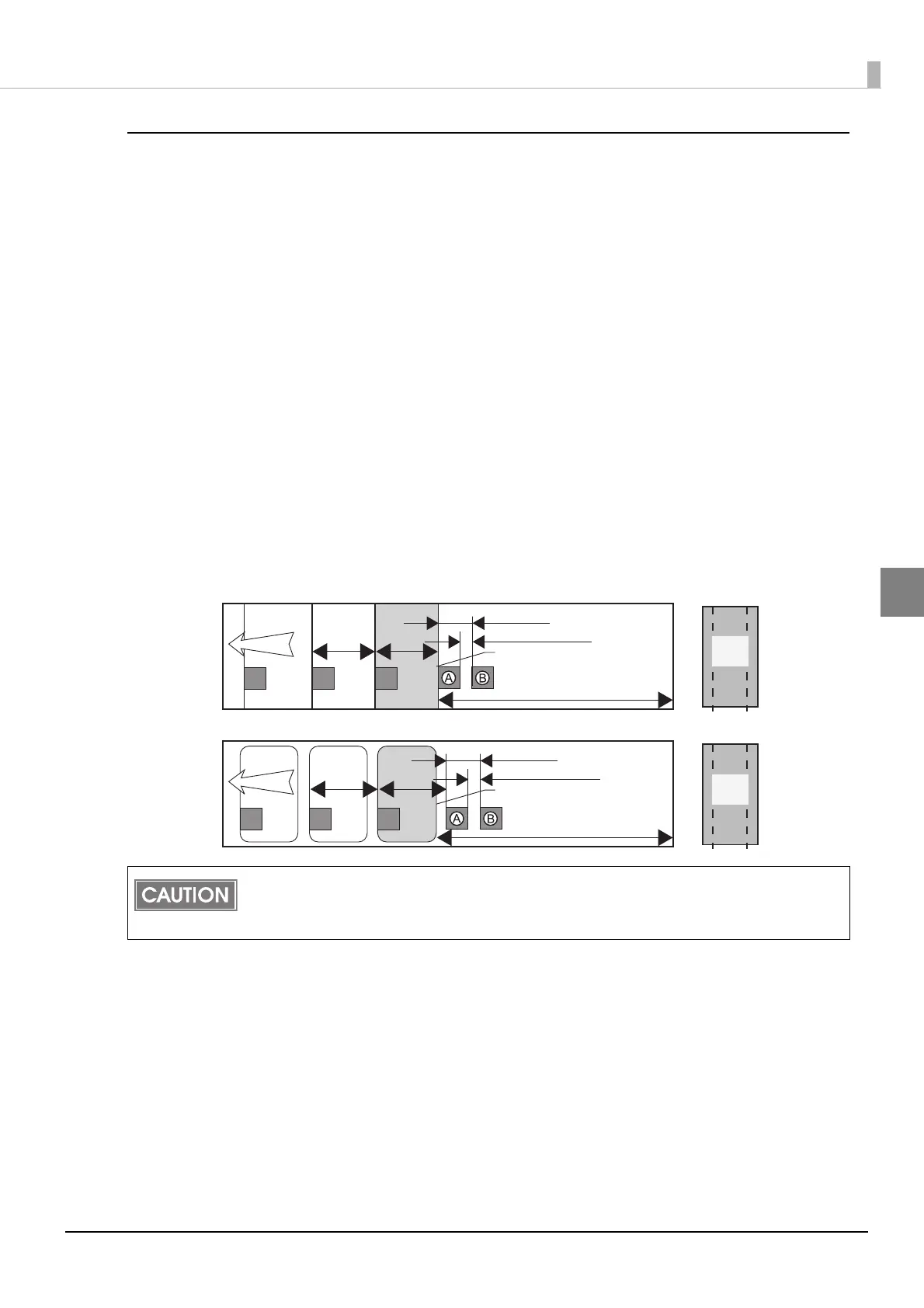
Ensure a margin of 107.5 mm {4.32"} or more from the rear edge of the last ticket or label to be
printed, and for labels, leave only the backing. Also, behind the last ticket or label to be printed,
place a black mark [A in the figure] at the same interval up until that point [L in the figure], leave a
gap of 5 ± 0.5 mm {0.20 ± 0.02"} mm behind that, and place another black mark [B in the figure]. The
maximum interval between the aforementioned 2 black marks is 11 mm {0.43"}.
Once the printing processing (including autocutting) for the last ticket or label is completed prop-
erly, directly after the new print data is sent to the printer, a "Media size error" occurs, and the
printer stops with the print data saved.
Paper feed
direction
Maximum 11 mm {0.43” }
5±0.5 mm {0.20±0.02” }
Rear edge of the last ticket
black mark
Die-cut label (Blackmark)
107.5 mm {4.32” } or more
L.L.
Roll
core
Paper feed
direction
Maximum 11 mm {0.43” }
5±0.5 mm {0.20±0.02” }
Rear edge of the last ticket
black mark
Continuous paper (Blackmark)
107.5 mm {4.32” } or more
L.L.
Roll
core



 To Next Page