59
Chapter 2 Setup
2
Error notification setting for [Use EPSON Status Monitor 3]
Follow the steps below to set error notification for [Use EPSON Status Monitor 3].
1
Turn the printer ON.
2
Display the printer driver window.
(See How to Display the Printer Driver on page 43.)
3
Select [Driver Utilities] tab and click [Monitoring Preferences].
When EPSON Status Monitor 3 is disabled, the [Monitoring Preferences] is n ot di splayed.
(Enable EPSON Status Monitor 3 by referring to Use/Not use EPSON Status Monitor 3 on
page 54
.)
4
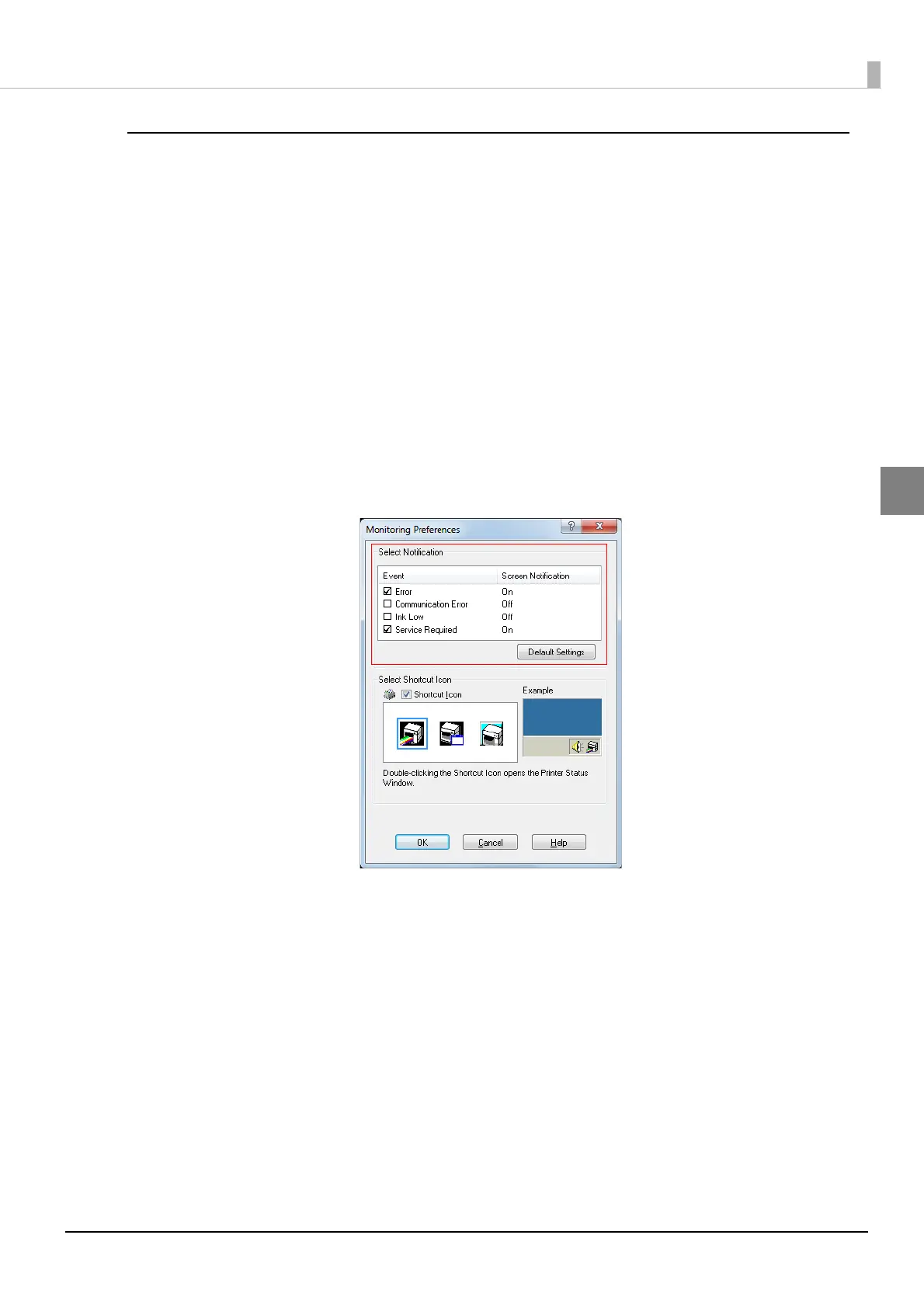
The [Monitoring Preferences] window is displayed. Click on the box of your
choice, and click [OK].
•Error: When paper/ink replacement is required
(Default: Screen Notification [On] )
•Communication Error: When the printer power is off
(Default: Screen Notification [Off] )
•Ink Low: When the ink amount is low
(Default: Screen Notification [Off])
•Service Required: When a printer error occurs
(Default: Screen Notification [On] )



 To Next Page