62
5
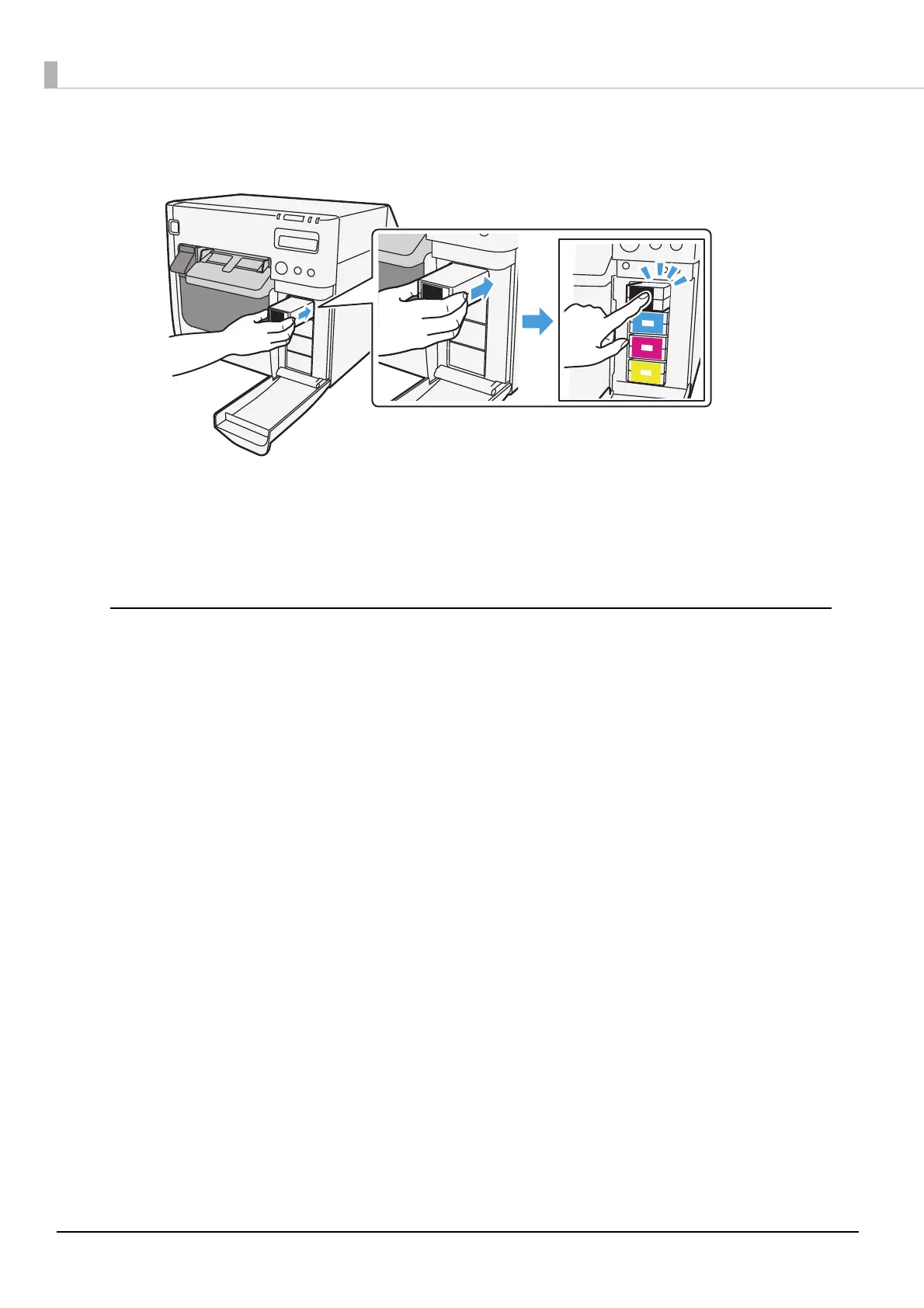
With the label facing upwards, insert the new ink cartridge, and push it in
slowly until it clicks into place.
6
Close the ink cartridge cover.
7
When the ink cartridge replacement is completed, the INK LED turns off,
and printing can be performed.
Cautions on using ink cartridges
❏ Do not touch the IC chip on the cartridge. Doing so may cause operating/printing malfunction.
❏ This product uses ink cartridges equipped with an IC chip that monitors the amount of ink used
by each cartridge. Cartridges are usable even if they are removed and reinstalled. However, if an
ink cartridge in which little amount of ink remains is removed and reinstalled, it may not be
usable. Some ink is consumed each time cartridges are installed because the product
automatically checks their reliability.
❏ Install all ink cartridges. Printing is not possible even if only one ink cartridge is missing.
❏ Since ink cartridges are designed to stop the operation before ink runs out completely to
maintain the quality of the print head, some ink remains in the used ink cartridge.
❏ All the ink colors are consumed also for the maintenance operations when an ink cartridge is
replaced and for print head cleaning.
❏ Even for monochrome printing, all the ink colors are used in an operation designed to maintain
the printing and print head quality.
❏ Use of an old ink cartridge may result in reduced print quality. Use it up within six months after
opening the package. The usage period for ink cartridges is printed on the packaging of
individual ink cartridges.
❏ There may be some ink around the ink supply port on the removed ink cartridge. Take care so
that it does not stain the desk or other surface.
❏ Do not remove the ink cartridge, except when you replace it.
❏ Do not open the ink cartridge package until you are ready to install it in the product.



 To Next Page