67
Chapter 3 Handling
3
5
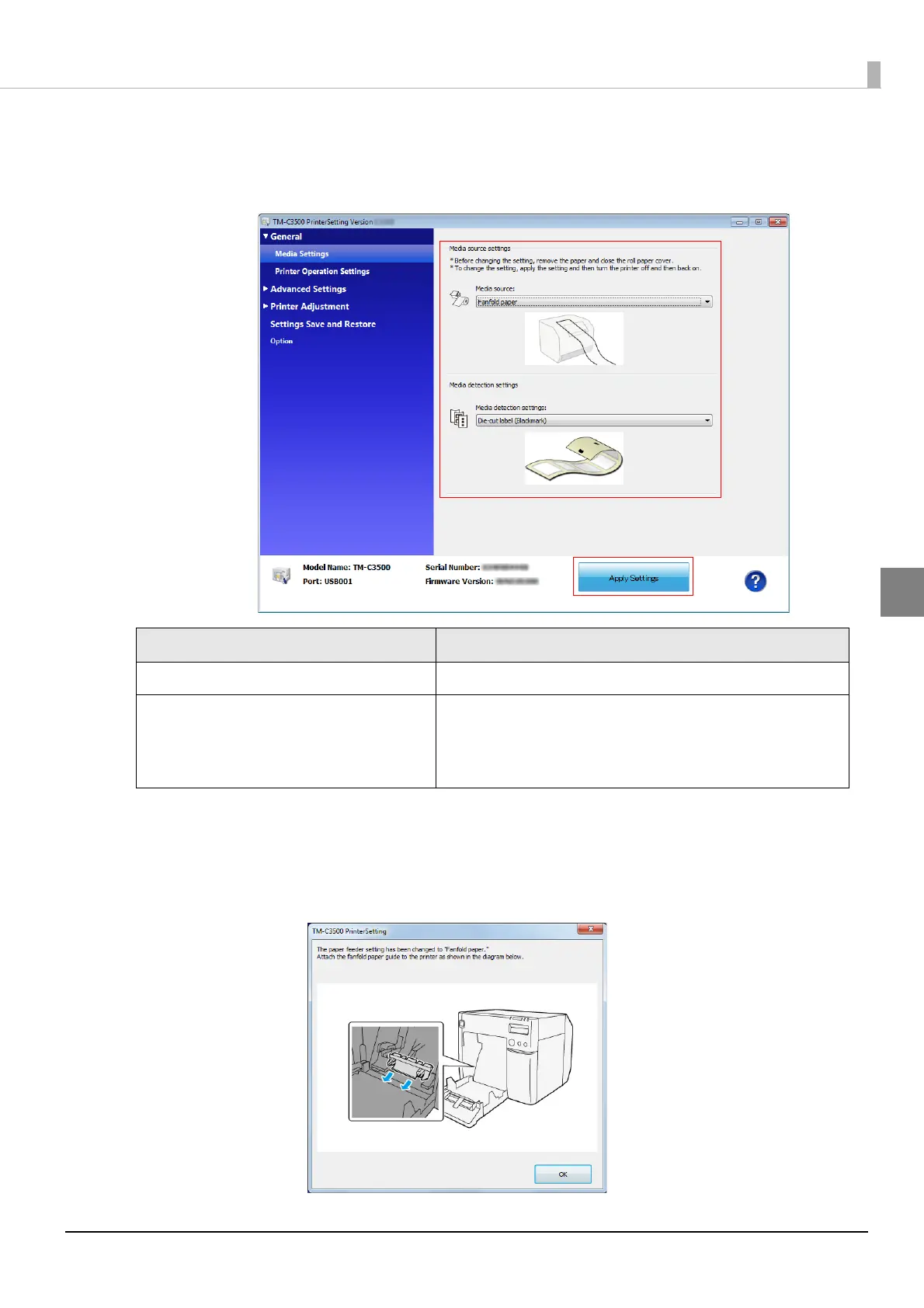
From TM-C3500 PrinterSetting, specify the media source and the media
detection method. Then, click [Apply Settings].
After setting [Media source], set [Media detection settings].
6
The confirmation window appears. Click [Yes] to send the settings to the
printer.
7
The following window appears. Click [OK].
Item Description
Media source Select [Fanfold paper].
Media detection settings
Select the media type.
Die-cut label (Blackmark)
Continuous paper (Blackmark)
Die-cut label (Gap), Transparent die-cut label



 To Next Page