even if the DE1-SoC board is turned off. When the board is powered on, the configuration data in
the EPCQ256 device is automatically loaded into the Cyclone V SoC FPGA.
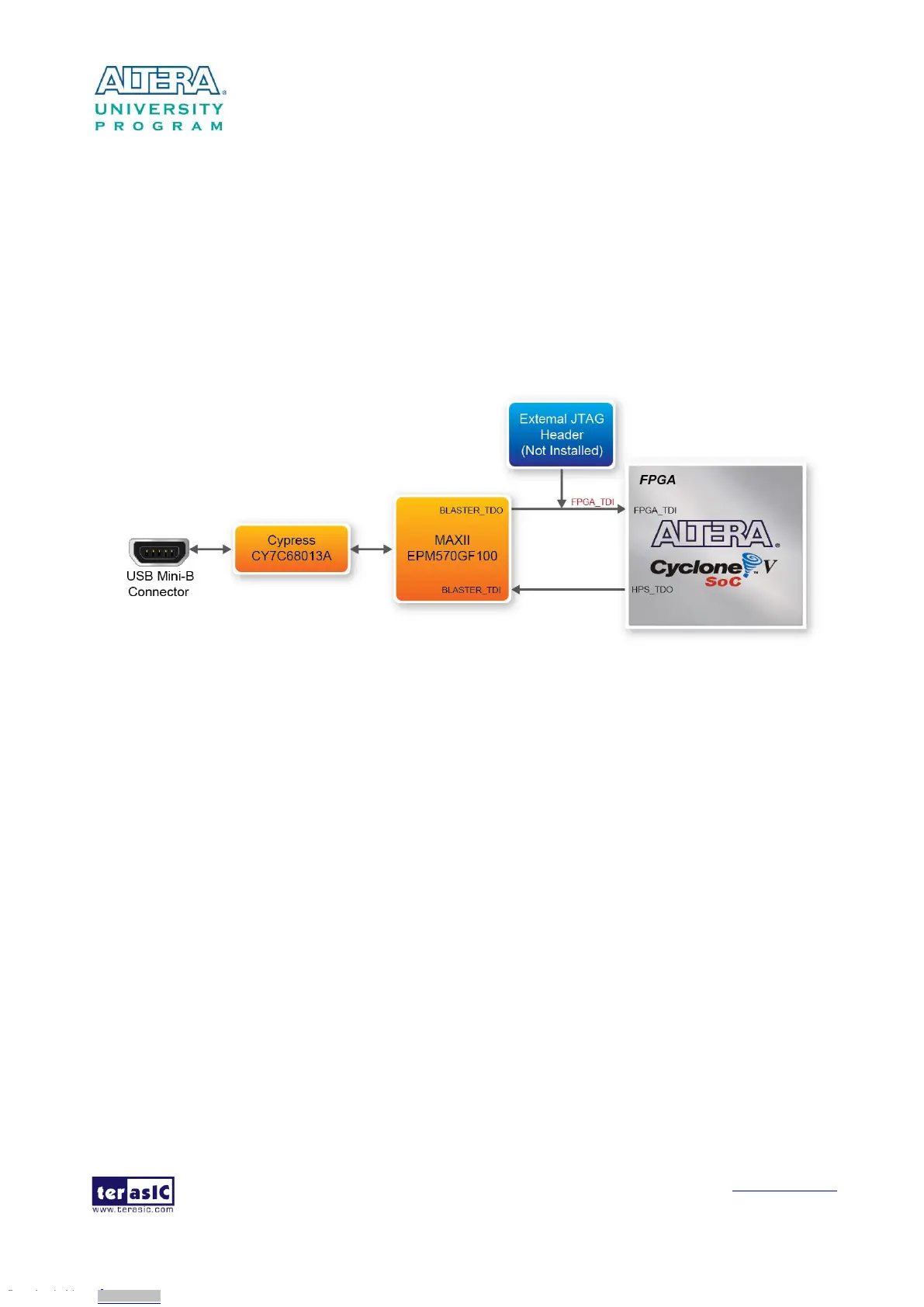
JTAG Chain on DE1-SoC Board
The FPGA device can be configured through JTAG interface on DE1-SoC board, but the JTAG
chain must form a closed loop, which allows Quartus II programmer to the detect FPGA device.
Figure 3-2 illustrates the JTAG chain on DE1-SoC board.
Figure 3-2 Path of the JTAG chain
Configure the FPGA in JTAG Mode
There are two devices (FPGA and HPS) on the JTAG chain. The following shows how the FPGA is
programmed in JTAG mode step by step.
1. Open the Quartus II programmer and click “Auto Detect”, as circled in Figure 3-3
Downloaded from Arrow.com.Downloaded from Arrow.com.Downloaded from Arrow.com.Downloaded from Arrow.com.Downloaded from Arrow.com.Downloaded from Arrow.com.Downloaded from Arrow.com.Downloaded from Arrow.com.Downloaded from Arrow.com.Downloaded from Arrow.com.Downloaded from Arrow.com.Downloaded from Arrow.com.Downloaded from Arrow.com.Downloaded from Arrow.com.Downloaded from Arrow.com.



 To Next Page