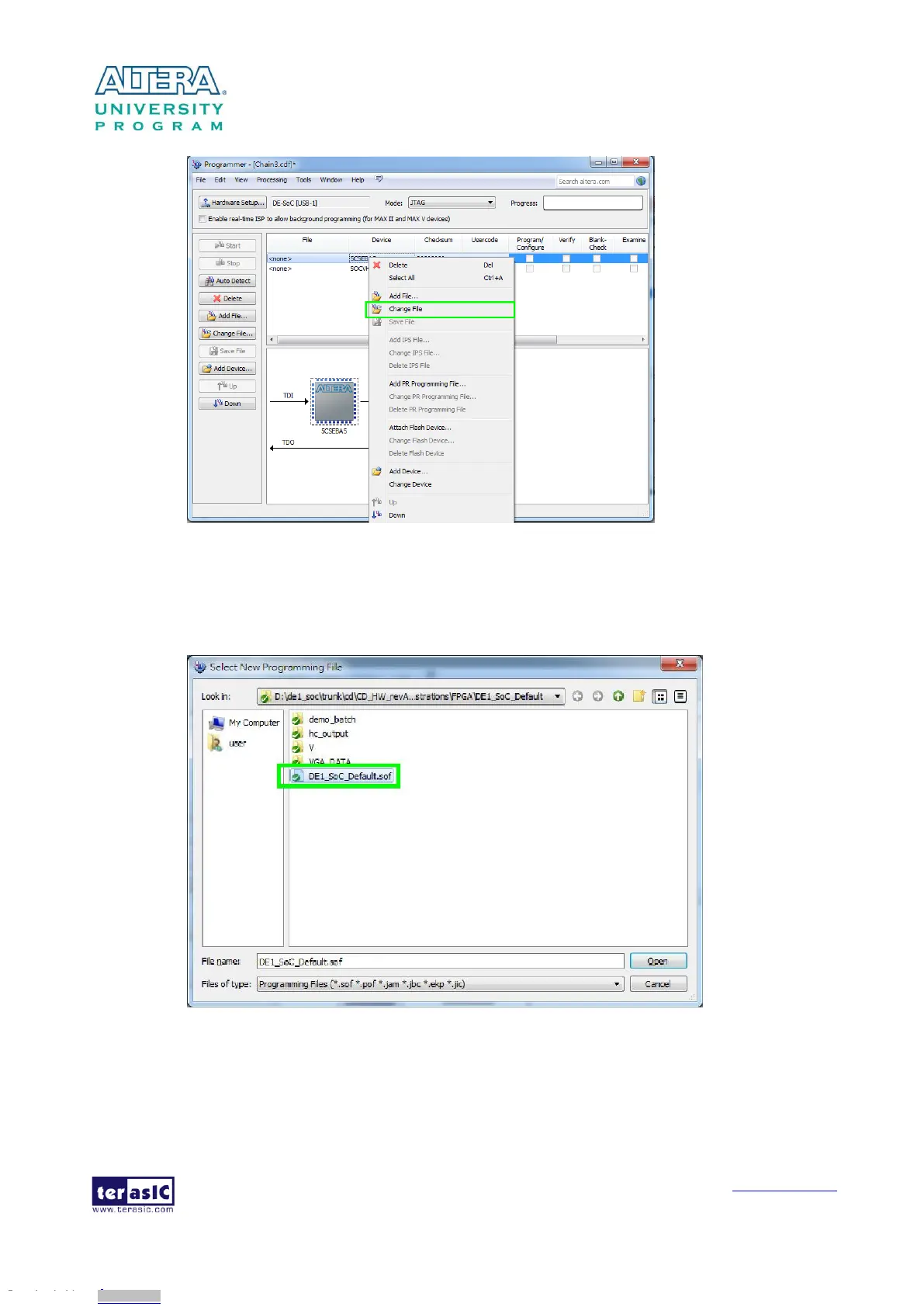
Figure 3-6 Open the .sof file to be programmed into the FPGA device
5. Select the .sof file to be programmed, as shown in Figure 3-7.
Figure 3-7 Select the .sof file to be programmed into the FPGA device
6. Click “Program/Configure” check box and then click “Start” button to download the .sof file
into the FPGA device, as shown in Figure 3-8.
Downloaded from Arrow.com.Downloaded from Arrow.com.Downloaded from Arrow.com.Downloaded from Arrow.com.Downloaded from Arrow.com.Downloaded from Arrow.com.Downloaded from Arrow.com.Downloaded from Arrow.com.Downloaded from Arrow.com.Downloaded from Arrow.com.Downloaded from Arrow.com.Downloaded from Arrow.com.Downloaded from Arrow.com.Downloaded from Arrow.com.Downloaded from Arrow.com.Downloaded from Arrow.com.Downloaded from Arrow.com.Downloaded from Arrow.com.



 To Next Page